Smarter cash application for faster payments
Apply supported cash first. Keep residuals controlled until finance resolves them.
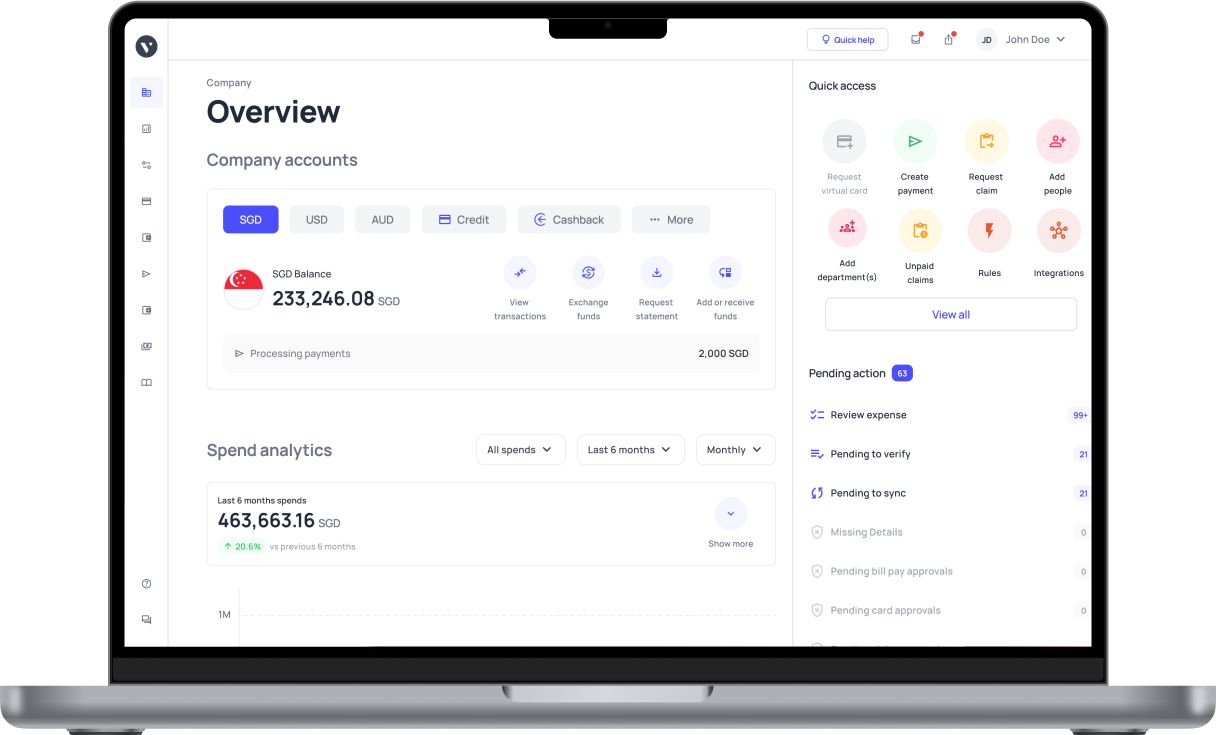














Read the receipt. Find the payer. Propose the match.
Receipt and remittance ingestion
Bring bank activity, statement files, payment-provider reports and remittance into one workflow. Keep incomplete or repeated imports visible.
Payer and account identification
Identify the payer from bank details, remittance, CRM and ERP relationships and approved aliases. Handle a parent paying for subsidiaries within entity and currency boundaries. Unrelated accounts are not merged on a name alone.
Invoice allocation
Handle one payment across many invoices, instalments, consolidated remittance and eligible credit offsets. Candidates are re-checked against current open balances before execution, so a stale match cannot reapply cash to an already-cleared invoice.
Matching rules
Configure reference normalisation, allocation priority, tolerance, confidence thresholds and approval limits. Each suggestion shows the receipt, remittance line and invoice behind it. Identifying a likely customer is not treated as enough to approve a write-off.
Short payments and deductions
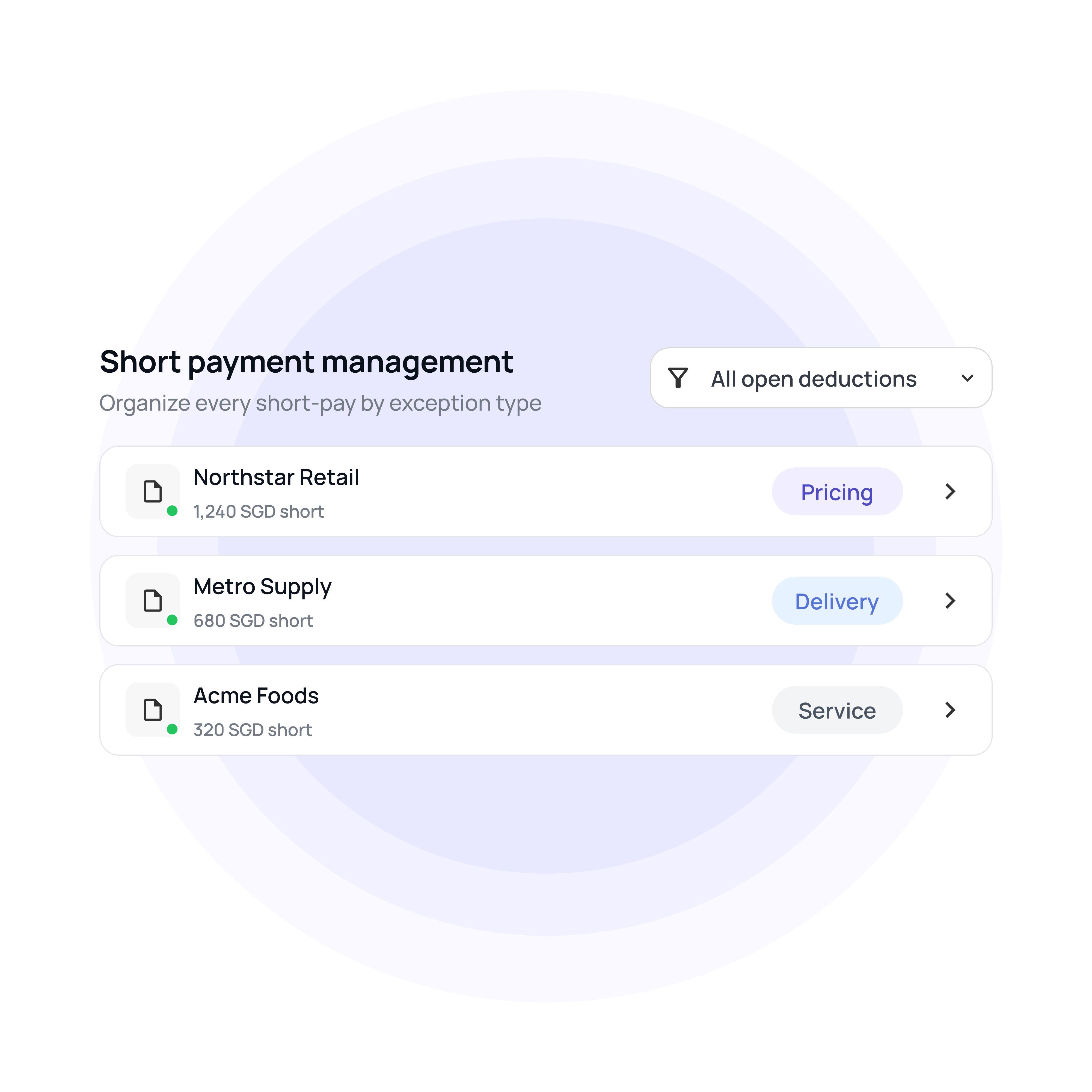
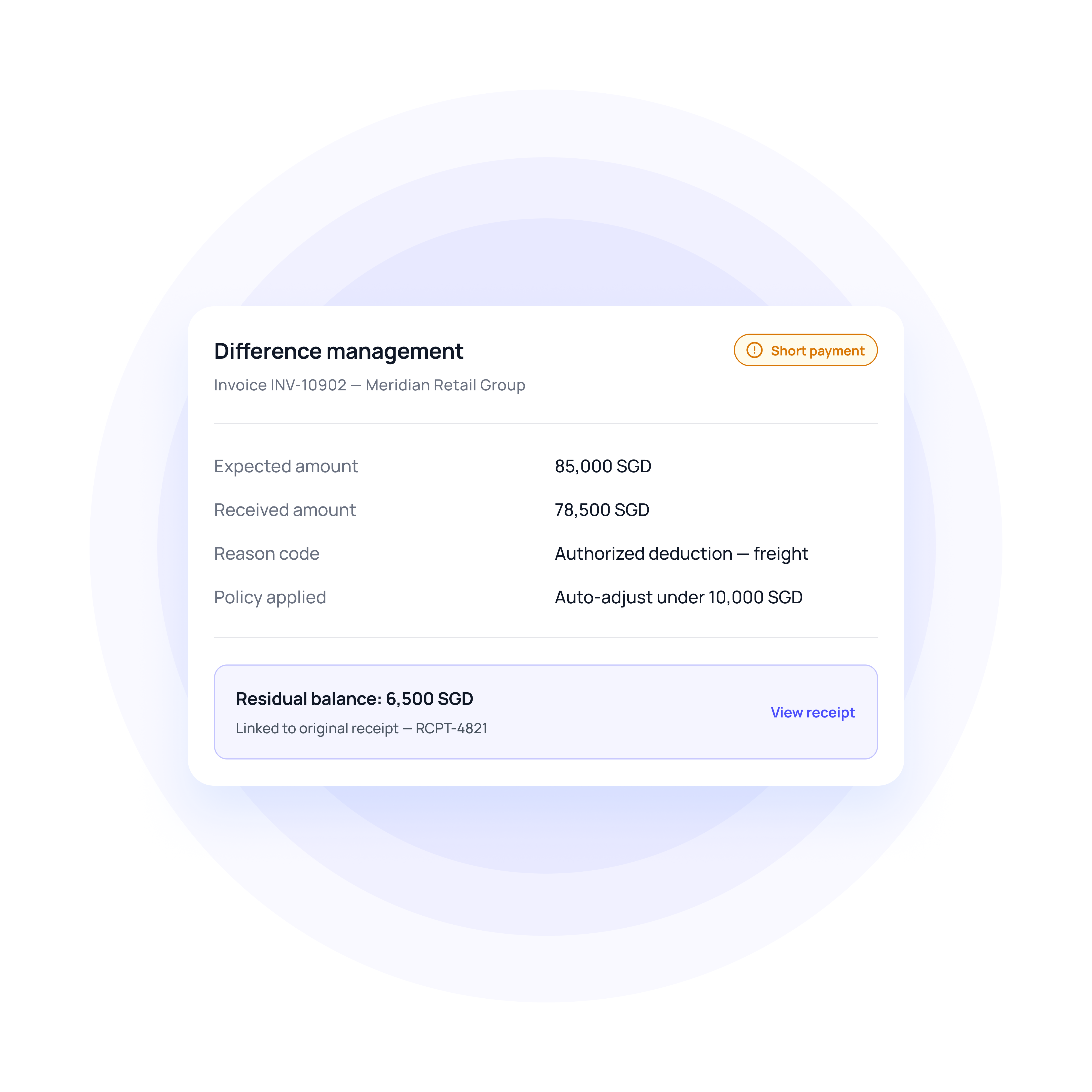
The supported amount is applied, and the residual is held against the invoice. The system classifies the gap as a deduction, discount, withholding, or error with reason codes and evidence, rather than writing it off by default.
Overpayments and credits
Excess cash is preserved as an on-account amount or eligible credit under policy. Where intent is unclear, the workflow asks which invoice it belongs to. A refund stays a separate, approved action, never automatic.
ERP-native posting and recovery
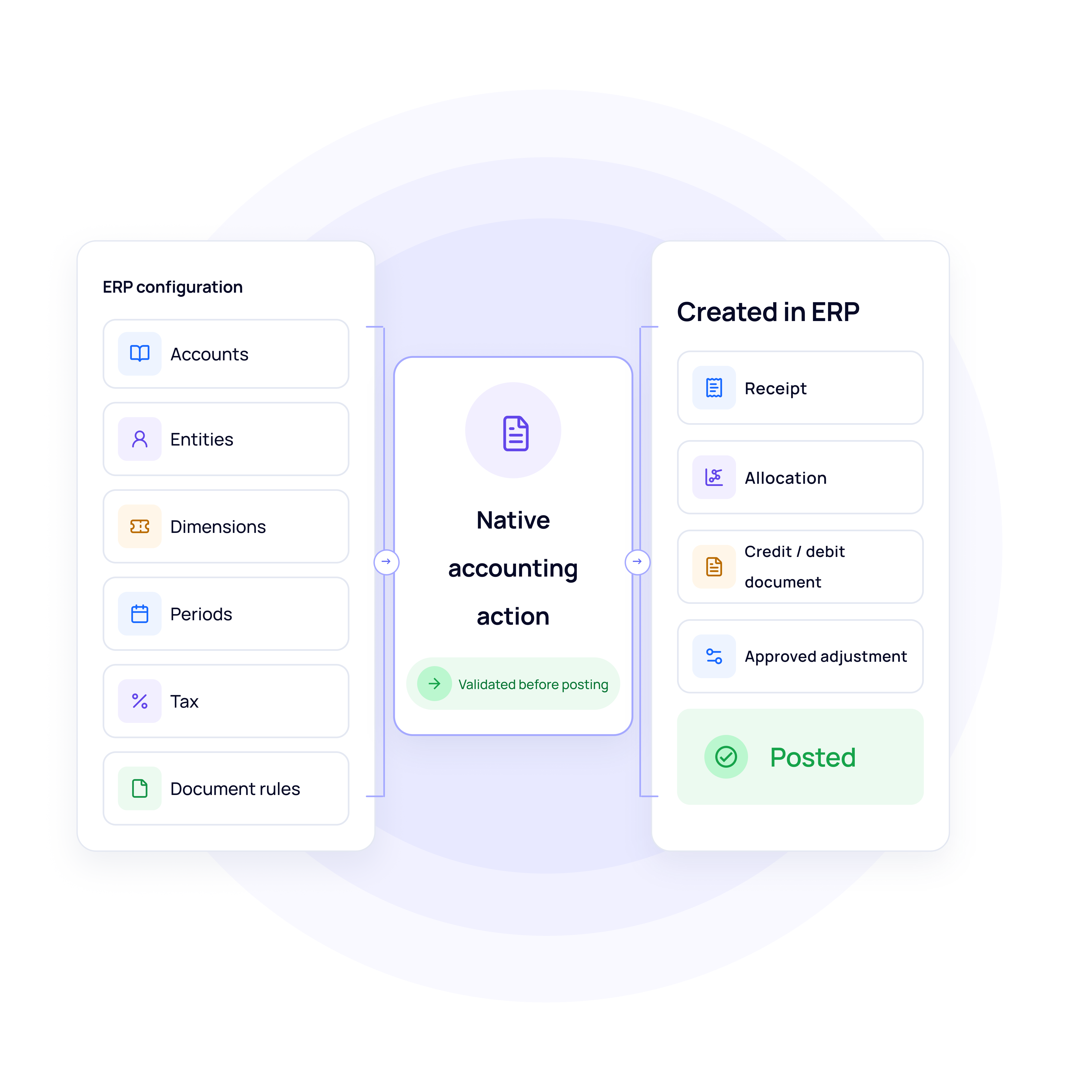
Receipts, allocations and adjustments are created using your chart of accounts, entities, periods and tax rules. Each posting is read back and confirmed. A rejection or timeout becomes owned recovery work and is retried without duplication.
Clear cash faster. Keep every exception under control
The controls around every applied receipt
Automatic, review and manual handling
Automation is configured by action, amount, entity, customer and evidence quality. Reviewers see the allocation, difference, proposed documents and rationale before approval. Sensitive adjustments and cross-entity transfers can stay restricted even when matching runs automatically.
Missing-remittance investigation
When allocation evidence is thin, the system creates a linked request. The AR support agent asks the customer for a specific reference or advice and follows up under policy. Incoming information updates the receipt and re-runs the checks.
Audit trail and reviewed learning
Every receipt, extracted field, allocation, policy version, approver and ERP read-back is recorded, including failed attempts. Confirmed corrections suggest new aliases or rules, which finance approves before activation, while retaining the prior version.
Receivables reporting and performance tracking
Track receipt-to-clearing time, unapplied cash ageing by reason and owner, automation coverage and posting quality. The reporting agent produces reconciliation packs with filters, as-of dates and links to the underlying documents.
Where cash application gets complicated
One payment may cover several invoices, entities or billing periods. Match supported amounts first and keep only unclear residuals for review.
A Singapore or regional treasury team may pay on behalf of several entities. Use approved account relationships and remittance to identify the intended customer without crossing entity boundaries.
Singapore finance teams may apply SGD alongside regional currency receipts. Keep entity mappings, exchange differences and bank fees separate before completing the allocation.
Compare how cash gets applied
Manual or legacy cash application | The Volopay approach |
|---|---|
Cash and its explanation sit in separate systems and spreadsheets | Receipt, remittance and customer context sit on one record |
The whole receipt waits while a small residual is investigated | The supported amount is applied while the residual follows a linked case |
A proposed match or a successful API response is treated as done | The posting is read back and confirmed against the actual ERP record |
Repeated imports risk posting the same cash twice | Duplicates are detected, and retries run on a stable identifier |
"Paid" collapses authorisation, receipt, allocation and posting into one status | Each event stays distinct, so you see which one is actually confirmed |
They loved Volopay, you will too
FAQs
Yes, where the allocation is supported, and policy allows it. The clear amount is applied, and the disputed residual is retained with a linked case. The invoice closes only once the full balance is cleared.
Within configured permissions, evidence requirements and accounting rules, yes. Review mode can be required for specific customers, amounts or adjustment types. Automatic matching does not authorise every subsequent financial action on its own.
It is attached to the existing receipt, the relationship is validated, and the unresolved allocation is reassessed. Earlier actions are preserved, so no duplicate receipt is created, and no posted amount is applied twice.
Volopay uses bank details, remittance, account relationships, historical allocations and approved aliases. Uncertain matches stay evidence-backed rather than forced.
Bank and remittance sources, account identities and relationships, matching policies, tolerances and reason codes, adjustment approvals, chart-of-accounts mappings and exception owners. Partial payments, ambiguous matches, duplicates and timeouts are tested alongside clean matches.
Volopay keeps the failure reason visible and routes it to an owner. On a timeout, it checks for the original transaction before retrying.
Bring Volopay to your business
Get started now