Control spending with prepaid business cards
Give employees access to preloaded funds, set spending controls, and track business purchases in one place with Volopay prepaid business cards.













Control business spend before purchases happen
Funds loaded upfront
Load funds onto prepaid cards before employees make approved purchases, so cardholders spend from preloaded company funds within their approved limits.
Limits built around your needs
Set spending caps by card, role, or category before purchases are made, then adjust them as approved budgets or project requirements change.
Virtual and physical cards
Use virtual cards for online purchases and subscriptions, and physical cards for eligible in-person expenses, while managing both formats through one platform.
Live transaction visibility
Review purchases as they happen and check card balances from one dashboard, helping finance teams spot unexpected spend and follow up while details are clear.
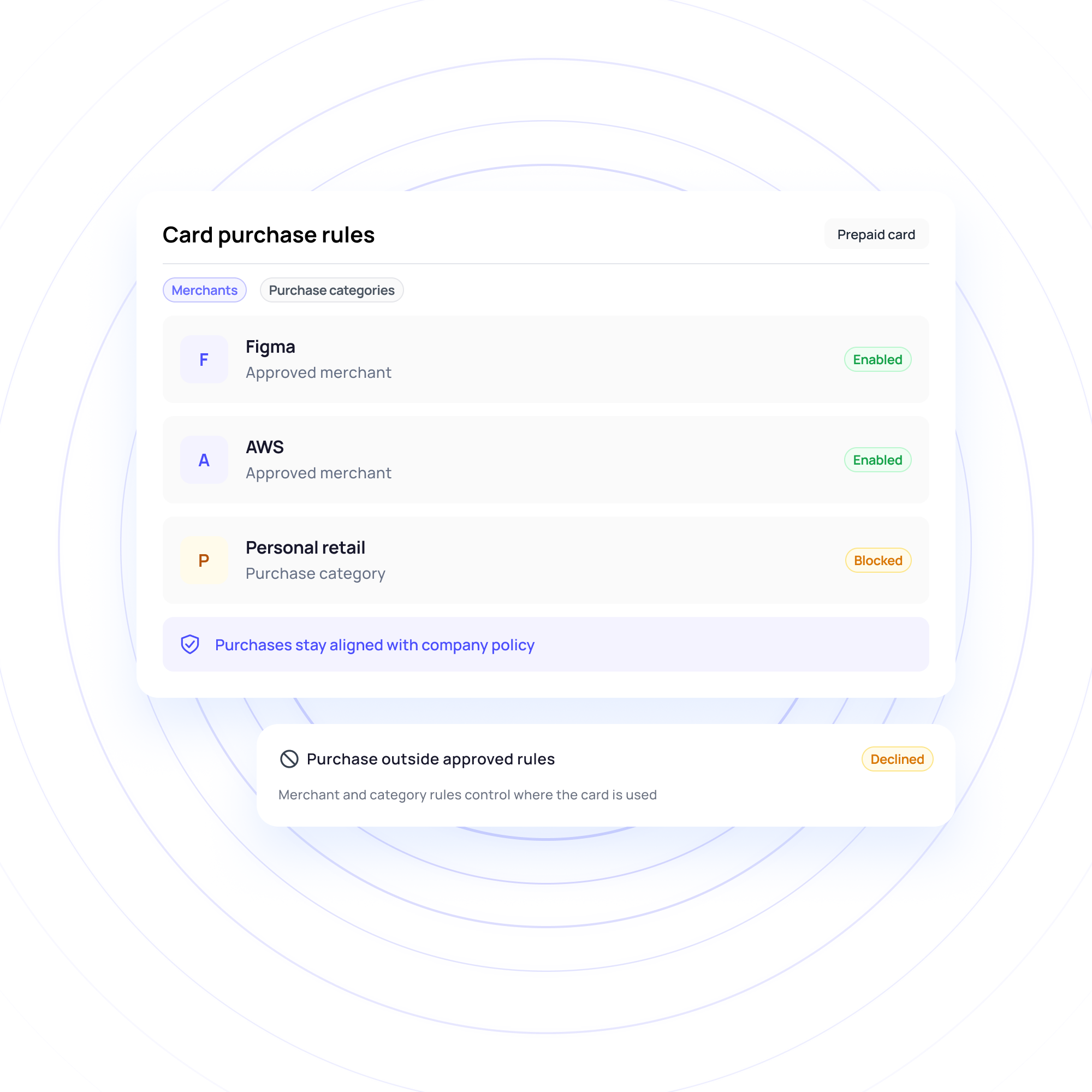
Restrict cards to approved merchants
Set rules for where a card can be used by allowing or blocking selected merchants or purchase categories. While spending limits control how much employees can spend, merchant rules define where or what they can buy, keeping purchases aligned with approved company purchasing policies.
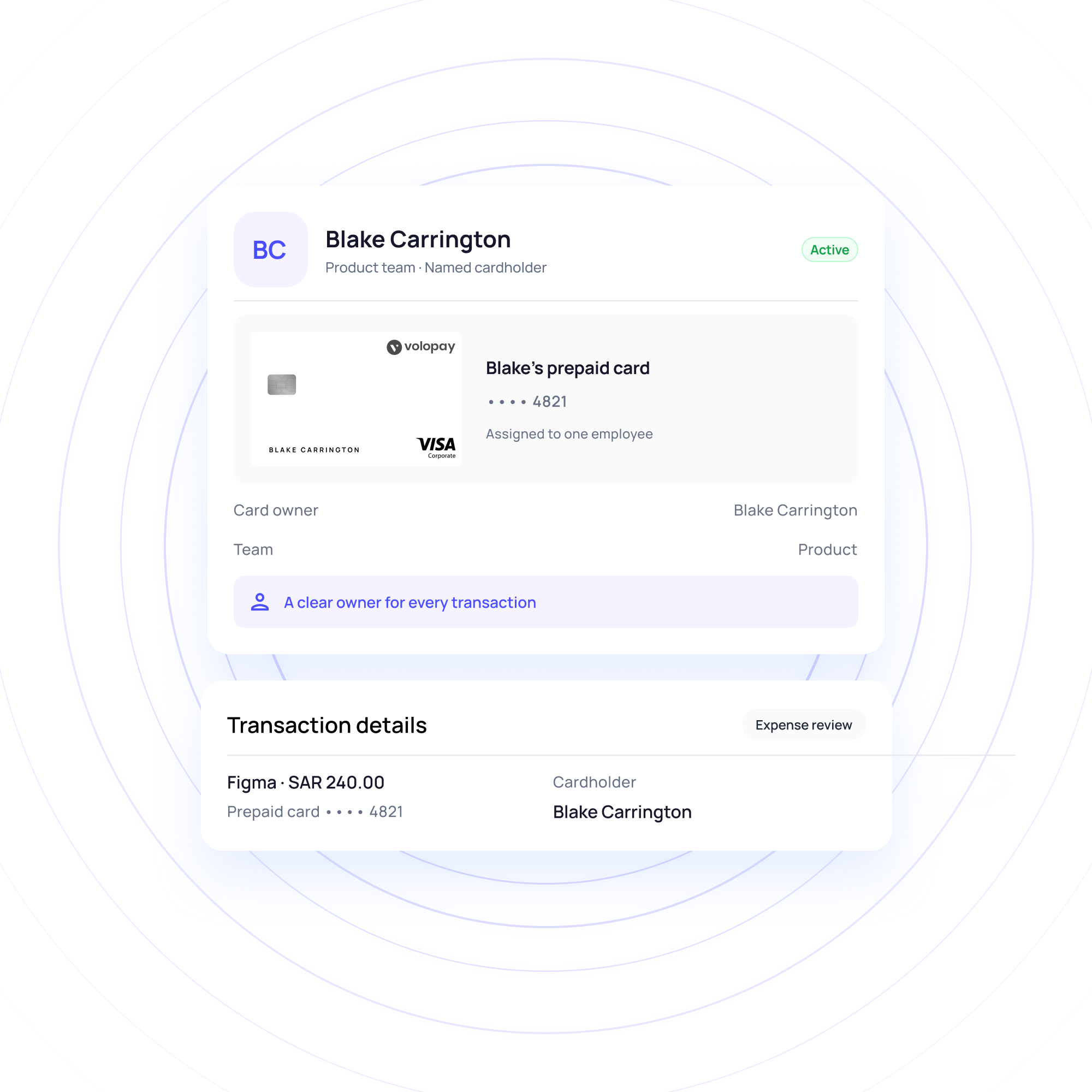
Give each card a clear owner
Give employees individual cards rather than relying on a shared company card for everyday purchases. A named cardholder makes it easier to identify who made a transaction, request context when needed, and review responsibility during expense checks without chasing an entire team for answers.
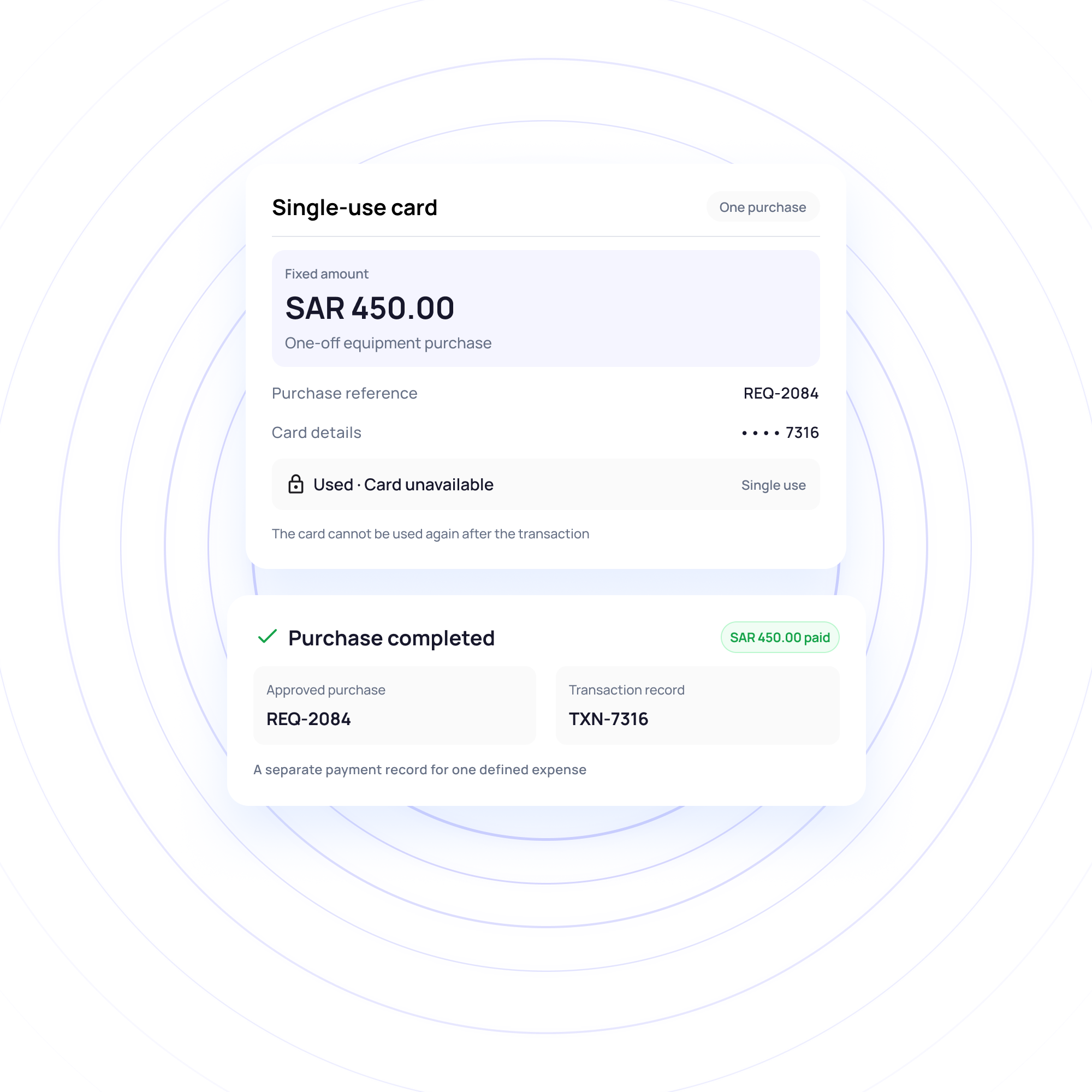
Use single-use cards for one-off purchases
For a one-off purchase, issue a virtual card with a fixed amount that becomes unusable after the transaction. This keeps the payment separate from reusable card details and gives finance a distinct record to review for an approved purchase, reward, or other defined expense.
Perfect prepaid card solution for your business!
Take prepaid card management beyond the purchase
Carry forward unspent card balances
When Carry Forward is enabled, unspent card balance rolls into the next weekly or monthly period instead of expiring at reset. Cardholders see the limit and carried balance separately, so the unused amount can cover busier periods without a new top-up request. Department budgets remain the ceiling.
Keep receipt records tied to purchases
Keep receipt images and supporting details alongside card transactions so finance can review purchases with their documentation. Where configured, cards can freeze automatically when required receipts remain missing beyond the set period. This encourages timely submission and gives finance a clearer record for checks and reconciliation.
Connect card spend to accounting software
Connect card activity with supported accounting software to reduce repeated data entry. Transaction details and relevant expense information can be sent to tools such as Xero, QuickBooks, NetSuite, and Zoho Books, helping finance teams organise purchases for review and reconcile records through their existing accounting workflow.
Oversee spending across business entities
For businesses operating across multiple legal entities, Volopay supports finance management across connected entities from one platform. The card controls and reporting available for each entity depend on the account setup.
Fund business activities without losing spend visibility
Teams managing vehicles and field work need a way to pay for fuel, maintenance, and approved site expenses. Assign drivers dedicated cards with approved limits for fuel, maintenance, tolls, and other eligible field expenses. Finance can review these transactions separately from other operating spend.
Employees travelling between Riyadh, Jeddah, Dammam, and other business centres may need to cover transport, accommodation, and client-related costs. A prepaid card gives them access to an approved travel allocation, while transaction records help finance review trip spending without relying solely on reimbursement claims and scattered receipts.
Marketing teams can use separate virtual cards for approved advertising spend across search, social, and other digital channels. Distinct cards keep platform charges apart, set a limit for each channel, and make campaign costs easier to review after a launch without mixing them with other operating expenses.
Replace manual spend tracking with controlled card spend
Manual or legacy approach | The Volopay approach |
|---|---|
One shared card makes it harder to identify who made each purchase. | Assign dedicated cards to employees and keep cardholder details linked to spending. |
Spending rules rely on employees remembering company policies. | Configure card and merchant controls to reflect approved purchasing rules. |
Employees pay personally and wait for reimbursement. | Give employees access to company funds loaded onto prepaid cards. |
Finance collects receipts through emails and messages. | Keep receipt information with transactions and configure rules for missing documentation. |
Card spending is reconciled through manual data entry. | Sync supported transaction information with connected accounting software. |
Lost or misused cards may go unaddressed until someone reports the issue. | Freeze, unfreeze, or block cards through the platform. |
Unused monthly card allowance expires even when a heavier spending period follows. | When carry forward is enabled, unused balances can roll into the next weekly or monthly period. |
They loved Volopay, you will too
Bring Volopay to your business
Get started now
FAQs
Yes. Set spending caps by card, role, or purchase category, then adjust them as approved spending needs change. Available controls depend on the setup enabled for your Saudi account.
Volopay supports separate cards for employees and business spending needs. Confirm local eligibility and the availability of physical and virtual card formats for your Saudi account before issuing them.
Volopay supports accounting integrations such as Xero, QuickBooks, NetSuite, TallyPrime, and Zoho Books. Confirm connector availability and the expected transaction-sync behaviour for your Saudi setup.
Cards can be frozen, unfrozen, or blocked through the platform. Receipt-based automatic freeze rules may also be configured. Confirm which controls are available for the cards issued to your Saudi account.
Preloaded funds and card-level controls help employees make approved business purchases. Centralised transaction records and receipt details also give finance teams a clearer basis for expense reviews and reconciliation.
Available card controls may support limits by department or project. Reserving account funds exclusively for a department is a separate capability, so confirm whether department-level allocated balances are available in Saudi Arabia.
They can suit smaller teams that need spending controls and clearer expense records. Check Saudi eligibility, available card formats, supported controls, and accounting integrations before choosing a setup.
Check local availability, card eligibility, physical and virtual formats, merchant acceptance, spending controls, reload and carry-forward rules, security features, accounting integrations, and applicable local requirements before selecting a provider.