Vendor payment software that keeps every payout under control
Manage vendor details, collect payment information, automate approval workflows, and process domestic and international payments with Volopay. Track every transaction, schedule recurring vendor payouts, and sync payment records with your accounting software, all from one platform.











Everything you need to pay vendors, in one place
Multiple payment methods, one screen
Simplify vendor payments from one platform. Pay US vendors by ACH, wire, or FedNow. For international vendors, use supported local or SWIFT payment methods depending on the destination and currency.
Collect vendor bank details directly
Make vendor payment automation easier with secure requests that let vendors enter their own payment details, reducing manual data entry and the risk of transcription errors.
Forward an invoice, get a payment
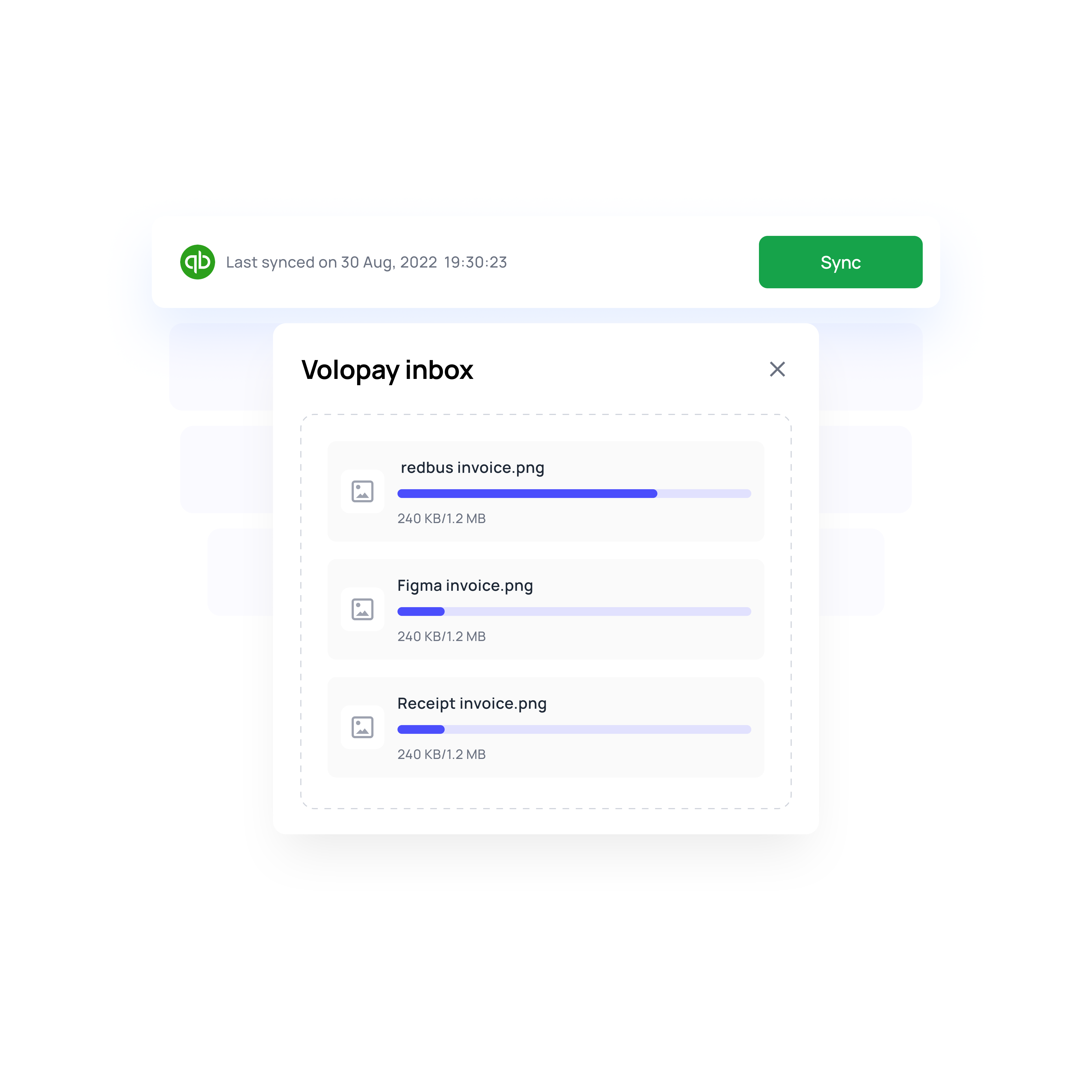
Send invoices to your dedicated Volopay inbox and let our vendor payment platform do the work. Bills are automatically created, matched to vendors, and populated with the invoice amount.
Your name on your vendor's statement
Your vendors see your company name when the money lands, not an unfamiliar payment processor. One less email asking what the payment was for.
Stop retyping invoices into two systems
Forward the invoice to bills@volopay.com or attach it when you create the payment. It gets built once, with the accounting details filled in, and syncs to your ledger. Nobody types the same invoice into two systems.
No payment goes out without a review
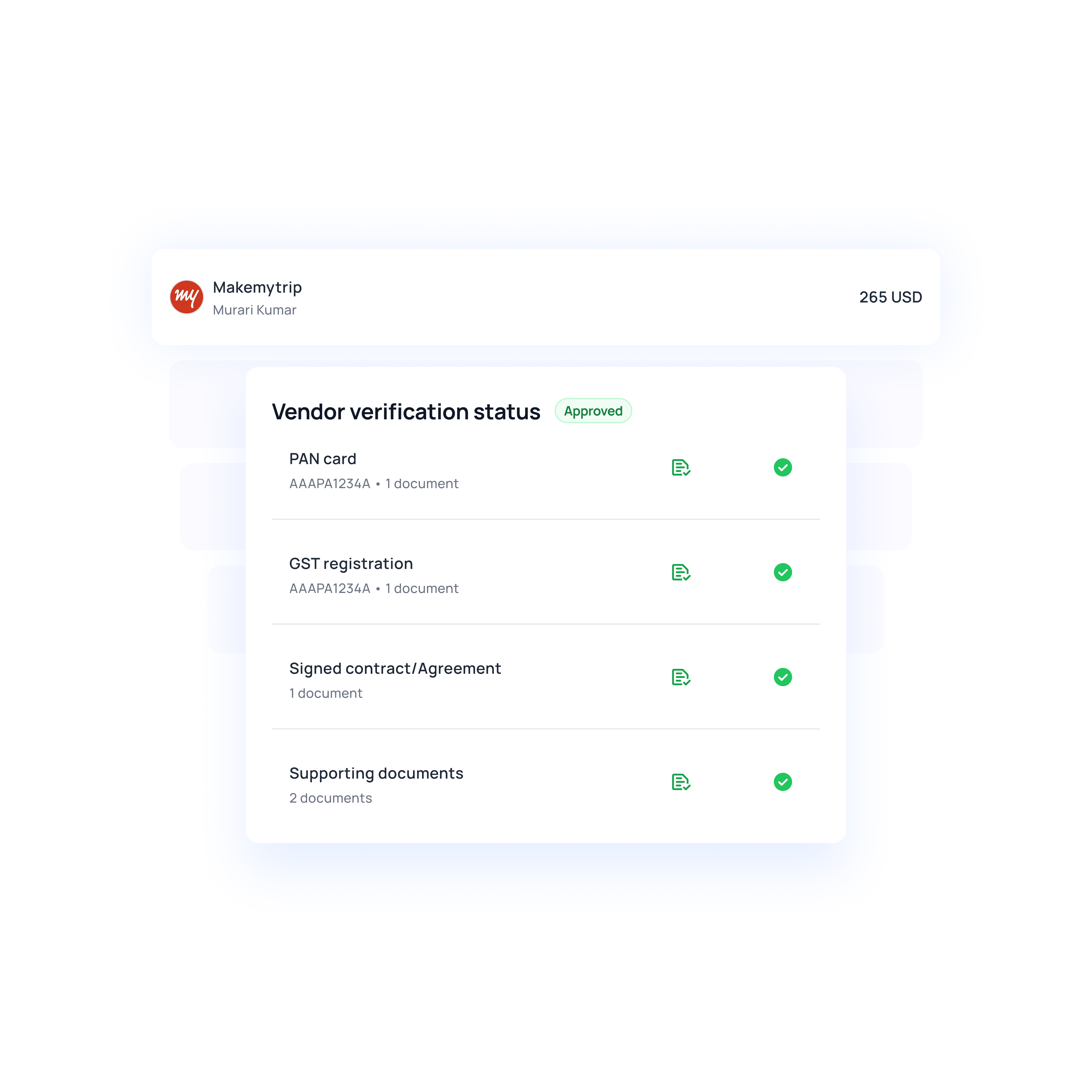
Vendor bank details never change off one email. You send the request, the vendor fills in their own details. From there, every payment runs through the approval levels you set, by department or by amount.
And if you've made the receipt, notes, and accounting category mandatory, the payment can't reach an approver until they're filled in.
Know what the payment costs before you approve
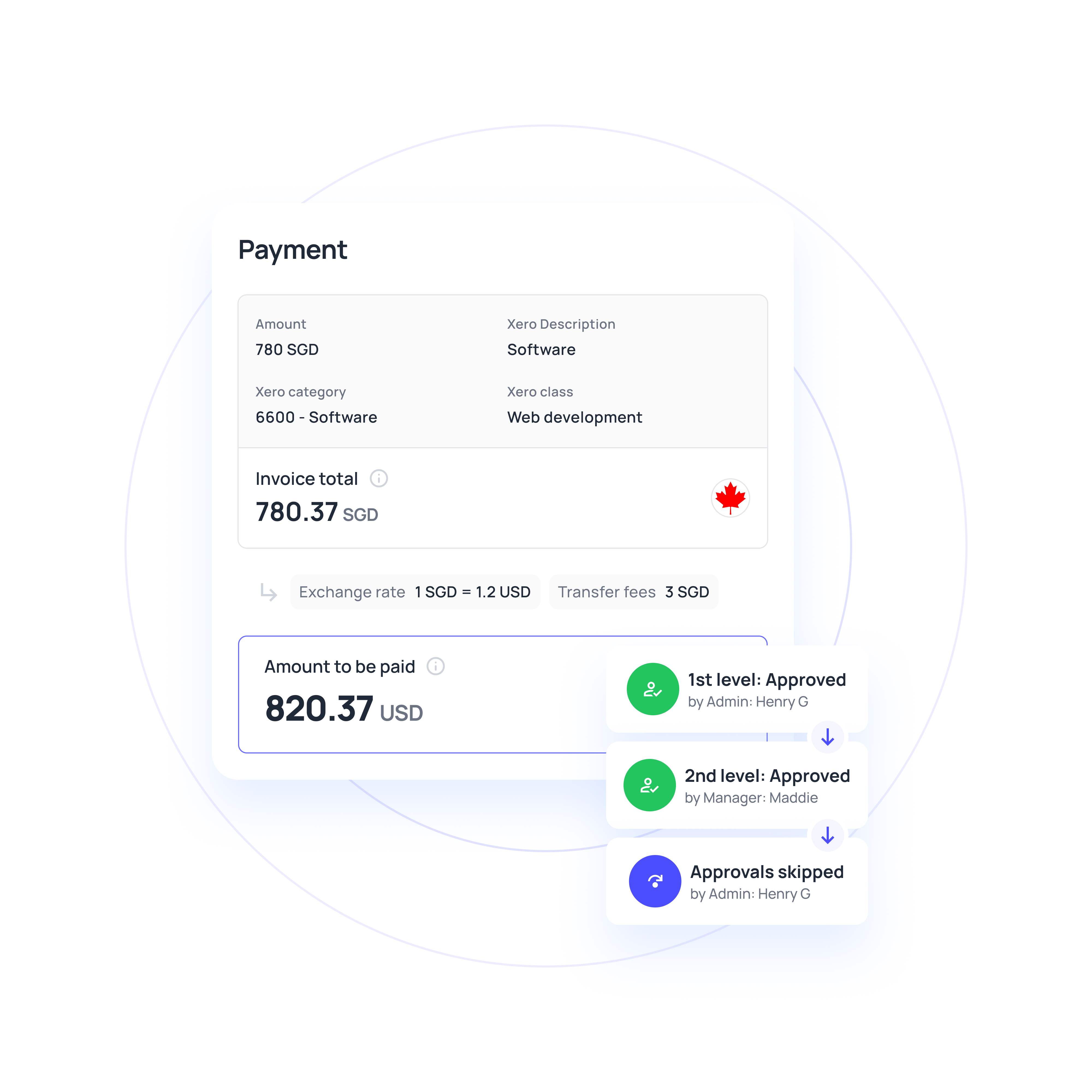
The Exchange Rate tool shows the exact amount your vendor receives, in their currency, before you send. Hold a balance in the currency you pay in, and there's no conversion in the picture at all.
Make vendor payments easier to manage
How vendor payment automation works in Volopay
Step 1: Add your vendor
Create an individual or corporate vendor profile in Volopay. Send a secure request so suppliers can enter their bank details directly, then verify the information before saving.
Step 2: Capture the bill
Forward the supplier invoice to your dedicated Volopay inbox or upload it directly. Volopay extracts the relevant details and prepares the bill for review.
Step 3: Route for approval
Send the payment through your configured approval workflow. Designated reviewers can check the amount, supporting documents and accounting details before authorizing the transaction.
Step 4: Schedule the payment
Choose an eligible payment method and schedule the transfer. Review applicable fees and exchange rates before confirming the payment instructions.
Step 5: Pay your vendor
Volopay processes the approved payment through the selected transfer method. Track its status and download proof of payment when the supplier needs confirmation.
Step 6: Reconcile the transaction
Sync verified vendor payments with supported accounting software, including QuickBooks, Xero, NetSuite, and Zoho Books. Keep payment records and relevant accounting details connected for reconciliation.
More than a faster way to move money
Every payment comes with a complete audit trail
Every payment sits in one of five states: pending approval, scheduled, processing, paid, or failed. Failed payments show the reason, so you fix the cause instead of calling the bank. Filter the whole list by status, vendor, date, transfer type, or owner, and export it to CSV when it is time to reconcile.
Your bookkeeper can close books, not send money
Admins run the account. Members see only what belongs to them. Accountants get the ledgers and nothing else. Build custom roles when none of the three fit, so that access matches the job rather than the org chart.
Contractors and suppliers, same workflow
Set a vendor up as corporate for companies or individual for freelancers and contractors. Both follow identical approval and payment flows, so paying a contractor isn't a separate process to remember. Archive vendors one at a time or in bulk when a relationship ends.
Control department and project budgets
Set spending limits for departments and projects, and automatically track every vendor payment against the assigned budget. Configure minimum wallet balance alerts, so admins are notified before a payment fails due to insufficient funds.
Vendor payments software for every payout
Pay international suppliers in 60+ currencies using local transfer rails where available or SWIFT when needed.
Choose the payment route based on destination, currency, and timing with flexible vendor payment solution.
Pay freelancers and contractors through the same approval workflow used for other vendors.
Simplify vendor payment automation with scheduled recurring payments for retainers and regular payouts.
Manage payments to software providers, agencies, consultants, and other recurring vendors.
Schedule payments in advance or set them to repeat at a fixed frequency with one supplier payment software.
Financial stack for business
No more switching between multiple bank accounts and tools to run your smart business. We have combined great software with every service you are using a bank for, to produce a state-of-the-art financial platform.
Issue corporate cards with smart spending controls for seamless employee payments.
Power your business with expense management software for seamless tracking, approvals, and reporting.
Manage global finances with a multi-currency business account for seamless cross-border payments.
Simplify payables with accounts payable software for automated invoicing, vendor management, and payments.
Accelerate receivables with accounts receivable software for invoicing, tracking, and collections.
Manage purchasing with procurement software for vendor management, approvals, and streamlined workflows.
Why go the Volopay Way?
Manual/legacy approach | The Volopay approach |
|---|---|
Vendor emails new bank details, AP updates the record, hope it was really them | Vendor fills a secure form, you verify before it saves |
Print, sign, and mail a check, then wait for it to clear | Electronic only, from a few hours to three business days |
Approvals live in an email thread with nothing to show an auditor | Names, timestamps, and receipts attached to every payment |
Two people pay the same invoice because nobody knew it was settled | One record per bill with a visible status |
Bank portal first, then retype it all into accounting | One flow, synced to Xero, QuickBooks, NetSuite, and Zoho Books |
Wire fees appear on the statement after the money is gone | Transfer fee shown per rail before you send a payment |
Vendor receives less than the invoice, and nobody knows why | Choose who covers the correspondent charges, so the vendor gets the full amount |
Exchange rate shows up on the statement after the money is gone | Calculator shows what the vendor receives before you approve |
Convert every time you pay an overseas supplier | Hold the currency, pay from a matching balance, no conversion at all |
Vendor calls to ask where their payment is | Download proof of payment when a vendor needs it |
Business with confidence
Licensed partners
Your money is held in secure accounts via escrow arrangements with trusted, licensed partners, which are subject to heavy regulation and compliance procedures as per local markets.
Trust and safety
Your funds are held separate from ours, our partners, and also our other clients’ funds. The money in the accounts is not available to any of our creditors, our banks or third parties.
SOC 2 compliant – Ensuring top-tier data security
SOC 2 compliance demonstrates the rigorous security controls implemented by an organization to protect customer data, minimize breaches, and uphold the highest industry standards for data privacy and trust.
ISO & PCI DSS Compliant
We're fully compliant and verified in our standards of information security management. The ISO 27001 ensure that our infrastructure and technology protect your information with utmost care.
Additionally, the PCI DSS specifically certifies us to safeguard user data related to corporate cards.
They loved Volopay, you will too




Real businesses, real results

A global hospitality group with 145+ hotels processing utility, telco, and property tax payments manually. Volopay automated invoice capture with OCR, routed every vendor payment through approvals, and cut payment time from 15 days to 2.
Results:
● Invoice cycle cut by 80%
● Vendor payments in 2 days, down from 15
● 20+ hours saved monthly on consolidation

A US consultancy paying a large network of freelancers, trainers, and consultants across borders. Volopay automated payouts across multi-currency wallets and provided the finance team with real-time visibility into project-level vendor spend.
Results:
● Vendor payment delays down 80%
● $20K to $40K saved annually on FX
● Margins up 10 to 15%

A US franchise network with 18 to 20 locations paying subcontractors and equipment rental vendors across sites. Volopay centralized all vendor and employee payments into one AP dashboard with multi-currency wallets.
Results:
● Subcontractors paid in days.
● $50K saved annually on FX
● Project overruns down 20 to 30%
Bring Volopay to your business
Get started now
FAQs
Vendor payment software helps businesses manage payments to suppliers, contractors, and service providers. It brings vendor information, payment approvals, transfer instructions, and transaction records into one system, reducing manual work across supplier payment operations.
Vendor payment automation uses software to handle repetitive tasks such as invoice capture, approval routing, payment scheduling, and accounting updates. Volopay connects these activities while allowing finance teams to maintain control over payment authorization and exceptions.
Look for secure vendor onboarding, multiple payment methods, configurable approvals, payment scheduling, and transaction tracking. Bulk payment processing, accounting integrations, and visibility into transfer fees are particularly useful for businesses managing large supplier networks or international payments.
Vendor payment software primarily manages supplier payment preparation, authorization, execution, and tracking. Accounts payable software covers the wider invoice-to-payment process, including invoice capture, verification, approval, and reconciliation. Volopay supports both through its connected finance platform.
Volopay supports ACH, wire transfers, and FedNow for eligible US domestic payments. International vendors can receive payments through supported local transfer methods or SWIFT, depending on the destination and currency. Available payment options depend on your account configuration.
Processing times vary by payment method. ACH typically takes 1–3 business days, eligible wire transfers support same-day processing, and FedNow enables immediate payments. International transfer times depend on the destination, currency, and banking route.
Volopay allows suppliers to submit bank details through secure onboarding requests. Finance teams can verify these details before saving them and configure multi-level approvals for payments. Recorded authorizations and transaction histories provide additional oversight of supplier payment activity.
The amount received depends on currency conversion, transfer fees, and correspondent bank charges. Volopay displays applicable payment costs before processing and supports different charge arrangements for eligible transfers. Intermediary fees may affect the final amount credited to your vendor.
Volopay supports bulk vendor payments, allowing businesses to prepare multiple supplier transfers within a single payment run. Finance teams can apply approval policies, schedule eligible payments, and track individual transactions, reducing the work involved in processing large payment volumes.
Yes. Volopay integrates with supported accounting platforms, including QuickBooks, Xero, NetSuite, and Zoho Books. Eligible vendor records and verified payment information can sync with connected systems, reducing duplicate data entry and supporting financial reconciliation.