Corporate cards for every team, every kind of spend
Control every budget, automate every close, and earn cashback on eligible business spending with Volopay corporate cards.
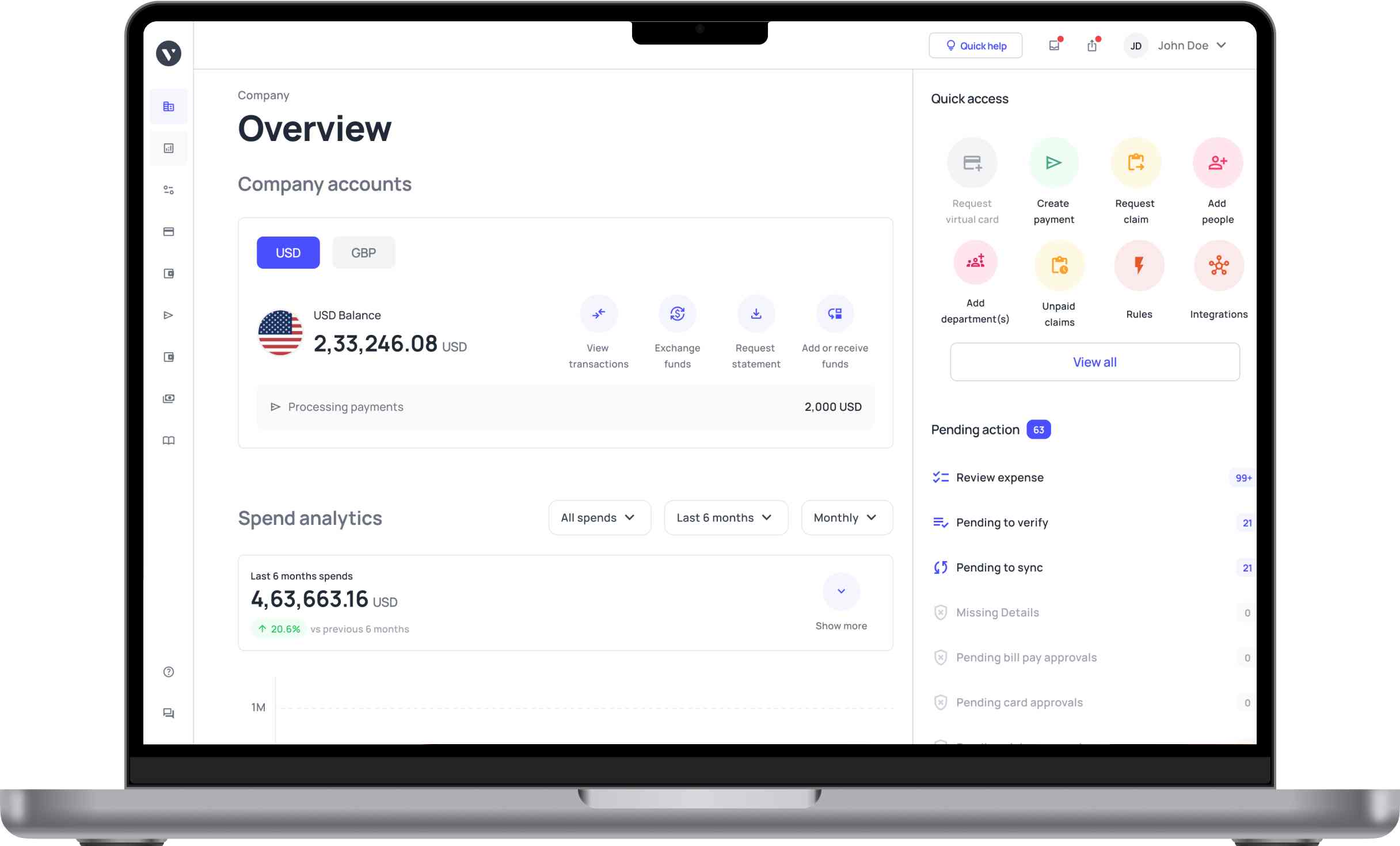














More autonomy at the point of spend
Preloaded by design
Every card draws from funds you have already allocated, making it easier to keep day-to-day business spending within budget.
Employee-level spend visibility
Issue dedicated cards to employees so finance can attribute purchases directly and reduce ambiguity during review and reconciliation.
Issue a new corporate card the moment you need it
Create physical or virtual cards with spending limits and policies in place before the first swipe.
Freeze a card the moment something looks wrong
Freeze, unfreeze, or block cards in one click, with automatic freezing when a required receipt is missing.
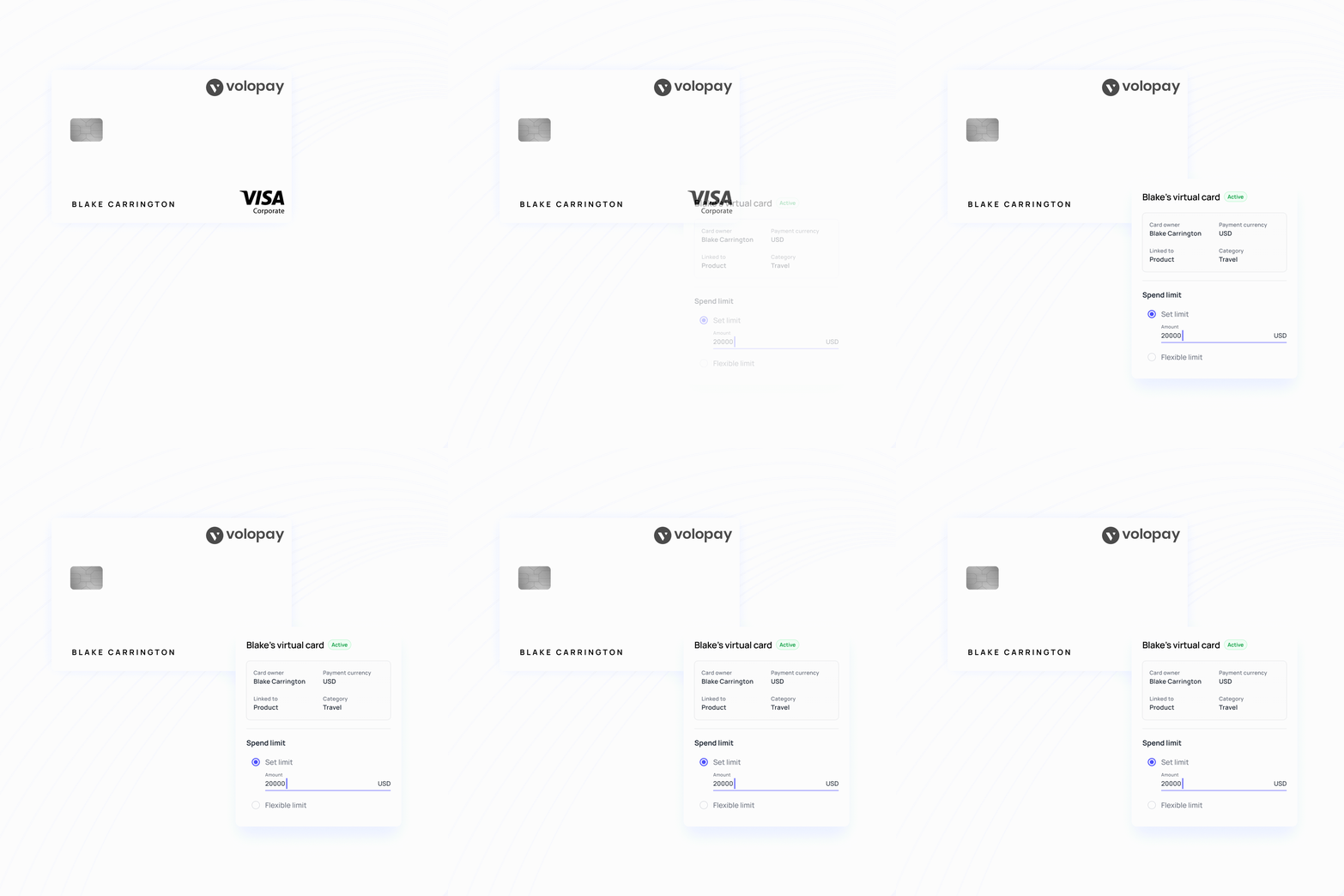
Card-level controls for tighter spend governance
Load a cap onto any business corp card by department, project, vendor, or merchant category, and Volopay checks every purchase at authorization. Raise a limit, approve a one-off exception, or lock a card to a single vendor in one click.
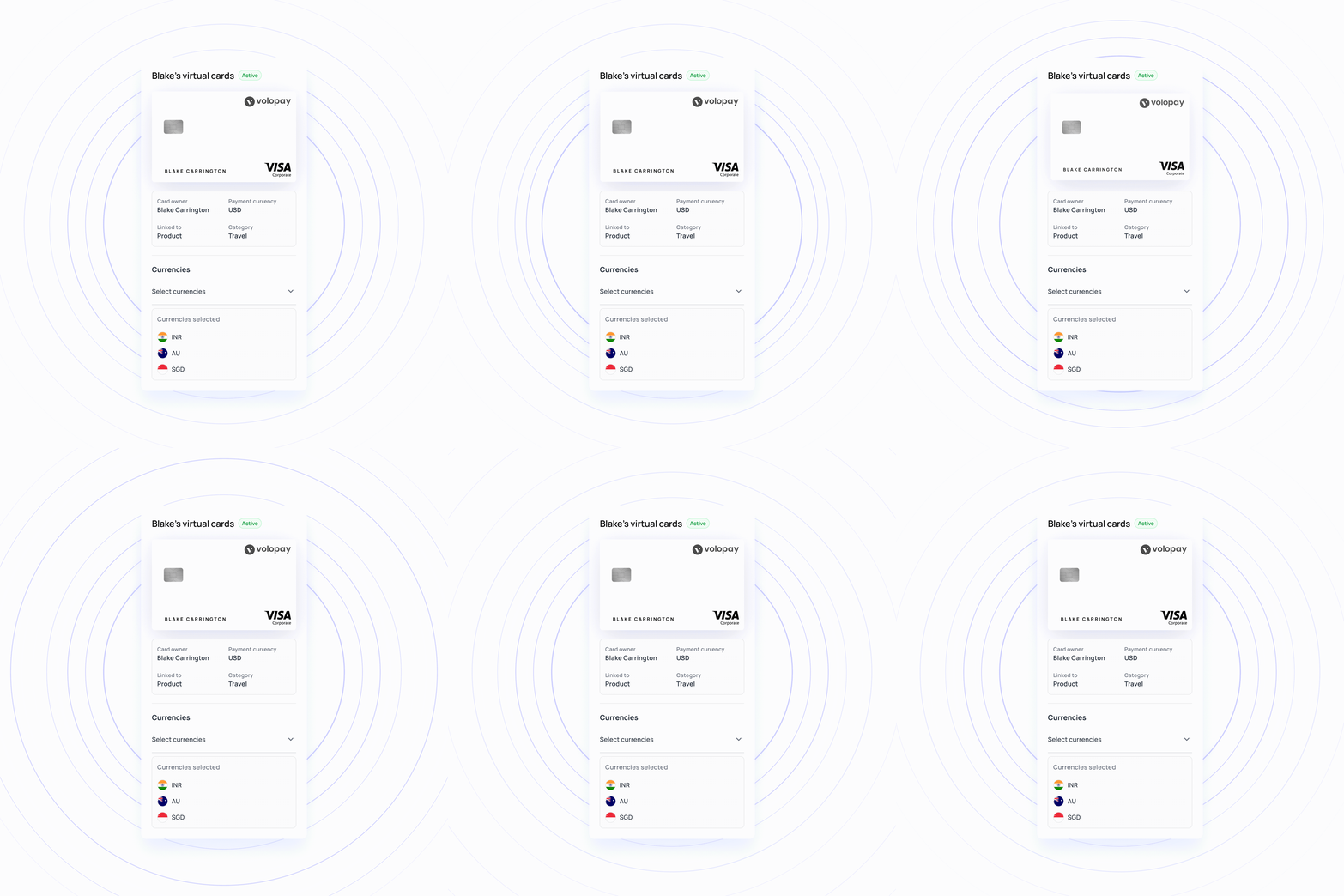
Multi-currency spend, better aligned
Use corporate cards across international purchases while managing spend in the currencies your business already works with. This can reduce unnecessary conversion and give finance clearer visibility over global card activity.
Magic Scan for automated receipt matching
Your team photographs the receipt, and Magic Scan does the typing. Its OCR pulls the vendor, invoice number, due date, and line items, then matches it to the right transaction by amount, date, merchant, and currency. Anything that clears comes back marked Auto-Verified, so your analyst reviews the exceptions.

Perfect corporate card solution for your business!
Every spend type, every entity, one platform
Flexible cards for different kinds of spend
Create virtual or shared cards for software, vendors, departments, and project costs. Finance keeps control without forcing every team into the same spending setup.
Approvals and coding that run themselves
Approvals, policies, and coding rules can be built around how your business already operates, reducing manual checks before and after purchases.
Company spending without the reimbursement loop
Employees can use company funds directly for approved expenses, while finance keeps visibility over who spent, where it went, and what it was for.
Multi-entity finance from one place
Oversee spending across separate entities without switching between disconnected systems. Budgets and policies can still reflect the needs of each business.
Wherever your team spends, there's a corp card built for it
Give each team its own cards and caps, then watch the whole picture through business budgeting dashboards that update as each transaction clears.
Lock a card to each tool and set a dedicated spending limit. This way, subscription costs stay within the approved budget and recurring charges remain easier to track.
Set per diem limits and merchant category restrictions on any travel card, and every receipt lands in expense management the moment it is captured, not three weeks after the trip.
Issue a separate virtual card per channel, each capped at its own budget, so a runaway Google Ads bid doesn't affect the LinkedIn budget.
Build the card setup once, deploy it to each new hire with the policy already attached, and route anything unusual through multi-level approvals before it spends.
Manual corporate card management versus Volopay
The Old Way | The Volopay Way |
|---|---|
Bank underwriting and paperwork can take weeks | Live in one working session |
Increasing a card limit requires calling the bank | Approved from the dashboard, instantly |
Pulling transaction records for an audit or funding round takes days | Export a complete audit trail in minutes |
One fixed spending limit that must be tracked and reset manually | Set a one-time spending limit or enable automatic monthly limit resets |
A declined card comes with no explanation | An automatic email tells the cardholder exactly why |
They loved Volopay, you will too
Simplify reconciliation for card transaction
Volopay connects your corporate card spend to the accounting systems your finance team already uses. Sync transaction and expense data across your finance stack, so your team spends less time moving data between platforms.
Connect with: Xero, QuickBooks, NetSuite, Zoho Books




Results from teams already running Volopay cards
Volopay provides your business with the perfect financial control centre. Don't take our word, let our customers tell you how we empower their organisation.

Their Issue: Field crews ran on petty cash, with no company cards and no receipt capture.
What Volopay did: Corp cards with spend limits and merchant controls for every department.
The result: Petty cash eliminated, reconciliation 70% faster, project overruns down 20 to 30%.

The issue: Employees paid for subscriptions personally, burying finance in reimbursement claims.
What Volopay did: Virtual cards for every subscription, synced straight into Xero.
The result: Personal-card spend eliminated, reimbursement claims stopped, and expenses recorded automatically.

The issue: 18 locations, no cards for field fuel spend, subcontractors paid over weeks.
What Volopay did: Policy-controlled corporate cards plus multi-currency wallets for subcontractor payments.
The result: Subcontractors paid in days, $50K saved on FX annually, 20+ hours saved monthly.
Bring Volopay to your business
Get started now
FAQs
Volopay’s corporate card pricing depends on your monthly card spend. Higher-spending businesses can have the monthly card fee waived, while lower-spending businesses may pay a monthly fee. There are no per-seat fees.
Volopay cashback is based on your total monthly card spend. Qualifying businesses earn cashback on their card spending, credited straight to your account with no points or rewards to convert.
Corporate credit is launching in the US soon, and the waitlist is open now. Joining tells us you want early access, takes about a minute, and involves no credit check, so your credit score stays untouched. Volopay corporate cards are available today and do not depend on the credit launch.
Yes, Volopay corporate cards can be used for international transactions, allowing businesses to make overseas purchases and payments. It supports global spending while helping businesses manage expenses, track transactions, and maintain better visibility over international business spending.
Yes. A founder gets live visibility into burn from day one, budget overruns stop at the point of sale rather than at reconciliation, and spend stays audit-ready for investors. The same platform runs a five-person team and a multi-entity group, and the pricing rewards growth rather than charging for it.
Yes. Issue unlimited virtual Volopay corporate payment cards, each with its own limit and controls. Where two or three people share a budget, a shared card puts them on one limit and one balance while still recording which holder made each purchase.
Volopay is SOC 2 Type 2 and ISO 27001-certified, with a PCI DSS-compliant card infrastructure. Every Volopay corporate card supports instant freezing, real-time transaction alerts, and a complete audit trail. Virtual cards can be single-use or locked to one vendor, which keeps a compromised merchant contained to a single card.
Yes. Set daily, weekly, or monthly limits with automatic resets, per-transaction caps, merchant category restrictions, and vendor whitelists or blacklists on any card. Volopay enforces each rule at authorization, so an over-limit purchase declines before it goes through.
Nobody retypes anything. Magic Scan reads the receipt with OCR, pulls the vendor, invoice number, due date, and line items, and matches the document to its transaction by amount, date, merchant, and currency.
Card-level accounting rules then code the entry to your chart of accounts, cost center, and project, using the attribution you set when the card was issued. Your finance team reviews a coded ledger rather than rebuilding one, which is where the first week of the month is usually spent.
Yes. Volopay corporate cards run on Volopay's own expense management platform, and approved transactions sync in real time to Xero, QuickBooks, NetSuite, and Zoho Books. The categorization, department and project attribution, and approval history all carry across, so your books receive complete records rather than transaction amounts.
Yes, Volopay Corporate Cards currently support card payments for businesses in the US, India, UK, Singapore, and Australia. Supported currencies and payment options may vary by market, giving businesses a practical way to manage card spending across the regions where Volopay operates.
Most teams issue their first Volopay virtual corporate card the same day. Connecting your accounting system and configuring approval chains takes one working session, and your existing chart of accounts maps across without a rebuild.