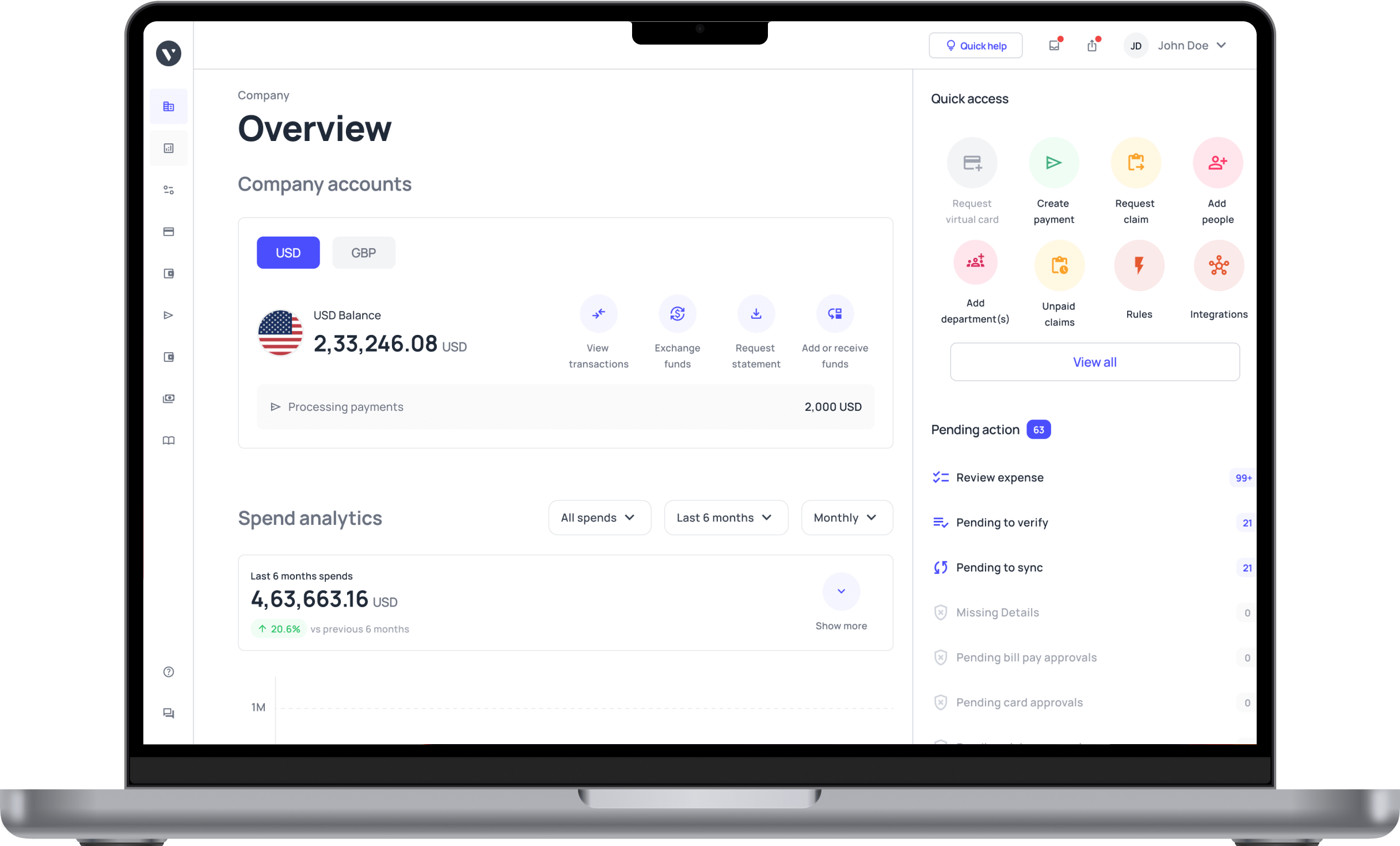
The ultimate guide to accounts payable automation
An accounts payable software helps you manage and pay all your vendors, suppliers, and creditors. The system can create payment automation to save time and make business operations more efficient.
Volopay is an AP automation software that can transform the way your business carries out financial operations.
What is accounts payable?
Accounts payable refers to all the money that is owed by your business to other individuals or businesses. It is the responsibility of the finance department in a company to keep track of all transactions related to the accounts payable process and other tasks associated with it such as vendor invoice management.
A finance department manages the transactions from different vendors, suppliers, creditors, investors, etc. by creating subsidiary AP ledgers for them. Modern businesses use a vendor management system like Volopay to keep track of vendors, all their invoices, and ensure timely payment processing for each one of them.
Difference between accounts payable vs accounts receivable
While accounts payable deals with money going out of a business accounts receivable deals with money coming inside a business. Both are managed by the finance team in a company. Accounts receivable also entails creating invoices to be sent out to clients and following up with payment reminders.
To do this, finance professionals can use invoice processing software to send out invoices to their clients. Creating and maintaining both accounts payable and accounts receivable is important as it helps the accounting team to generate accurate financial statements and close the book of accounts on time.
To know more, check out our detailed guide - Accounts payable vs accounts receivable: Key differences
Example of accounts payable
Accounts payable automation, commonly referred to as AP Automation, is a technology-driven solution that streamlines and automates the entire accounts payable (AP) process, from invoice receipt to payment processing.
By automating the AP workflow, businesses can reduce manual effort, lower processing costs, improve accuracy, and shorten the payment cycle. AP Automation eliminates the need for traditional, labor-intensive processes by enabling digital invoicing, automated data capture, seamless approvals, and instant reconciliation.
This transformation in accounts payable operations supports faster, error-free financial processing and strengthens vendor relationships by ensuring timely payments.
Streamline Your AP Workflow with Volopay
How does the traditional accounts payable process work?
Receive paper invoices from vendors
In traditional AP workflows, businesses often receive paper invoices from suppliers via mail or in person. Handling paper invoices adds manual steps, as each document needs to be physically sorted, filed, and tracked.
This can create processing delays, especially if invoices are misplaced or require routing to different departments for review or additional approvals. Storing these documents can also consume physical space, making them harder to access when needed.
Manually verify invoice details
Upon receipt, the accounts payable team verifies each invoice by manually checking essential details, such as amounts, dates, and line items, to ensure accuracy. This verification process helps detect potential errors early on but requires close attention to detail, taking time and increasing the risk of oversight.
Any discrepancies often require further manual checks, slowing down processing time and potentially delaying payment approvals, especially during high-volume periods.
Match invoices with purchase orders and receipts
To prevent payment errors, the AP team performs a three-way match, aligning invoice details with corresponding purchase orders and delivery receipts. This step ensures that the goods or services billed were received as specified and that the prices align with the agreed terms.
However, manual matching can be tedious, particularly if the volume of invoices is high or if discrepancies require investigation. The process demands significant attention to detail, which can slow down the workflow, especially in organizations handling large purchase volumes daily.
Route invoices for manual approval
Invoices then need to be routed for manual approval, typically requiring physical signatures or email approvals from designated managers. This step helps validate and control expenses, but it can cause significant delays, as approval depends on manager availability and priority.
In multi-department organizations, the process may involve several individuals and require handoffs across departments, further slowing down approvals and creating bottlenecks, particularly during peak times or employee absences. This manual step also makes tracking approval status more challenging.
Record invoices in physical or basic digital systems
After approval, the AP team records invoices by hand in ledgers, spreadsheets, or simple digital accounting systems. This basic approach often limits data entry capabilities, making it difficult to track, analyze, or extract information effectively.
Consequently, the process becomes time-consuming, impacting financial reporting accuracy and slowing down decision-making. Lack of data integration also means any updates require multiple manual entries, increasing the risk of errors and inconsistencies that can affect cash flow forecasting.
Schedule payment dates manually
With invoices recorded, payment dates are scheduled manually, often by setting calendar reminders or managing a spreadsheet to monitor due dates. This process is time-consuming and prone to errors, as each invoice requires individual attention to ensure timely payment.
If not closely monitored, manual scheduling can lead to missed payments, incurring late fees, damaged vendor relationships, or missed early-payment discounts.
Additionally, any changes to payment terms necessitate adjustments across various tracking systems, increasing workload and the chance of oversight.
Issue checks or bank transfers
When the payment date arrives, the team issues payments, often by writing checks or arranging bank transfers. Preparing checks or initiating transfers manually involves repetitive tasks that demand precision to avoid payment errors.
This process includes verifying account details, securing necessary approvals, and ensuring sufficient funds, all of which add more time and effort to the AP process. Additionally, manually issued checks or transfers increase the risk of delays, especially if multiple approvers or signatories are involved, potentially impacting vendor relationships.
File physical documents for record-keeping
The AP team files each document in physical storage after payment, preserving records for audits or future reference. While this maintains a comprehensive paper trail, document storage becomes increasingly costly and space-consuming as records accumulate over time.
Retrieving specific records can become a slow, labor-intensive task, particularly during audits or compliance checks.
Moreover, physical storage carries risks, such as damage or loss of documents due to fire, flooding, or misplacement, which can hinder long-term accessibility and reliability of AP records.
Reconcile vendor statements manually
At the end of each period, the AP team must manually reconcile vendor statements with internal records to ensure all invoices are properly accounted for. This process involves a meticulous cross-checking of each line item, comparing quantities, prices, and payment terms against internal entries.
Manual reconciliation can be slow and labor-intensive, with frequent errors requiring additional time to investigate and correct, ultimately impacting the accuracy of financial reporting.
Review and resolve invoice disputes
Invoice discrepancies often result in disputes, requiring the AP team to communicate back and forth with vendors to clarify and resolve issues.
The team must review records, verify details, and make necessary adjustments, which can be a labor-intensive process.
If not managed effectively, these disputes can lead to delayed payments, strained relationships with vendors, and disruptions in supply chains. Prompt and accurate resolution is crucial to maintain vendor trust and efficient payment cycles.
What is accounts payable automation?
Put simply, accounts payable automation refers to the process of using technology to digitally handle your accounts payable (AP) processes.
Instead of manually documenting invoices, performing invoice matching, and chasing down approvers, you’ll be able to utilize a system designed specifically to automate these tasks.
These digital and automated workflows will streamline your accounts payable and improve efficiency and accuracy.
Related read: CFO's guide to AP automation
Why SMEs benefit from AP automation
As a small or mid-sized business in the U.S., you’re constantly trying to do more with less. Accounts payable automation helps you do exactly that. By streamlining your AP processes, you’re not only cutting down on manual work but also boosting accuracy, speeding up payment cycles, and staying audit-ready.
AP automation offers measurable benefits for SMEs from saving thousands annually to securing better relationships with your vendors. Let’s break down how accounts payable automation transforms your finance operations.
Reducing payment errors
When you rely on manual AP processes, it’s easy to make costly mistakes. One duplicate invoice payment might not seem like much, but over the course of a year, these errors could cost your business upwards of $5,000.
With accounts payable automation, you eliminate duplicate entries and human errors that lead to overpayments. AP automation systems flag potential issues instantly, so you only pay what’s due no more, no less.
Saving processing time
Processing a single invoice manually can take days, especially if you’re chasing down approvals or reconciling purchase orders. AP automation slashes that time dramatically—what once took 2-3 days can now be completed in just a few hours.
With accounts payable automation, your finance team spends less time on repetitive tasks and more time on strategic work that grows your business.
Improving cash flow
Accounts payable automation doesn’t just speed things up it helps you time your payments strategically. By paying early or on time, you can take advantage of early payment discounts, which can total up to $10,000 a year.
AP automation platforms give you visibility into due dates, letting you better manage outflows and maintain a healthier cash flow overall.
Enhancing vendor trust
Vendors want to be paid on time, and with AP automation, you can make sure that happens. Automated systems ensure your suppliers receive prompt payments, which strengthens trust and improves long-term relationships.
Over time, this reliability can lead to more favorable terms, priority service, and even exclusive deals that benefit your business. Accounts payable automation keeps you in your vendors' good books.
Supporting GAAP compliance
Financial compliance is non-negotiable, and accounts payable automation makes it easier for you to stay aligned with Generally Accepted Accounting Principles (GAAP). Every invoice and payment is tracked with a digital audit trail, making reporting and reconciliations simpler and more accurate.
With AP automation, you reduce the risk of errors during audits and ensure your financial statements are always in top shape.
Ensure timely approvals and smooth invoice tracking
How does accounts payable automation work?
You may already be familiar with the way the accounts payable process works, but there are some key differences between doing several components manually and using digital automation tools.
Here are some ways that AP automation can make the process easier at each step.
1. Invoice capture
● Manual process
With a manual process, your vendors will likely send you a paper invoice, which means you’ll have stacks on stacks of them to work through. Not to mention that they can be difficult to process without a standardized format. This is also true for PDF invoices.
● Automation
Accounts payable automation technology allows you to capture your invoices digitally, regardless of how an invoice is sent to you. Ideally, vendors will be able to send invoices electronically with a standardized digital format that AP platforms can recognize and capture.
2. Data extraction
● Manual process
When you get sent a paper invoice or an invoice through email, you’ll have to perform manual data entry and enter the invoice information into your accounting system. The more invoices you have to process, the more time-consuming this administrative process will be.
● Automation
Knowing how to automate accounts payable means knowing about optical character recognition (OCR) technology, which allows you to simply scan or take a photo of an invoice document to extract its data. All it takes is a few seconds and even fewer clicks.
3. Invoice approval workflow
● Manual process
Having a manual invoice approval workflow means that much of the work involves chasing approvers from desk to desk to get their physical signatures. It’s a slow process that could result in delays if you can’t find an approver to give you a signature.
● Automation
An accounts payable automation solution can digitize and centralize your approval workflows. Automatically route each invoice through its appropriate workflow and allow the system to send approvers alerts. Approvers can review and approve requests within minutes—no more delays involved.
4. Matching and validation
● Manual process
Before an invoice can be paid off, you’ll have to ensure it contains all the right information by manually comparing it to its corresponding purchase order. This means going through all your documents one by one and manually matching and validating all the information.
● Automation
There’s no need to go through each document manually and spend long periods of time performing invoice matching. Get an automated matching system that can read both invoices and purchase orders to match them.
You will automatically be notified of any discrepancies or irregularities.
5. Payment processing
● Manual process
After invoices have been matched and approved, you’ll still have to initiate and process payments. The traditional manual way to do this would be to use a payment method of your choosing and initiate the transaction separately. You’ll then reconcile it with the general ledger.
● Automation
An AP automation solution should be able to help you facilitate electronic payments without having to click out of the platform. Get different payment options such as bank transfers and card payments to settle your invoices. Recurring payments can also be set up automatically.
6. Reporting and analytics
● Manual process
Gone are the days of having to manually search through a lot of data to formulate and generate reports. While it is possible to create several reports in this manner, it gets harder to do the more reports you have.
● Automation
An AP automation solution can effectively solve this problem. By simply selecting the data you want to use and the report type or format, you can quickly generate the necessary reports. Moreover, this automation enhances accounts payable data analysis, providing you with valuable insights into your data patterns with minimal effort.
7. Audit trail
● Manual process
Audits are notoriously difficult to prepare for, but they’re even worse when you have to put together your audit trail manually. That will involve plenty of scrounging around for the right data and information, as well as organizing them into a cohesive audit trail by hand. Overall, it’s a time-consuming process.
● Automation
With accounts payable automation, it will take no time at all for you to compile an audit trail. All the information you need is easily accessible and already organized on your AP platform.
8. Document storage and retrieval
● Manual process
With a manual process, storing and organizing documents will take up a lot of your time. You will have to invest in either file cabinets or spend time categorizing your documents into different folders on your desktop.
● Automation
There’s no need for all that hassle with accounts payable automation technology. All your data can be stored in a server, with cloud-based platforms allowing you to store it on a remote server that is accessible from anywhere with an internet connection. Accounts payable document management ensures that all your documents are well-organized and easily retrievable, making the process quicker and more efficient.
9. Supplier collaboration
● Manual process
Instead of relying on long back-and-forth worth of text messages, collaborating with your suppliers is much easier to do with accounts payable automation. Your suppliers will be able to send invoices directly to your platform, eliminating delays in the invoice receipt step of the process.
● Automation
Once you’re ready to pay your invoice, you can also do it immediately through the AP automation platform. As soon as you get a notification that the transaction is successful, you can let suppliers know that the invoice has been settled.
How AP automation digitizes invoice capture
Manually handling paper invoices can slow down your workflow and increase the chance of human error. Accounts payable automation takes this burden off your shoulders by digitizing invoice capture from start to finish.
Whether you receive invoices by email, mail, or mobile upload, AP automation transforms them into searchable, digital records. This not only simplifies your AP process but also ensures greater accuracy and visibility. Here’s how accounts payable automation revolutionizes invoice capture for U.S. businesses like yours.
1. OCR scanning capabilities
With Optical Character Recognition (OCR), accounts payable automation scans your invoices and converts them into digital files instantly. Instead of keying in each line item, the system extracts invoice numbers, dates, amounts, and vendor details for you.
AP automation ensures that you’re capturing clean, readable data from both paper and digital invoices, speeding up processing and reducing human errors right from the start.
2. Standardized digital formats
Accounts payable automation tools convert invoices into standardized digital formats, no matter the layout or source. This makes it easier to match invoices with POs and receipts. Whether you're receiving invoices from multiple vendors or across departments,
AP automation ensures every document follows the same structured format, improving data integrity and making your workflow smoother.
3. Reducing manual input
Manual invoice entry eats up time and payroll dollars. With AP automation, you reduce the need for repetitive data entry by up to 80%. That can translate into a $5,000 annual savings on administrative labor alone.
By digitizing and automating the capture process, accounts payable automation lets your team focus on exceptions and approvals rather than typing line after line.
4. Volopay’s capture tools
With Volopay, accounts payable automation becomes even more powerful. Volopay’s capture tools allow you to scan, store, and sync invoices seamlessly across your finance stack.
The system integrates with your cloud storage, accounting platforms, and email to auto-fetch invoices and reduce paperwork. Volopay’s AP automation features give your business a central hub for all invoice documentation.
5. Mobile capture options
Need to submit an invoice while on the go? With accounts payable automation, you can. Mobile capture tools let you snap a photo of a paper invoice or forward a digital one right from your phone.
Whether you're at a supplier’s office or working remotely, AP automation ensures that your documents are safely uploaded and processed in real time no delays, no piles of paper.
How AP automation extracts invoice data with OCR
One of the most powerful features of accounts payable automation is the ability to extract data using Optical Character Recognition (OCR). This technology reads your invoices and converts printed or digital text into structured, usable information.
AP automation tools powered by OCR take your invoice management to the next level eliminating manual entry, improving accuracy, and speeding up the entire process. Let’s explore how OCR works within accounts payable automation to streamline your AP workflow.
1. Accurate data extraction
When your invoices are scanned using OCR, accounts payable automation captures key fields such as vendor names, invoice numbers, amounts, and due dates with pinpoint accuracy. This precision helps you avoid costly discrepancies during payment approvals.
Instead of relying on your team to type everything manually, AP automation ensures every invoice is digitally interpreted the same way, every time, using AI-enhanced data recognition.
2. Rapid processing speeds
OCR-enabled AP automation doesn’t just improve accuracy it also accelerates your workflow. Instead of spending hours entering invoice data, you can process invoices in seconds. OCR rapidly identifies and extracts the required fields, allowing for near-instant processing.
With accounts payable automation, you keep things moving fast without sacrificing precision—ideal for U.S. businesses looking to scale without bloating the finance team.
3. Error reduction
Manual data entry introduces risk misread amounts, incorrect dates, or duplicate entries. Over time, these errors can add up to $5,000 or more in losses. OCR within accounts payable automation dramatically reduces these risks by removing the need for human input.
Fewer mistakes mean fewer delayed payments, missed discounts, and vendor disputes. AP automation gives you peace of mind and a cleaner ledger.
4. ERP system sync
One of the best parts of modern accounts payable automation is integration with your ERP systems. OCR tools can feed clean, verified data directly into platforms like NetSuite, eliminating the need to manually import or match records.
This direct sync ensures real-time visibility into your accounts and gives you tighter control over cash flow. With AP automation, your ERP system stays updated automatically.
5. Volopay’s OCR features
Volopay takes OCR-powered accounts payable automation further by adding AI to the process. Its advanced OCR capabilities ensure that even invoices with complex formats are read correctly.
The platform automatically maps invoice fields, validates data against purchase orders, and flags anomalies for review. Volopay’s AI-driven AP automation helps your team operate more efficiently while maintaining total control over accuracy and compliance.
Gain control of your AP process with automation
How AP automation simplifies approval workflows
Managing invoice approvals can be frustrating, especially when they get stuck in email threads or are lost in paper piles. Accounts payable automation removes the friction by digitizing and streamlining your entire approval workflow.
Instead of chasing managers for sign-offs or waiting days for responses, AP automation gets invoices routed to the right person instantly, keeping your payments on track and your vendors happy. Let’s explore how accounts payable automation simplifies the approval process for U.S. SMEs like yours.
Custom approval paths
Every business has its own approval hierarchy, and AP automation lets you tailor workflows to match yours. Whether you're routing a $500 expense to a department head or a $50,000 invoice to the CFO, accounts payable automation allows you to set conditional approval paths based on amount, department, or vendor.
This customization ensures that every invoice seamlessly and efficiently follows the right route, without manual handoffs or confusion.
Real-time approval alerts
Waiting on approvals can slow everything down. With accounts payable automation, approvers are instantly notified the moment an invoice enters their queue. Real-time alerts—via email, in-app, or mobile push prompt faster responses and help you stay on top of due dates.
AP automation keeps your process flowing smoothly and efficiently by putting approvals in front of the right people at the right time.
Mobile approval access
You don’t need to be in the office to approve an invoice. With mobile-enabled accounts payable automation, you and your team can review and approve invoices on the go.
Whether you’re in a meeting, traveling, or working remotely, AP automation gives you access to all necessary documents and context from your phone, saving hours and ensuring invoices don’t stall.
Reducing bottlenecks
Approval delays can cost you money, especially when they hold up high-value invoices. With accounts payable automation, you eliminate bottlenecks that slow down $10,000 payments or more.
Automated routing, reminders, and escalations ensure nothing falls through the cracks. AP automation lets your business pay on time, take advantage of early payment discounts, and keep operations moving.
Volopay’s workflow tools
Volopay makes managing invoice approvals simple and intuitive. Its accounts payable automation tools offer flexible workflow creation, customization, and role-based access control.
You can assign specific approvers, set deadlines, and track every action with full audit visibility. Volopay’s user-friendly AP automation tools give your team everything they need to approve faster and with confidence.
How AP automation ensures accurate invoice matching
Matching invoices manually with purchase orders and receipts can be tedious and error-prone. That’s where accounts payable automation steps in. By automating the three-way matching process, AP automation ensures every payment you make is accurate, verified, and fully documented.
This not only prevents fraud and overpayments but also helps your business stay compliant and audit-ready. Let’s take a look at how accounts payable automation handles invoice matching with ease.
1. Three-way matching process
With accounts payable automation, 3-way matching becomes seamless. The system automatically compares each invoice against its corresponding purchase order and goods receipt.
If everything aligns quantities, amounts, and terms AP automation approves the invoice for payment. This eliminates the need for manual cross-checking and ensures that you're only paying for what was actually ordered and received.
2. Discrepancy detection
Discrepancies between invoices, POs, and receipts can easily lead to payment errors. Accounts payable automation spots these mismatches instantly and flags them for review.
Whether it’s a pricing issue or missing items, AP automation gives you real-time alerts so you can take corrective action before any money goes out. It’s a safeguard against fraud and costly oversights.
3. Time savings
Manual invoice matching can take hours, especially when dealing with large volumes or complex orders. Accounts payable automation cuts that time by 50% or more by automating the comparison process.
With AP automation, your finance team can process invoices faster, reduce backlogs, and focus on higher-value tasks instead of line-by-line reviews.
4. Volopay’s matching tools
Volopay’s built-in 3-way matching features make accounts payable automation even more efficient. The system automatically checks invoice details against POs and delivery confirmations, flagging inconsistencies and preventing overpayments.
With Volopay’s AP automation tools, you maintain accurate records and pay only when everything lines up perfectly—no guesswork, no wasted dollars.
5. Audit preparedness
Clean records are critical for audits, and accounts payable automation makes sure you have them. Every matched invoice is backed by verified data, including POs and receipts, all stored securely and accessible on demand.
With consistent, accurate documentation, AP automation helps you maintain compliance and protect up to $5,000 or more in audit-related costs annually.
How AP automation streamlines payment processing
Multi-currency payments
As your business grows, you’ll likely work with vendors across borders. With accounts payable automation, you can make payments in USD and dozens of international currencies without manual currency conversion or bank delays.
AP automation platforms like Volopay support multi-currency payments, automatically pulling the correct amounts and exchange rates to make sure your vendors are paid accurately, no matter where they are.
Scheduled payment automation
Tired of chasing due dates or worrying about late fees? Accounts payable automation allows you to schedule payments in advance and automate their execution.
You simply select the invoice, set the payment date, and let AP automation handle the rest. This ensures every invoice is paid on time, helping you avoid penalties while maintaining vendor trust and financial consistency.
Recurring payment setup
For vendors that invoice you regularly—such as software subscriptions or monthly services—accounts payable automation lets you set up recurring payments with ease.
Once the workflow is defined, AP automation processes each recurring invoice without additional input, ensuring that nothing slips through the cracks. You reduce manual oversight while maintaining full control over repeat expenses.
Discount capture
Vendors often offer early payment discounts as an incentive, and accounts payable automation helps you quickly and effectively seize those opportunities.
By automating invoice approvals and payments, AP automation ensures you meet early payment deadlines and secure discounts that could save you up to $10,000 a year. It’s a simple way to protect your bottom line while keeping vendors happy.
Volopay’s payment features
Volopay’s payment engine brings powerful accounts payable automation to your fingertips. Whether it’s paying in multiple currencies, scheduling payments, or automating vendor cycles, Volopay makes global payments seamless.
With features like built-in compliance checks, real-time status tracking, and direct integration with your accounting system, Volopay’s AP automation tools simplify complex workflows and give you full visibility over your cash outflows.
Reduce manual work and gain better visibility into your spending
How AP automation delivers real-time analytics
In today’s fast-paced business environment, having access to real-time financial data isn’t just helpful it’s essential. Accounts payable data analysis empowers you with up-to-the-minute analytics so you can make informed decisions, manage budgets proactively, and spot risks early.
With AP automation, you no longer have to rely on outdated spreadsheets or monthly reports. Instead, you get immediate, clear insights into your AP activities, helping you stay in control of your business finances.
Spending dashboards
Want to see where your money’s going at any given moment? Accounts payable automation gives you interactive dashboards that show real-time spending across departments, vendors, and categories.
With AP automation, you can track expenses the moment they’re approved or paid, making it easier to control costs, spot trends, and keep your team accountable for their budgets.
Cash flow forecasting
By analyzing invoice timing, payment schedules, and outstanding obligations, accounts payable automation helps you project your future cash position with confidence.
With AP automation, you gain clearer visibility into upcoming payables, allowing you to anticipate cash flow gaps or surpluses. These forecasts are essential for planning growth, managing debt, and making smart investment decisions.
Budget oversight
When you’re managing $15,000 or more in vendor expenses monthly, staying within budget is critical. Accounts payable automation tracks spending against your allocated budgets in real time, alerting you when you're approaching thresholds.
AP automation ensures you’re always fully aware of how much you’ve spent, how much is still pending, and exactly how it aligns with your financial goals.
Volopay’s analytics suite
Volopay’s analytics tools take accounts payable automation even further by turning raw AP data into actionable insights. You can track invoice statuses, analyze vendor trends, and monitor payment cycles all in one platform.
Volopay’s AP automation suite helps you understand how your AP performance is impacting your overall financial health, so you can take steps to optimize it.
Custom reporting tools
Need reports for stakeholders, auditors, or your own review? Accounts payable automation platforms provide flexible reporting tools that let you generate custom financial reports on demand.
Whether it’s a monthly AP summary or vendor-specific expense trends, AP automation helps you build and export exactly the data you need, whenever you need it.
How AP automation creates transparent audit trails
When audit season rolls around, scrambling to collect and verify records is the last thing you want. Accounts payable automation eliminates the stress by maintaining transparent, secure audit trails automatically.
With every action logged and every invoice matched, you’ll have confidence that your AP data is clean, compliant, and accessible. AP automation gives your business the accountability it needs to meet both internal policies and external audit requirements with ease.
1. Compliance tracking logs
Every action taken in your AP system approvals, changes, payments is logged in real time by accounts payable automation.
These compliance tracking logs ensure that you're always ready for an audit.
Whether it’s a routine check or an in-depth financial review, AP automation gives auditors a clear view of every step taken, from invoice creation to final payment.
2. Data retrieval ease
When an auditor asks for supporting documents, delays can raise red flags.
With accounts payable automation, you can retrieve records instantly through advanced search and filtering options.
Whether you need to find a single invoice, a batch of vendor payments, or an entire month's transactions and AP automation gives you immediate access.
3. Secure record storage
Data security is essential for financial documentation. Accounts payable automation platforms store your AP records in encrypted, cloud-based systems that meet top-tier security standards.
This means your data is protected from unauthorized access while still being accessible to authorized team members.
With AP automation, you ensure that your records are safe, compliant, and backed up automatically.
4. GAAP compliance support
If you follow Generally Accepted Accounting Principles (GAAP) in the U.S., accounts payable automation helps you stay aligned.
From consistent invoice documentation to proper approval workflows and accurate accrual records, AP automation supports the structure and transparency required by GAAP.
It simplifies your audit prep by ensuring your financials are always in order and properly documented.
5. Volopay’s audit features
Volopay’s built-in audit tools strengthen your accounts payable automation process with full transparency and traceability.
Every invoice, approval, and payment is time-stamped and securely logged, creating a clear audit trail.
Volopay’s AP automation features help you meet regulatory requirements, avoid penalties, and give external auditors everything they need, without the back-and-forth.
How AP automation enhances document storage
Gone are the days of overflowing filing cabinets and missing paperwork. With accounts payable automation and robust accounts payable document management, all your invoices and AP documents are stored securely in the cloud, making them easier to manage, retrieve, and protect.
Cloud-based AP automation offers organized, on-demand access to your financial documents, helping your team work smarter while reducing operational costs and compliance risks. Let’s explore how accounts payable automation upgrades your document storage.
Cloud storage access
With cloud-enabled accounts payable automation, your entire AP document library is available anytime, anywhere. Whether you're in the office, working remotely, or traveling, you can access your records instantly.
AP automation ensures that every invoice, approval log, and payment receipt is stored in a central location, eliminating the need for physical storage or waiting for office access to get critical documents.
Organized digital files
Keeping your financial files organized is key to staying efficient and audit-ready. Accounts payable automation categorizes and stores each invoice automatically by vendor, date, department, or project.
With AP automation, everything is neatly arranged and easy to navigate, so you never waste time digging through folders or misplacing important records again.
Cost savings
Physical document storage racks up costs from filing cabinets and printers to secure storage services. By switching to digital storage through accounts payable automation, you can eliminate up to $5,000 in annual physical storage expenses.
AP automation not only significantly cuts costs but also frees up valuable office space and greatly reduces your business’s environmental footprint.
Volopay’s storage solutions
Volopay delivers powerful cloud-based archiving as part of its accounts payable automation platform. Every invoice, approval step, and transaction is automatically backed up and encrypted in secure cloud storage.
With Volopay’s AP automation, you get built-in retention policies, access control, and instant retrieval, keeping your data safe and accessible whenever you need it.
Searchable document database
Looking for a specific invoice or vendor record? Accounts payable automation makes it simple with smart search functionality. You can find documents by keyword, vendor, date range, or invoice number in seconds.
AP automation transforms your document database into a searchable archive, which is especially helpful during audits or vendor reconciliations.
Automate your accounts payable to save time & reduce errors
How AP automation improves vendor collaboration
Strong vendor relationships are the backbone of any business, and accounts payable automation makes collaborating with your suppliers simpler and more transparent. By moving vendor interactions online, AP automation reduces confusion, speeds up communication, and helps you maintain trust.
When your vendors have clear visibility into invoice status and payment timing, you create a partnership that benefits both sides—and keeps your operations running smoothly.
1. Digital invoice uploads
With accounts payable automation, your vendors can submit invoices directly through an online portal or email.
This eliminates paper submissions and lost invoices, speeding up processing times.
Digital uploads standardize invoice formats, ensuring your AP system captures data accurately and promptly without manual entry errors.
2. Payment status updates
No more vendor calls asking, “Where’s my payment?” AP automation keeps your suppliers informed by sending automatic updates on payment status.
Vendors receive notifications when invoices are received, approved, and scheduled for payment, reducing follow-up inquiries and strengthening trust through transparency.
3. Vendor portal access
Accounts payable automation platforms often include vendor portals that simplify interactions.
Vendors can log in anytime to check invoice statuses, submit documents, and communicate directly with your AP team.
This reduces administrative overhead on your side while giving vendors immediate answers.
4. Faster payment cycles
By streamlining invoice capture, approval workflows, and payment execution, AP automation drastically shortens payment cycles.
Instead of waiting weeks, vendors get paid in days, improving their cash flow and boosting your reputation as a reliable partner.
5. Volopay’s vendor tools
Volopay’s vendor management features enhance collaboration by offering user-friendly portals where suppliers can upload invoices, track payments, and resolve queries quickly.
These accounts payable automation tools help you maintain strong vendor relationships while ensuring accuracy and efficiency.
Time savings from AP automation workflows
In the fast-paced world of business finance, time is one of your most valuable assets. Managing accounts payable manually can be slow, error-prone, and resource-intensive, which means your team spends countless hours on repetitive tasks like data entry, invoice matching, and chasing approvals.
Accounts payable automation revolutionizes this by automating and accelerating every step of your AP process. With AP automation, you gain significant time savings that allow your team to focus on more strategic priorities, improve vendor relations, and maintain tighter financial control.
Invoice processing speed
One of the biggest time drains in traditional AP is processing paper or emailed invoices. With accounts payable automation, the entire invoice processing cycle is reduced from days or weeks to just minutes.
Automated tools capture invoice data instantly using OCR (Optical Character Recognition), eliminating manual keying errors and delays. This means invoices are verified, matched, and ready for review almost immediately, dramatically shortening your payment cycle and allowing you to close your books faster.
Approval time reduction
Invoice approval often becomes a bottleneck, especially for high-value invoices, such as those exceeding $10,000, which require careful scrutiny. AP automation solves this with customizable approval workflows tailored to your organization’s hierarchy and policies. You can set up multi-level approval chains that automatically route invoices to the right managers based on amount, department, or vendor.
Real-time alerts notify approvers instantly, enabling them to review and approve invoices remotely, even on their mobile devices. This drastically cuts down approval times from days to mere hours or minutes, ensuring your payments aren’t held up unnecessarily.
Payment execution speed
After approvals, executing payments swiftly is crucial to maintain strong vendor relationships and optimize cash flow. Manual payment processes often cause delays due to checks, bank visits, or manual entry errors. With accounts payable automation, payments are executed automatically by integrating your AP system with banking platforms or payment gateways.
Funds are transferred promptly, whether domestic or international, reducing lag time between approval and payment receipt. This speed not only enhances vendor trust but also helps you capture early payment discounts that can save your business thousands annually.
Staff time savings
Processing AP manually ties up a significant portion of your finance team’s time time that could be better spent on strategic initiatives like budgeting, financial analysis, or vendor negotiations. By automating repetitive and time-consuming tasks such as data entry, invoice matching, and payment processing, AP automation frees up valuable labor hours.
For many SMEs, this can translate into savings of up to $15,000 annually in staff costs. This efficiency gain not only reduces burnout but also increases overall team productivity, empowering your finance staff to add more value to your business.
Volopay’s efficiency gains
Volopay’s accounts payable automation platform takes these time-saving benefits to the next level. It offers intuitive, user-friendly dashboards that provide full visibility into every stage of your AP workflow. Automated reminders ensure no invoice or approval slips through the cracks, while seamless integrations with your accounting and banking systems eliminate manual data transfers.
Volopay’s smart automation accelerates invoice processing, approval routing, and payment execution—helping you cut days off your AP cycle and enabling your team to work faster, smarter, and with greater accuracy.
Error reduction through AP automation
In accounts payable, precision isn’t just a nice-to-have it’s a necessity. Small errors in invoice processing or payment execution can snowball into major financial setbacks, from lost revenue to strained vendor relationships. The good news is, accounts payable automation dramatically enhances accuracy by reducing human error at every stage of the AP cycle.
By automating critical functions such as data capture, invoice matching, and fraud detection, AP automation ensures that your payments are timely, accurate, and compliant with financial controls. Let’s explore how error reduction works in practice.
1. Data entry error fixes
One of the largest sources of AP errors is manual data entry. When your team has to manually input invoice numbers, dates, and amounts, even small typos can lead to costly mistakes—incorrect payments, delayed approvals, or lost invoices.
Accounts payable automation uses advanced Optical Character Recognition (OCR) technology to scan paper or PDF invoices and instantly extract the key data fields.
This eliminates the need for manual typing, which in turn minimizes errors and speeds up the processing cycle. You no longer have to worry about miskeyed numbers causing headaches downstream; AP automation takes care of it with precision and speed.
2. Invoice matching accuracy
Ensuring that invoices accurately match purchase orders (POs) and goods receipt notes is critical to avoid paying for incorrect or fraudulent charges. With traditional manual processes, this three-way matching can be time-consuming and prone to human oversight, sometimes resulting in overpayments or disputes worth thousands of dollars.
Accounts payable automation automates this matching process by cross-referencing invoice details against PO and receipt data to verify quantities, prices, and terms.
This level of precision reduces payment errors by ensuring only verified invoices get approved, saving your company up to $5,000 annually by preventing overpayment or erroneous payments.
3. Fraud detection systems
Fraud risks are a persistent challenge in accounts payable. Invoices from fake vendors, altered payment details, or duplicate submissions can slip through manual processes if checks aren’t thorough.
Modern accounts payable automation platforms come equipped with intelligent fraud detection tools that monitor transactions for suspicious patterns and inconsistencies. These systems flag unusual invoice amounts, vendor changes, or multiple submissions of the same invoice for your review.
By proactively identifying potential fraud, AP automation protects your business from financial losses and reputational damage, ensuring your funds are safe and your records are secure.
4. Overpayment prevention
Duplicate payments are a surprisingly common error in AP departments that still rely on manual workflows. Paying the same invoice twice can easily cost businesses thousands of dollars annually, impacting cash flow and profitability.
Through automated duplicate detection, accounts payable automation scans all incoming invoices against past payments and flags duplicates before they are processed.
This automatic safeguard prevents costly overpayments and helps maintain tighter control over outgoing funds, often saving SMEs around $10,000 or more every year.
5. Volopay’s accuracy tools
Volopay takes error reduction a step further by integrating AI-powered accuracy tools into its accounts payable automation platform. These advanced features not only handle OCR scanning and invoice matching but also apply machine learning algorithms to continuously improve data accuracy and detect anomalies.
Real-time alerts notify your team of discrepancies or potential fraud before payments are released. Volopay’s robust validation processes help ensure your AP operations remain precise, compliant, and audit-ready, giving you peace of mind and confidence that your finances are in order.
Boost Efficiency with Volopay AP Automation
Advantages of accounts payable automation
Time savings
The accounts payable process is notoriously complex and time-consuming, especially when performed manually.
You can cut the time taken to complete each step of the accounts payable cycle by half when you use tools that allow you to automate the process.
Matching your invoices with their corresponding purchase orders and delivery receipts, for example, can be automatic.
Faster approvals
Routing invoice approvals for payments can be done automatically on a single platform with accounts payable automation technology. By setting up custom approval workflows, you can make the approval cycle faster.
Each invoice will automatically be entered into the appropriate approval workflow, eliminating the need to chase approvals from desk to desk.
Improved visibility
Accounts payable automation guarantees that all your related data is updated in real-time. You’ll know the status of all your invoices at any time, which is easily accessible in just a few clicks.
You can also check how far into the approval workflow each invoice is and which payments have been made, ensuring better visibility.
Enhanced compliance
Manual accounts payable makes it difficult for you to maintain compliance within the entire organization.
With accounts payable automation technology, however, you can set up notifications and alerts for suspicious invoices or transactions, which will be automatically flagged.
The automated approval workflows also mean that all approvals will be trackable and controlled.
Data security
Most accounts payable automation technology and tools also offer additional security for your data. It’s easy to centralize your data and use just a single platform for every step in the process.
This way, you’re less likely to lose data. Not only that, but you also get to store your data in an encrypted cloud-based server.
Scalability
It may be easy to do the accounts payable process manually when you’re just starting with your business, but you’ll want to know how to automate accounts payable to scale better.
Accounts payable automation software allows you to scale your business hassle-free. You won’t have to worry about spending too much time on administrative work.
Accuracy and error reduction
One of the biggest problems you’ll run into with doing your accounts payable work manually is that it’s difficult to maintain accurate records. You’re bound to run into errors at some point, which are time-consuming to fix.
Automating your accounts payable is not only time-saving, but it also makes sure that your records are accurate.
Critical signs that tell it’s time to automate your AP process
Switching to accounts payable (AP) automation can significantly improve efficiency, accuracy, and control over financial operations. Here are key indicators that signal it may be time for your organization to consider AP automation.
1. High invoice volume
Organizations dealing with high invoice volumes often struggle with the inefficiency and risk of errors in manual processing. AP automation simplifies tasks such as data entry, validation, and invoice approvals, significantly speeding up workflows.
By eliminating manual intervention, automation allows AP departments to manage large volumes effortlessly, ensuring that invoices are processed accurately and on time. This scalability not only boosts efficiency but also improves accuracy, allowing businesses to expand without the need for additional resources.
2. Slow processing times
Slow processing times in AP can result in delayed payments, leading to strained supplier relationships and cash flow disruptions. By automating routine tasks such as invoice matching and approval, businesses can accelerate payment cycles and avoid late fees. This enhanced speed reduces administrative bottlenecks and ensures timely payments.
Moreover, faster processing allows employees to focus on strategic, value-added tasks rather than getting bogged down by routine manual processes, ultimately boosting overall business productivity and performance.
3. Frequent payment delays and penalties
Frequent payment delays and resulting penalties often point to inefficiencies in an organization’s AP process, which can harm vendor relationships. Automation streamlines the approval and payment cycles, ensuring that invoices are processed on time and payments made promptly.
With automated reminders and approval workflows, businesses can reduce the risk of missing deadlines. This leads to fewer late fees, better cash flow management, and improved supplier trust, fostering stronger, long-term business partnerships.
4. Difficulty in scaling
As a business grows, manual AP processes may struggle to handle increased transaction volumes, leading to errors and bottlenecks. AP automation addresses these scaling challenges by automating key processes like invoice validation and approval workflows, enabling businesses to manage higher volumes efficiently.
With automation, companies can easily integrate new suppliers and keep pace with growth without needing to overhaul their systems. This scalability ensures that businesses can expand operations smoothly while maintaining operational efficiency and accuracy.
5. Broken audit trails
A lack of clear audit trails in manual AP processes increases the risk of non-compliance and makes it difficult to trace financial transactions.
AP automation provides a complete and transparent audit trail by recording every action, from invoice receipt to payment processing, ensuring that each step is documented and easily accessible.
This improves internal controls, facilitates smoother audits, and helps businesses stay compliant with industry regulations, protecting against potential legal or financial risks.
6. Employee dissatisfaction
When employees are bogged down by repetitive and mundane AP tasks, their job satisfaction can suffer, leading to disengagement, burnout, and higher turnover rates. Automation alleviates this problem by handling time-consuming tasks such as invoice entry and approval routing, allowing employees to focus on more meaningful and strategic work.
By reducing monotonous duties, automation enhances employee morale, improves productivity, and helps businesses retain skilled talent, ultimately fostering a more positive and efficient workplace environment.
7. Increased frequency of errors
Manual data entry and invoice matching are highly susceptible to human error, such as duplicate payments or incorrect amounts, which can undermine financial accuracy. When error rates increase, it may signal inefficiencies within the process.
AP automation addresses these issues by automating tasks like data capture, invoice matching, and validation, significantly reducing the chances of mistakes. This not only helps prevent costly errors but also ensures financial data remains accurate, enabling more reliable financial reporting and strategic decisions.
8. Limited visibility & control
Traditional manual AP processes often lack real-time visibility, making it challenging for business leaders to track invoice statuses, monitor cash flow, or ensure spending aligns with budgets. When limited visibility becomes a problem, AP automation offers a comprehensive solution by providing real-time updates and centralized reporting.
With automation, managers gain instant access to dashboards that display processing times, pending invoices, and cash flow forecasts, empowering them to make informed decisions, reduce risk, and enhance overall financial control.
How to automate accounts payable process?
Assessment and planning
Before you even begin to implement accounts payable automation within your organization, it’s key that you understand where you are with your business.
Assess your current accounts payable processes and identify what some of your pain points are. This will help you when it’s time to choose an AP automation solution.
You also want to outline a rough plan for the implementation process.
Define the requirements
Once you have assessed your business needs, it’s important that you draft out what you’ll need to tackle the pain points you have.
Different AP automation solutions will have different features available, meaning that it’s necessary for you to know exactly what you need so that you can pick the right solution for your business.
If there are requirements, make sure you don’t skimp on them.
Choose the right provider
Do thorough research on all the different accounts payable automation technology providers.
The best platform for another business may not be the one that suits your business best, as every organization will have different needs. It’s important that you choose the right provider for you.
Make sure that the features they offer are in line with what you’re looking for.
Integration planning
When you get a chance to speak with a representative from a particular provider, you want to ask them about what integration the system supports.
It’s recommended that you work closely with your provider of choice to integrate your accounts payable automation software with other existing systems, such as your ERP and accounting software.
Make an integration plan and coordinate with your provider accordingly.
Employee training
Before you begin using your AP automation solution, you must first make sure that your employees have received sufficient training.
You want to create a training plan even before the system installation, but it’s even more crucial after the system has been installed.
Host multiple employee training sessions to ensure that you have explained the technology thoroughly and addressed any issues or queries.
Implementation
The last thing you want to do is overwhelm your accounts payable team by rushing the implementation process.
The best way to do this stage is to plan it carefully before you get started and implement your accounts payable automation technology in phases.
This helps your employees get comfortable with a particular feature before learning about another feature, allowing them to use the system efficiently.
Monitoring and optimization
The process isn’t wrapped up just because you have finished implementing the software.
Once everything has been installed and your employees have started using the system for daily accounts payable activities, you want to make sure that you’re monitoring its usage.
Allow employees to give feedback on how the system runs. You should address issues and continuously optimize according to your business needs.
Security and compliance
Other than monitoring and reviewing for optimization, you should make sure that you do regular security and compliance checks.
Make sure that there are no password leaks and that every employee is adhering to the policies you have in place regarding logging into the accounts payable automation software.
Refer to your accounts payable policies to ensure that the automation implementation complies with them all.
Save time and cut costs with AP automation software
How to choose the right accounts payable automation solution
The right accounts payable solution may differ from business to business, depending on what the needs of each business are.
However, there are some common key factors that every company should consider when selecting an AP automation solution. These can serve as your guidelines and are easily customizable according to your needs.
1. Integration capabilities with existing systems
You probably already have other systems in use to help you with your business processes.
To avoid data silos and mismatches between systems, it’s recommended that you pick an accounts payable automation solution that has integration capabilities with the systems you already have.
Most accounts payable technology will offer some form of integration, but you must consider integration with the specific systems you use.
2. Customization and scalability options
Each business will have slightly different accounts payable needs. To find the best way to automate your accounts payable, you want a solution that has customization options to suit your business.
The more customization options available, the better. Solutions that allow you to personalize the software according to your business needs will also make it easier for you to scale.
3. Ease of use
Alongside wanting the best features for your accounts payable automation solution, you also want these features to be easy to use.
When you’re exploring a particular provider, ask if you could see what the platform looks like or get a free trial. This will help you familiarize yourself with the system before you commit to it. You want a system that is intuitive and user-friendly.
4. Reporting and analytics
Other than features to help you automate the accounts payable process, you also want good reporting and analytics of the process. Look for a platform that allows you to automate AP reports.
You’ll save a lot of time by automatically generating reports using the data available. For instance, an accounts payable aging report can be easily created to track overdue invoices and assess payment patterns. Ideally, you also want customization options to create the exact reports you need.
5. Mobile accessibility
Knowing how to automate accounts payable using a desktop computer is useful, but the best solutions should be easily accessible from anywhere. Try to look for an AP automation solution that offers mobile accessibility.
This way, you and your accounts payable team can collaborate and complete work remotely. There will be no more delays in your processes when people can easily approve invoices.
6. Customer support and training
Setting up an AP automation solution and familiarizing your team with it takes some time and effort. Consider whether a software provider is well-known for its good customer support and service or not.
When you’re shopping around, ask representatives of different providers if they offer training sessions. Getting someone to train your staff will be helpful in the overall implementation process.
7. Reviews and references
No matter how good an AP automation solution sounds, you want to make sure that you know of its reputation before committing to any particular platform.
The best accounts payable automation technology will have a reputation of being trustworthy.
Make sure that you check out reviews and references from other customers to see how the system performs and whether or not it has issues.
Best AP automation software in the US
1. Volopay
● Overview
Volopay was founded in the year 2020. It is a premier accounts payable (AP) automation solution in the US, designed to streamline financial workflows for businesses of all sizes. It offers a comprehensive suite of tools that enhance efficiency, reduce errors, and improve overall financial management by integrating seamlessly with existing systems.
● Key features and benefits
Volopay boasts an intuitive user interface coupled with powerful features such as Optical Character Recognition (OCR) for accurate data extraction, automated invoice matching, and customizable approval workflows.
The platform supports systematic and scheduled vendor payments, automated alerts and reminders, and mobile accessibility, enabling AP teams to manage tasks on the go.
Additionally, Volopay provides robust document management, advanced analytics for strategic forecasting, and seamless integration with major accounting systems, ensuring a cohesive and efficient AP process.
● Advantages
Volopay offers a user-friendly interface and flexible customization options, making it easy to adapt to specific business needs. Its strong integration capabilities and automated features significantly reduce processing times and errors, enhancing overall AP efficiency and vendor satisfaction.
● Limitations
Despite its robust features, Volopay’s initial implementation can be complex for some businesses. Additionally, smaller companies might find certain advanced functionalities unnecessary, potentially leading to underutilization of the platform’s full capabilities.
● Target audience
Volopay is ideal for small to medium-sized businesses seeking to enhance their AP processes. It is particularly suited for organizations looking to improve efficiency, reduce manual errors, and gain better control over their financial operations through automation.
● Fees and charges
Volopay offers flexible pricing models tailored to the size and needs of your business. Costs typically include software usage fees, customization options, and ongoing support services, ensuring that businesses receive a scalable solution that fits within their budget.
● G2 rating
Volopay on g2.com has an average of 4.2 stars out of 5 from a total of 86 reviews.
2. Netsuite
● Overview
NetSuite was founded in the year 1998. It is a comprehensive enterprise resource planning (ERP) software that includes accounts payable automation as part of its robust financial suite. Designed by Oracle, NetSuite streamlines AP processes by integrating with broader business functions, making it ideal for businesses looking to automate AP within a full ERP system.
● Key features and benefits
NetSuite’s AP automation features include automated invoice capture, multi-level approval workflows, and real-time expense tracking. It supports vendor management and payment scheduling, enhancing control over the AP cycle. NetSuite’s cloud-based platform provides accessibility, advanced reporting, and analytics tools that improve decision-making by giving businesses full visibility into their accounts. Integration with NetSuite’s ERP system allows seamless data flow across finance, inventory, and procurement.
● Advantages
NetSuite is highly customizable and offers comprehensive AP features within a broader ERP system. Its advanced analytics and reporting tools help businesses gain insights, improve decision-making, and streamline AP processes across multiple departments.
● Limitations
NetSuite can be complex to implement, especially for small businesses with limited resources. Its extensive features may lead to higher costs and a steeper learning curve, and smaller businesses may not fully utilize its full ERP capabilities.
● Target audience
NetSuite is ideal for medium to large businesses that need an AP automation solution integrated into a full ERP system for cross-departmental visibility and control.
● Fees and charges
NetSuite offers various pricing plans that include AP automation features as part of its ERP suite. Fees depend on customization, modules selected, and support levels, with specific pricing available on request.
3. Sage Intacct
● Overview
Sage Intacct was founded in the year 1999. It is a cloud-based financial management solution that provides robust accounts payable automation. Known for its real-time financial insights, the platform is designed to improve efficiency in AP processing, making it a popular choice for finance teams in various industries.
● Key features and benefits
Sage Intacct’s AP automation includes features like automated workflows, digital invoice capture, and approval routing, which streamline the end-to-end AP process. The platform offers advanced reporting and real-time dashboards, providing insights into spending and cash flow. Sage Intacct’s seamless integration with existing financial systems further enhances efficiency, while compliance and audit tracking help maintain accuracy and control over AP functions.
● Advantages
Sage Intacct’s user-friendly design and real-time insights enable finance teams to make informed decisions quickly. Its strong reporting capabilities and easy integration make it an excellent choice for businesses looking to optimize financial management and gain deeper visibility.
● Limitations
Some users may find Sage Intacct’s customization options limited compared to other AP solutions. Additionally, businesses without strong tech support may face challenges during the initial setup and integration phases.
● Target audience
Sage Intacct is ideal for small to medium-sized businesses in need of a scalable AP automation solution with real-time financial reporting to enhance visibility and control over cash flow.
● Fees and charges
Sage Intacct follows a subscription-based pricing model with fees depending on the modules selected, level of customization, and support services. Specific pricing details are available upon request, and tailored to a business’s requirements.
4. Ramp
● Overview
Ramp was founded in the year 2019. It is an innovative financial automation platform primarily focused on expense management, offering a streamlined accounts payable automation solution. Known for its cost-saving focus, Ramp helps businesses optimize their AP processes, control expenses, and improve financial efficiency through advanced automation.
● Key features and benefits
Ramp’s AP features include automatic expense categorization, real-time invoice processing, and vendor management. It allows businesses to track spending, set spending limits, and automate approval workflows, minimizing manual intervention. Ramp’s intuitive dashboard provides detailed financial insights and analytics, enabling better expense tracking and control. The platform also includes a rewards program, where users earn cashback on certain transactions, helping businesses reduce costs.
● Advantages
Ramp’s simplicity, automation focus, and cost control tools make it ideal for businesses looking to manage expenses efficiently. Its unique cashback program provides an added financial benefit, making it more than just an AP tool.
● Limitations
Ramp is heavily focused on expense and spend management, which might limit its capabilities for businesses needing comprehensive AP solutions. It may also lack some advanced reporting features present in dedicated AP software.
● Target audience
Ramp is ideal for small to medium-sized businesses seeking an easy-to-use AP automation and expense management solution with a focus on cost control and efficiency.
● Fees and charges
Ramp offers competitive pricing, often with a no-fee structure for its basic services, making it budget-friendly. Premium features and additional services may incur extra costs based on business needs. Specific pricing details are available upon request.
5. Airbase
● Overview
Airbase was founded in the year 2016. It is a comprehensive spend management platform that offers robust accounts payable automation features, designed to streamline financial processes from invoice capture to payment. The platform integrates AP, expense management, and corporate card solutions, providing a unified approach to managing business finances.
● Key features and benefits
Airbase’s AP automation includes features like automated invoice capture, multi-level approval workflows, and payment scheduling. Its integration with accounting software allows for seamless data sync and real-time reporting, providing insights into spending and cash flow. Airbase’s unique corporate card feature, along with virtual cards, helps businesses manage and control expenses across teams, all from a single platform.
● Advantages
Airbase combines AP automation with expense and spend management, creating an all-in-one financial solution. Its flexibility in managing both invoices and corporate card expenses makes it suitable for businesses looking to streamline multiple finance functions.
● Limitations
Airbase’s comprehensive features may be more than some businesses need, potentially leading to underutilization. Additionally, it can be costly for small businesses with limited AP requirements, as pricing is typically based on usage.
● Target audience
Airbase is well-suited for growing mid-sized businesses and startups that need an all-in-one solution for AP, expense, and spend management with advanced control over corporate spending.
● Fees and charges
Airbase follows a usage-based pricing model, with fees determined by the number of users, transaction volume, and feature requirements. Pricing is flexible but varies based on the extent of platform use, with specific quotes provided upon request.
6. Brex
● Overview
Brex was founded in the year 2017. It is a financial platform designed to streamline accounts payable and expense management with a focus on startups and growing businesses. Known for its corporate credit card and cash management solutions, Brex offers AP automation to improve financial control and optimize cash flow.
● Key features and benefits
Brex’s AP automation includes features like automated bill payment, vendor management, and real-time expense tracking. The platform integrates seamlessly with accounting systems, allowing for automated syncing of transactions and real-time visibility into financial data. Additionally, Brex offers a rewards program, providing cashback and points on certain transactions, helping companies save on spending while managing AP processes.
● Advantages
Brex combines AP automation with corporate credit and cash management in a single platform, making it highly versatile for fast-growing businesses. Its rewards program adds value by offering financial benefits that support cost savings.
● Limitations
Brex is tailored to U.S.-based businesses and may have limited functionality for international transactions. Its focus on startups means it may lack some advanced features that larger organizations need in a comprehensive AP automation system.
● Target audience
Brex is ideal for startups and fast-growing companies seeking a streamlined AP solution with integrated expense management and rewards benefits, particularly in the U.S. market.
● Fees and charges
Brex’s pricing is based on a mix of usage and subscription, with no annual fees for its corporate cards. Additional costs may apply based on the scale of AP automation needs, with details available upon request.
What are the costs associated with implementing AP automation?
The accounts payable automation process can streamline tedious tasks and enhance efficiency, but it also requires a financial investment. Here’s a breakdown of some of the general costs associated with setting up an automated AP system for your business.
1. Research team’s labor costs
Selecting the right AP automation solution requires a dedicated research team that includes professionals from finance, IT, and other departments.
The time invested by these team members in conducting market research, evaluating different software options, and understanding specific business requirements can be considered a significant labor cost.
While this initial investment may seem high, it is vital to ensure that the chosen solution aligns with the company’s goals and can be successfully implemented without future complications or hidden costs.
2. Software license fee
Most AP automation solutions require businesses to pay a software license fee, which may be one-time or subscription-based. The fee structure varies by vendor, depending on factors such as the number of users, the complexity of features, and the size of the business.
Although software license fees can be significant, they typically cover essential functionalities like invoice processing, automated data entry, and vendor management. These features are crucial for enhancing efficiency and streamlining the AP process, justifying the initial expense for long-term benefits.
3. Software installation costs
In addition to the software license fees, businesses may incur installation costs for onsite setup or technical customization to ensure the AP automation software aligns with their specific needs.
These costs cover tasks such as system deployment across devices, configuration to integrate with existing workflows, and ensuring compatibility with the company’s infrastructure.
A well-executed installation minimizes the risk of errors, reduces long-term maintenance issues, and ensures the software performs optimally within the business environment, ultimately supporting smoother operations.
4. Additional hardware & infrastructure costs
In some cases, implementing AP automation requires new hardware or upgrades to existing infrastructure to ensure the system performs at peak efficiency.
This could include investing in servers, high-speed scanners, or secure storage solutions, particularly for large-scale organizations. These infrastructure costs are necessary to enhance the system’s speed, reliability, and security.
For businesses with outdated or insufficient hardware, this upfront investment ensures smooth integration with the automation software and supports optimal functionality for long-term operational success.
5. Customization costs
Customization costs can be incurred when the AP automation solution needs to be adjusted to match the unique workflows, reporting structures, or business-specific requirements of an organization.
This might involve adding custom features, modifying existing workflows, or creating specialized reports, which may require the software provider’s involvement in development.
While these customizations enhance the system’s ability to meet specific needs and improve operational efficiency, they increase the overall investment, making it essential to balance functionality with cost.
6. Employee training program costs
Employee training is crucial for successful AP automation implementation. The cost of training programs includes resources such as workshops, onboarding sessions, instructional materials, and follow-up support to ensure employees can efficiently use the system.
Proper training accelerates user adoption, reduces the risk of operational errors during the transition, and ensures that the team fully understands the system’s features.
In the long run, these training costs help maximize the value of the automation solution by improving overall productivity and accuracy.
7. Periodic subscription or renewal fees
Many AP automation platforms charge periodic subscription or renewal fees to ensure continuous access to the software, regular updates, and ongoing customer support.
These fees typically cover improvements, bug fixes, and new features that help businesses stay up-to-date with the latest technology.
By maintaining a subscription, organizations can benefit from enhanced security, compatibility with evolving systems, and efficient support, which helps maximize the long-term value of the solution and reduce the risk of operational disruptions.
8. Additional user license costs
As the company grows and adds more employees who require access to the AP automation system, additional user licenses may be necessary. These licenses come with additional costs that scale based on the number of users who need the system.
While this can increase overall costs, it allows the business to expand the number of people involved in the AP process, promoting better collaboration and efficiency within the team. Additionally, it ensures that new staff can be integrated into the workflow seamlessly.
9. System integration costs
Integrating AP automation with existing systems like ERP, CRM, or accounting software may require specialized resources and considerable setup time, impacting the overall implementation budget.
Effective integration allows data to flow seamlessly between systems, reducing manual data entry, improving reporting accuracy, and enhancing financial visibility.
By connecting AP automation to other critical platforms, businesses can create a unified system that streamlines workflows, strengthens data integrity, and provides a comprehensive view of financial operations.
10. Expanded cloud storage fees
High invoice volumes and extensive document retention requirements may necessitate expanded cloud storage for AP automation solutions, with added costs for increased capacity.
These fees support the secure storage of transaction records, vendor documents, and payment histories, essential for meeting regulatory and compliance standards.
Cloud storage offers scalability and ease of access, allowing businesses to manage growing data needs without investing in physical infrastructure, while ensuring data is readily available for audits, reporting, and analysis.
11. Departmental restructuring costs
Implementing AP automation can reshape traditional workflows, necessitating restructuring within the finance department.
These changes may involve reassigning responsibilities, redefining job roles, or creating specialized positions focused on system oversight and strategic analysis rather than manual tasks. This restructuring may come with associated costs, such as training or salary adjustments, but it fosters a more efficient and proactive AP team.
By aligning roles with the automation framework, companies can optimize team productivity, focus on higher-level financial strategy, and fully leverage the benefits of an automated AP system.
Explore how automation transforms finance workflows
How to calculate ROI from AP automation in your business
Calculating the return on investment (ROI) from accounts payable (AP) automation helps companies understand the financial gains of transitioning to automated processes.
When a management team understands this process, they are much more likely to continue using it and optimize it so as to get better returns.
Here’s a step-by-step guide to evaluating ROI accurately for your business.
1. Identify the costs associated with implementation of AP automation
Start by thoroughly listing all implementation costs, such as software licensing fees, installation charges, employee training programs, and any additional hardware or customization expenses needed to adapt the system to your specific requirements. Having a detailed understanding of these upfront costs enables you to establish a clear baseline for measuring ROI effectively.
The accuracy of this initial cost assessment is crucial, as it not only impacts the credibility of your ROI calculation but also sets realistic expectations for stakeholders regarding the potential financial benefits.
A comprehensive cost overview ensures informed decision-making and aligns all parties with the anticipated investment value.
2. Identify the benefits received from implementation of AP automation
Outline the direct and indirect benefits of AP automation, including reduced labor costs from minimized manual processing, faster invoice approval times, fewer duplicate payments, and the ability to capture early payment discounts. This analysis should quantify each benefit in financial terms, as these factors contribute directly to your cost savings and efficiency gains.
Additionally, consider intangible benefits, like improved supplier relationships and enhanced compliance, which add long-term value. A clear, quantified identification of these benefits provides a strong foundation for assessing the financial impact of automation, creating a comprehensive view of its ROI potential and strategic advantages for the organization.
3. Calculate your net annual savings in the first year
● Description
Net annual savings are the total monetary gains achieved after deducting all implementation costs from the annual financial benefits of AP automation. Calculating this helps clarify the cost-effectiveness of automation within the first year of use.
● Formula
Net Annual Savings = Total Annual Benefits−Total Implementation Costs
● Example
If AP automation generates $100,000 in annual benefits and costs $50,000 to implement, your net annual savings for the first year would be $100,000 - $50,000 = $50,000.
4. Calculate ROI from AP automation in the first year
● Description
The ROI calculation reveals the percentage of return relative to the initial investment. A higher ROI indicates a more favorable investment. Calculating ROI in the first year shows whether the benefits justify the upfront costs.
● Formula
ROI = ( Net Annual Savings/Total Implementation Costs) × 100
● Example
With net annual savings of $50,000 and initial implementation costs of $50,000, the ROI would be (50,000/50,000) × 100 = 100%.
5. Calculate ROI from AP automation progressively using KPIs in the future
Progressively measure ROI by tracking relevant KPIs such as processing time reduction, cost savings per invoice, and percentage of early payment discounts over multiple years. This long-term approach accounts for operational efficiencies that continue to deliver value.
Tracking KPIs enables businesses to adjust processes for enhanced productivity, making the ROI more accurate over time and reflecting evolving business gains.
How AP automation ensures regulatory compliance
Navigating the complex world of financial regulations is a critical responsibility for any business, particularly for SMEs in the United States. Non-compliance can lead to costly penalties, damaged reputations, and operational disruptions. Fortunately, accounts payable automation offers a powerful solution to help you consistently meet regulatory requirements.
By automating key processes, AP automation not only streamlines your financial workflows but also ensures that your business remains fully compliant with Generally Accepted Accounting Principles (GAAP), tax regulations, and audit requirements. Let’s break down how this works in practice.
GAAP compliance standards
Generally Accepted Accounting Principles (GAAP) provide the framework for financial accounting and reporting in the US. Adhering to GAAP ensures your financial statements are accurate, consistent, and transparent.
Accounts payable automation aligns your AP operations with GAAP by enforcing standardized processes for invoice recording, approval, and payment. Automated systems create detailed logs of every transaction, ensuring that your financial records reflect true business activities.
This strict adherence to GAAP principles not only simplifies month-end and year-end closing but also positions your business for smoother regulatory audits.
Tax regulation adherence
Accurate tracking and classification of expenses are vital for complying with U.S. tax laws and maximizing deductions. Manual processes often lead to misclassified or missed deductible expenses, increasing the risk of IRS audits and penalties.
AP automation solves this by automatically capturing, categorizing, and recording all payable transactions. The system ensures deductible expenses are properly tracked with complete documentation, enabling precise tax filings.
By reducing errors and improving data accuracy, AP automation helps you stay compliant with tax regulations while optimizing your tax savings.
Audit trail maintenance
One of the biggest challenges during IRS or internal audits is producing comprehensive, tamper-proof documentation for all transactions. Accounts payable automation generates an immutable audit trail by recording every step of the invoice-to-payment cycle from receipt and approval to payment execution.
This automated documentation provides immediate access to detailed, time-stamped records that auditors require, reducing audit preparation time and stress. With clear, organized audit trails, you can demonstrate regulatory compliance confidently and avoid costly disputes or penalties.
Compliance monitoring alerts
Regulations and compliance standards can change frequently, making it difficult for finance teams to stay updated. Many modern AP automation platforms include compliance monitoring tools that constantly review transactions against current regulatory rules.
These tools automatically flag any potential compliance issues or unusual activity, allowing your team to act promptly before problems escalate. Real-time alerts serve as an early warning system, helping you maintain regulatory adherence without the need for manual oversight.
Volopay’s compliance features
Volopay’s accounts payable automation platform is built with a strong focus on US regulatory compliance. It ensures your AP workflows comply with GAAP and tax regulations by providing secure data handling, detailed expense tracking, and transparent audit trails.
Volopay’s system also includes proactive compliance alerts, helping you identify and resolve potential issues early. This combination of automation and compliance safeguards makes Volopay a reliable partner for managing your accounts payable accurately, efficiently, and in full regulatory alignment.
Data security features in AP automation
In today’s increasingly digital and interconnected business environment, safeguarding your company’s financial data is absolutely critical. With cyber threats becoming more sophisticated and regulations tightening around data privacy, implementing strong security measures within your accounts payable automation system is essential to protect sensitive information from breaches and unauthorized access.
A secure AP automation platform not only shields your company and vendor data but also reinforces trust with your partners and ensures compliance with evolving US privacy laws. Let’s take a closer look at how data security is embedded in modern AP automation solutions.
Encrypted data storage
At the core of any secure accounts payable automation platform is encrypted data storage. Encryption transforms your financial data—including invoices, payment details, and vendor information into an unreadable format using complex algorithms.
This means that even if data is intercepted or accessed by unauthorized parties, it remains unintelligible and unusable without the proper decryption keys. This encryption protects your data both at rest (when stored on servers) and in transit (during transmission over networks).
By securing sensitive financial information with encryption, AP automation platforms drastically reduce the risk of data breaches and cyberattacks, providing peace of mind that your company’s critical data assets are protected.
CCPA compliance standards
The California Consumer Privacy Act (CCPA) has become a benchmark for privacy protection in the United States, influencing how businesses must handle consumer and vendor data.
Compliance with CCPA requires businesses to provide transparency in data collection, allow individuals to access and delete their personal information, and implement safeguards against unauthorized access.
Leading accounts payable automation platforms ensure that their data handling processes are fully CCPA compliant, helping your business meet these legal obligations seamlessly. This compliance not only protects your business from potential fines and lawsuits but also reassures vendors and customers that their information is treated with the highest privacy standards.
Vendor data protection
Vendor information such as bank account numbers, tax IDs, contact details, and contractual terms—is highly sensitive and valuable. Protecting this data is critical to prevent identity theft, fraud, or unauthorized financial transactions.
Accounts payable automation platforms employ stringent data protection policies, including role-based access controls that restrict vendor data visibility only to authorized personnel.
Combined with encryption and secure communication channels, these measures ensure that supplier data is safeguarded throughout the invoice processing and payment cycle. This helps maintain strong vendor relationships by demonstrating your commitment to protecting their privacy and data security.
Multi-factor authentication
Even the most robust encryption can be undermined if unauthorized users gain access through stolen credentials. That’s why multi-factor authentication (MFA) is a vital security feature in accounts payable automation.
MFA requires users to verify their identity through two or more factors such as a password plus a one-time code sent to their mobile device before gaining access to the AP system.
This layered security approach significantly reduces the risk of unauthorized logins and protects sensitive financial data from insider threats or cyber intrusions. By ensuring only verified users can access your AP platform, MFA strengthens your overall security posture and compliance efforts.
Volopay’s security measures
Volopay understands that data security is a top priority for any business adopting accounts payable automation. The platform is built with comprehensive security protocols that include end-to-end encryption, secure cloud storage, and strict access management to safeguard your financial and vendor data.
Volopay also ensures full compliance with privacy regulations, providing transparent data handling and privacy protections. Additionally, the platform incorporates multi-factor authentication and security monitoring to detect unusual activity or potential threats in real time.
These features combine to create a robust security environment that protects your company’s sensitive information, supports regulatory compliance, and builds trust with vendors and stakeholders.
Make faster, error-free payments — start with Volopay today
Why high invoice volumes demand AP automation
As your business grows, the volume of invoices you handle can quickly overwhelm your finance team. Managing large numbers of invoices manually increases the risk of delays, errors, and operational bottlenecks.
That’s where accounts payable automation comes in it’s designed to efficiently process high invoice volumes while maintaining accuracy and control. By automating repetitive tasks and streamlining workflows, AP automation empowers your team to handle invoice surges seamlessly, saving time and reducing costs.
1. Manual volume overload
When invoices flood in, manual processing can become a significant bottleneck. Your accounts payable team might struggle to keep up with the sheer volume, leading to backlogs, late payments, and increased stress.
This overload can slow down your entire financial operation, causing payment delays that hurt vendor relationships and cash flow management.
2. Automated volume processing
Accounts payable automation transforms how you manage large invoice volumes by processing thousands of invoices quickly and accurately.
Automated systems can easily handle $50,000 or more in invoices without breaking a sweat, accelerating invoice capture, validation, and approval. This speed ensures timely payments and keeps your financial operations running smoothly, even during peak periods.
3. Reduced staff burden
By automating the bulk of invoice processing, AP automation frees your finance team from tedious, repetitive tasks. Instead, employees can focus on strategic activities like cash flow planning, vendor negotiations, and financial analysis.
This shift not only boosts staff productivity but also enhances job satisfaction by reducing manual workload and stress.
4. Error prevention
High invoice volumes increase the likelihood of mistakes such as duplicate payments, incorrect data entry, or missed invoices. These errors can add up to $5,000 or more in financial losses.
AP automation minimizes these risks by using built-in validations and automated checks to catch inconsistencies and prevent costly errors, safeguarding your company’s finances.
5. Volopay’s volume solutions
Volopay’s accounts payable automation platform is engineered to handle high invoice loads effortlessly. It uses intelligent workflows, real-time validations, and scalable processing power to manage large invoice volumes without compromising accuracy or speed.
Volopay ensures your finance operations stay efficient and error-free, even when facing surges in invoice processing demand.
How AP automation resolves slow processing times
Impacts of slow processing
Manual invoice processing delays can add up quickly, costing your business around $10,000 annually in late fees, penalties, and lost early payment discounts.
Slow workflows also increase the risk of payment errors and strain vendor relationships, potentially damaging your reputation and credit terms.
These inefficiencies can create a ripple effect, impacting cash flow forecasting and financial planning.
Automated workflow speed
With accounts payable automation, invoice processing happens almost instantly, saving time, effort, and reducing costly human errors.
Automated workflows capture, validate, and route invoices for approval in real time, eliminating the delays caused by manual data entry and paper-based processes.
This accelerated speed allows your team to clear invoice backlogs quickly and keep payments on schedule, ensuring your financial operations are agile and responsive.
Cash flow benefits
Faster invoice processing directly improves your business’s cash flow management, helping you make timely payments and optimize financial planning.
By making timely payments and avoiding unnecessary penalties, you maintain healthier liquidity and can better plan for upcoming expenses.
Automated payment scheduling also helps you strategically time payments to maximize working capital and secure early payment discounts, ultimately saving your company money.
Vendor satisfaction
Suppliers value consistent, on-time payments as it reflects your company’s reliability and professionalism.
By resolving slow processing times through AP automation, you enhance vendor satisfaction and build stronger supplier partnerships.
Timely payments also increase your negotiating power for better terms and improve your reputation in the marketplace.
Volopay’s speed features
Volopay’s accounts payable automation platform is specifically designed to accelerate your entire AP workflow efficiently and seamlessly.
From rapid invoice capture and smart approval routing to automated payment execution, Volopay minimizes delays and maximizes efficiency.
Its user-friendly interface and real-time alerts ensure your team stays on top of all payment deadlines, helping you avoid costly penalties and maintain smooth financial operations.
Preventing payment delays with AP automation
Payment delays can quickly spiral into costly penalties and strained supplier relationships. Manual payment processes often lack the precision and timing needed to avoid late fees, which is why accounts payable automation is crucial.
By automating payment scheduling and execution, AP automation helps you avoid penalties, capture early payment discounts, and maintain strong vendor trust. Let’s explore how automation prevents payment delays and improves your financial performance.
1. Costs of late payments
Late payments can drain your business of thousands of dollars annually, with late fees often adding up to around $5,000 each year. Beyond direct costs, delayed payments damage your reputation and may lead suppliers to impose stricter credit terms or halt services.
Manual processes frequently cause missed deadlines due to human error or workflow bottlenecks, making timely payments difficult to maintain without automation.
2. Automated payment scheduling
With accounts payable automation, payments are scheduled and executed automatically, ensuring vendors are paid promptly according to agreed terms.
Automated systems track due dates, initiate payments on time, and reduce reliance on manual intervention, effectively eliminating the risk of missed deadlines. This reliability helps your business maintain smooth cash flow and avoid unnecessary late fees.
3. Discount opportunities
Many suppliers offer early payment discounts as an incentive for prompt payments, which can amount to substantial savings, sometimes as much as $10,000 annually for growing companies.
AP automation enables you to capture these discounts consistently by scheduling payments to optimize cash flow while meeting discount deadlines. This proactive approach turns your AP function into a cost-saving asset rather than a liability.
4. Improved vendor relations
Timely payments build trust and strengthen your relationships with suppliers, making it easier to negotiate better terms or prioritize your orders during high demand.
By preventing payment delays through automation, you demonstrate professionalism and reliability, which can translate into enhanced collaboration and more favorable contract conditions in the long run.
5. Volopay’s payment tools
Volopay’s accounts payable automation platform offers powerful payment scheduling and execution tools designed to keep your payments punctual.
With real-time monitoring, automated reminders, and seamless integration with your bank accounts, Volopay ensures you never miss a payment deadline. These features help you avoid costly penalties, maximize discounts, and maintain positive vendor relationships effortlessly.
Take control of your payables with automation
Measuring success and key performance indicators (KPIs)
Given that there are a lot of factors to consider when choosing and implementing an electronic accounts payable system, it’s important that you understand how to assess the effectiveness of the system.
Make sure that you have key performance indicators (KPIs) to refer to. Here are some common KPIs to measure the success of your AP automation solution.
1. Processing time
Make note of how long it takes you to process an invoice, from the receipt to the payment. When you implement an accounts payable automation solution, you should be able to reduce the processing time of an invoice.
You want to reduce the processing time by at least 20%, but the higher the reduction, the better.
2. Invoice accuracy
Keep a close eye on what your invoice accuracy looks like before and after you implement accounts payable automation technology.
While you may run into errors during the training period as your employees are getting used to your AP system, you want there to be fewer errors in the long run.
3. Invoice approval cycle time
There’s a lot of emphasis on more efficient approval workflows when it comes to AP automation.
Other than a shorter overall processing time, you want to specifically measure the invoice approval cycle time after you know how to automate accounts payable. You should see faster cycles by eliminating manual approval processes.
4. Supplier satisfaction
When you add up different factors such as shorter invoice processing time and improved accuracy, your suppliers are bound to be more satisfied.
It may be a bit difficult to measure supplier satisfaction without other metrics, so make sure you specify how to measure this particular KPI when assessing the effectiveness of your accounts payable automation technology.
5. Compliance adherence
One advantage of AP automation software is that you’ll be able to improve compliance adherence, with suspicious reports being automatically flagged.
With approvals easily tracked as well, employees should be more conscious about complying with policies.
You want to regularly review if compliance adherence within your organization has improved after implementing automation.
6. Error resolution time
You naturally will reduce the amount of errors during the AP process when you improve your accuracy by using accounts payable automation software.
Another important metric that you want to keep in mind is the error resolution time, which should be reduced thanks to features that help you flag discrepancies.
Reducing employee dissatisfaction in AP tasks
Accounts payable teams often find themselves caught in the grind of repetitive, manual tasks like entering data, matching invoices, and following up on approvals. Over time, this repetitive workload can lead to significant employee burnout and dissatisfaction, resulting in lower morale, higher turnover rates, and decreased accuracy.
Fortunately, accounts payable automation offers a powerful solution by offloading these tedious tasks to intelligent systems, enabling your finance staff to shift focus toward more meaningful and strategic work. This change not only boosts morale but also improves the overall efficiency of your AP department.
Manual task fatigue
Repetitive manual processes take a toll on your accounts payable team’s mental energy and motivation. Tasks such as re-entering invoice data, cross-checking documents, and manually routing approvals can feel monotonous and uninspiring.
This fatigue often leads to mistakes, delays, and frustration, negatively affecting both employee engagement and the accuracy of financial data. Over time, staff burnout increases turnover risk, which is costly in terms of recruitment and training.
Automation for strategic work
Accounts payable automation transforms the day-to-day role of your finance team by automating routine, time-consuming tasks. Instead of spending hours on data entry and chasing approvals, your employees can focus on high-value activities like vendor negotiation, cash flow management, and financial planning.
This not only makes their work more fulfilling but also adds strategic value to your company’s financial operations. When employees engage in impactful work, job satisfaction rises, and the AP function becomes a driver of business growth rather than just an administrative burden.
Training for engagement
Introducing automation tools into your AP workflow requires thoughtful training to ensure smooth adoption. Equipping your staff with the skills to use new technologies boosts their confidence and fosters a growth mindset.
Training helps employees understand how automation complements their work, allowing them to oversee exception handling, analyze financial insights, and contribute to continuous improvement. This investment in upskilling enhances engagement and empowers your team to become more proactive and innovative.
Improved productivity
Automating repetitive AP tasks translates directly into significant productivity gains. By eliminating manual entry and streamlining approvals, your finance department can save up to $10,000 in labor costs annually. Staff can process invoices faster, reduce backlog, and maintain accuracy even during peak periods.
This efficiency reduces stress and overtime, making the work environment healthier and more sustainable. Increased productivity also means your team can support business growth without needing to expand headcount proportionally.
Volopay’s user-friendly tools
Volopay’s accounts payable automation platform is designed with the user experience front and center. Its intuitive dashboard, easy navigation, and smart automation features simplify everyday tasks for your staff, minimizing frustration and reducing the learning curve.
With Volopay, employees can quickly adapt to new workflows and gain real-time visibility into AP processes. This ease of use not only improves accuracy but also empowers your team to work more confidently and effectively, ultimately enhancing job satisfaction and retention.
Improving visibility with AP automation dashboards
Having clear and immediate access to your accounts payable data is essential. Without real-time visibility, financial decisions are made based on outdated or incomplete information, which can lead to costly overspending, cash flow issues, and missed opportunities.
Accounts payable automation changes this dynamic by providing you with dynamic dashboards and customizable reports that offer a full picture of your payables, expenses, and vendor interactions in real time. This enhanced visibility helps you maintain control over your financial processes, reduce risk, and make smarter, data-driven decisions.
Manual visibility issues
When AP processes rely heavily on manual methods, visibility into your financial status often suffers. Paper invoices, spreadsheets, and delayed data entry mean you lack instant insight into outstanding liabilities, upcoming payments, and departmental budgets.
This lack of transparency can cause overspending, missed discounts, and delayed payments that damage vendor relationships. Additionally, manual systems make it difficult to quickly identify financial trends or anomalies, putting your business at risk of compliance issues or cash flow crunches.
Real-time dashboards
With accounts payable automation, your business gains access to real-time dashboards that consolidate all relevant AP data into an easy-to-read format. These dashboards provide instant updates on invoice statuses, payment timelines, and expense categories, tracking amounts that can easily total $15,000 or more on any given day.
Real-time visibility allows you to monitor your cash outflows closely, ensuring that payments are scheduled appropriately and that you never miss important deadlines. This immediacy empowers you to react swiftly to any financial changes and optimize working capital management.
Customizable reports
No two businesses are the same, and your reporting needs will differ depending on your industry, size, and goals. AP automation platforms offer customizable reporting options that let you tailor financial insights specifically to your SME’s requirements.
You can generate detailed reports on vendor performance, payment aging, departmental budgets, and overall spending patterns. These tailored reports help finance teams focus on what matters most, providing clarity on where you can cut costs, negotiate better terms, or allocate resources more effectively.
Decision-making support
Better data means better decisions. By leveraging the insights generated from accounts payable automation dashboards and reports, you position your business to make strategic financial choices with confidence.
Whether it’s deciding when to pay certain invoices to maximize discounts, forecasting cash flow for upcoming quarters, or identifying opportunities to renegotiate vendor contracts, having accurate and up-to-date data is critical. This transparency helps avoid surprises in your financial statements and supports sustainable growth by ensuring your resources are allocated efficiently.
Volopay’s dashboard tools
Volopay’s accounts payable automation solution stands out with its user-friendly dashboard tools that bring data visualization to the forefront. Designed with both finance teams and business leaders in mind, Volopay’s dashboards simplify complex AP data into clear charts, graphs, and summary views.
The platform allows you to monitor payment workflows, detect anomalies, track expense trends, and manage budgets with ease. These features help you maintain full control over your accounts payable processes while empowering your team to be proactive and responsive.
How Volopay’s AP automation helps your business
1. Optical character recognition (OCR)
Every time your business receives an invoice from a supplier or vendor, using the OCR(optical character recognition) technology, our invoice management software scans and reads the invoice to automatically generate a bill within the system.
This saves your finance team a lot of time spent on manual data entry when the invoices need to be paid.
2. Alerts and payment history
A smart accounts payable software will be able to tell the difference between an unpaid invoice and a duplicate invoice. Volopay’s alert function notifies you when you are close to the due date of an invoice.
The payment history feature will reduce incidents of late payments and help you avoid duplicate payments by letting you see your payment history.
3. Three-way invoice sourcing
A major reason why companies face late payment fees is that their invoice sourcing is not organized in one place. They are scattered making it tough to keep track of every invoice.
With Volopay’s 3-way invoice sourcing, invoices are automatically synced from your email, accounting software, and can directly be uploaded to the platform. This way you won’t miss out on any payments.
4. Two-way sync of bills
We know that the details of any expense are important for accounting and auditing purposes. This is why Volopay has enabled two-way sync of bills between our platform and the accounting software that you use.
Minute details like a vendor’s name, invoice date, due date, item description, quantity, amount, tax code, are all automatically scanned and synced to your accounting tool.
5. Different payment methods
The Volopay platform provides you with two major payment methods to choose from for domestic and international payments.
You can send money via SWIFT, which is a vast messaging network used by banks and other financial institutions to keep track of exactly where your payment is.
You can also send money to 40+ countries in their local currencies through a Non-SWIFT method which is more economic, faster, and money received by the receiver is in full.
6. Schedule payments as per convenience
Accounts payable automation software also gives you the ability to schedule payments. Using Volopay, you get to schedule invoice payments in three ways.
Firstly, you can select a custom date and schedule the payment for that day. Secondly, you can schedule a payment as soon as the approver on the platform approves it.
And lastly, you can also schedule invoice payments right before the due date so you get to hold money for as long as possible in your account and earn interest on it.
7. Multi-currency wallet
Volopay allows you to create multi-currency wallets and store money in different currencies. This lets you pay international vendors or suppliers in their local currency, and save on FX charges.
Additionally, the receiver gets the money in full without you having to pay extra in the first place to ensure that vendors receive the amount that they’re supposed to.
8. Create recurring payments
Paying invoices is a task that your finance team will do every month. There will be vendors you will have to pay every month.
With Volopay you can create recurring payments to these suppliers. Set a particular date and payments for an invoice will go out every month without the need for manual interference.
9. International payments
Sending international payments with Volopay is a breeze. Our platform allows you to transfer money to 100+ countries in 65+ currencies.
This is possible through our integration with Rapyd, which is the world’s largest local payments network.
Take control of your cash flow with Volopay’s AP automation
FAQs
A great way to prevent duplicate invoices is to use an invoice management system like Volopay which is equipped with an OCR feature.
The optical character recognition technology scans invoices and matches them against relevant documents such as bank statements or purchase orders to verify whether such payment has already been made or not.
Extremely identical invoices will be flagged and you will manually be able to check and verify whether the invoice is new or just a duplicate.
By automating the accounts payable process, you’re essentially speeding up payments to your vendors, suppliers, etc. It also reduces the number of unplanned expenses which in turn helps to maintain a balance of cash flow from one month to the next.
Multi-currency wallets on Volopay let you maintain separate wallets on the platform with a currency of your choice from the ones that are available. You can use these to send payments to a country without having to bear any FX charges.
Once an invoice is sourced onto the Volopay platform, it is scanned and a bill is generated for it. The bill is then notified to the approver to check and verify whether the payment is good to be made.
Once the approver approves the request, the payment will be made with money being transferred from your bill pay balance. In case you had scheduled the payment, it will be executed accordingly - as per the due date/once the approver approves the request/ a custom date set by you.