Pay vendors and keep control of the process
Manage vendor details, approvals, domestic and international payments, and reconciliation from one place with Volopay.
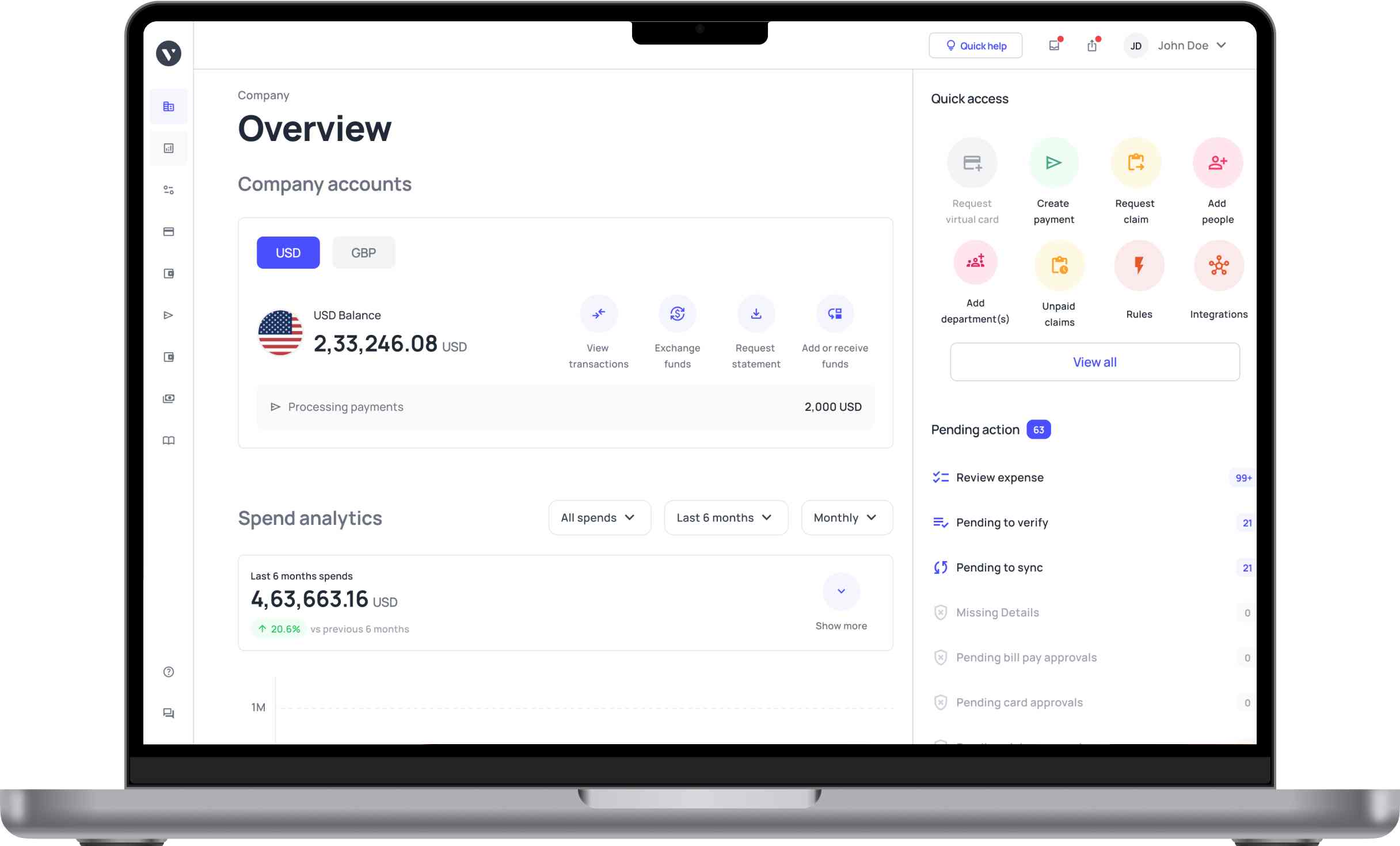















Everything the payment needs before it leaves
Multiple payment methods, one screen
Pay US vendors by ACH, wire, or FedNow. For international vendors, use supported local or SWIFT payment methods depending on the destination and currency.
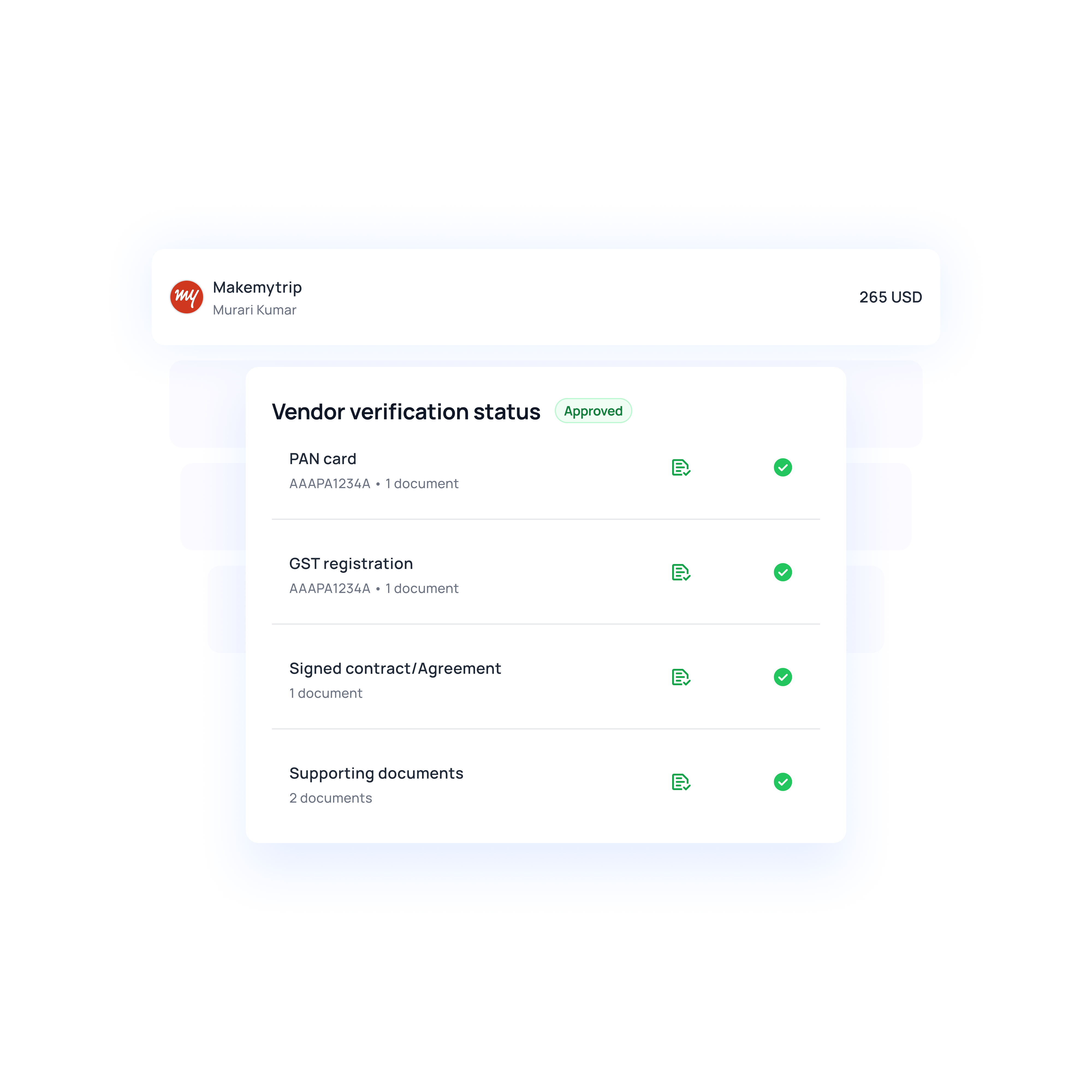
Collect vendor bank details directly
Send vendors a secure request so they can enter their own payment details, reducing manual data entry and the risk of transcription errors.
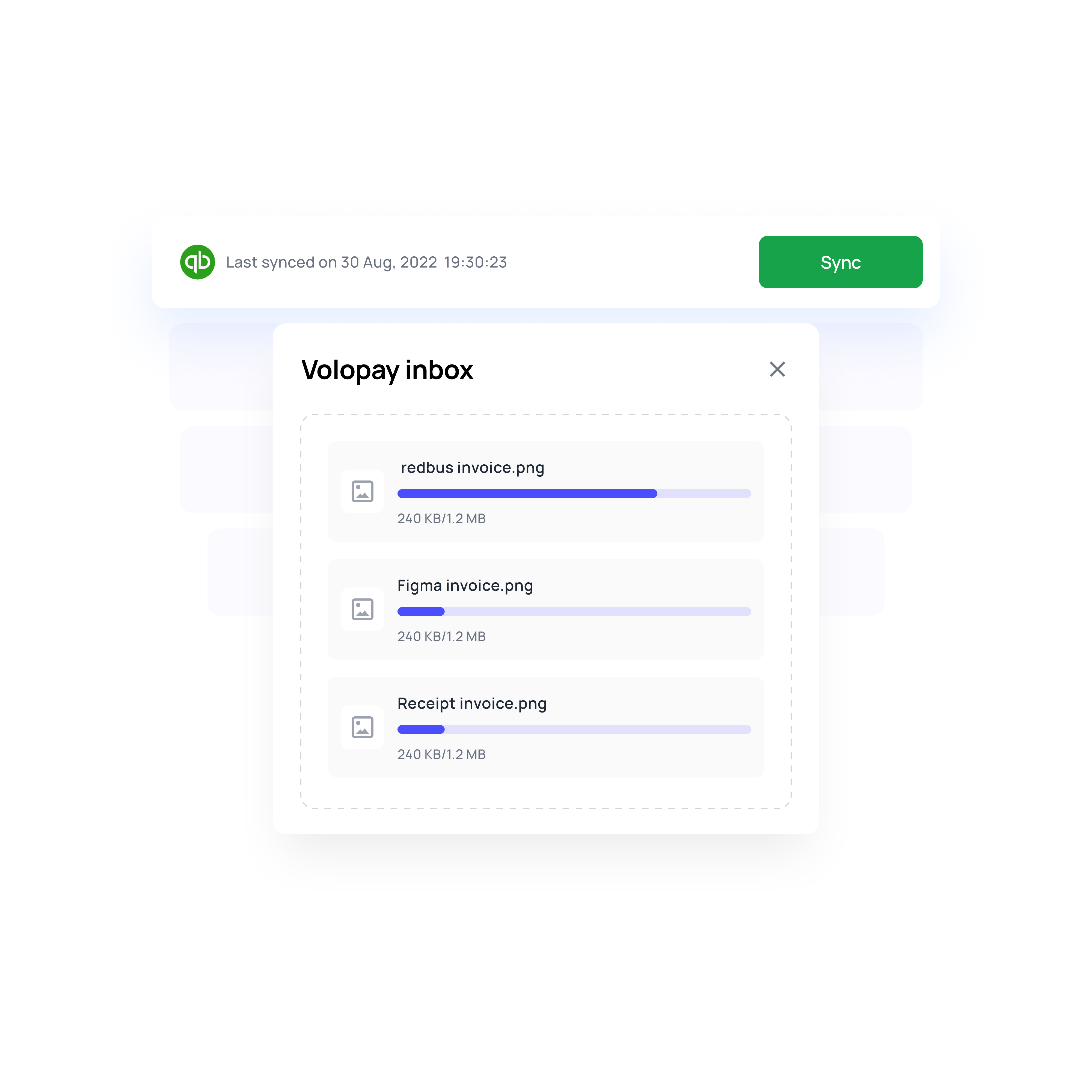
Forward an invoice, get a payment
Send it to your dedicated Volopay inbox and the bill is built for you, vendor-matched, amount filled in.
Your name on your vendor's statement
They see your company when the money lands, not a processor nobody recognizes. One less email asking what the payment was for.
Stop retyping invoices into two systems
Forward the invoice to bills@volopay.com or attach it when you create the payment. It gets built once, with the accounting details filled in, and syncs to your ledger. Nobody types the same invoice into two systems.
No payment leaves without the right eyes on it
Vendor bank details never change off one email. You send the request, the vendor fills in their own details. From there, every payment runs through the approval levels you set, by department or by amount. And if you've made the receipt, notes, and accounting category mandatory, the payment can't reach an approver until they're filled in.
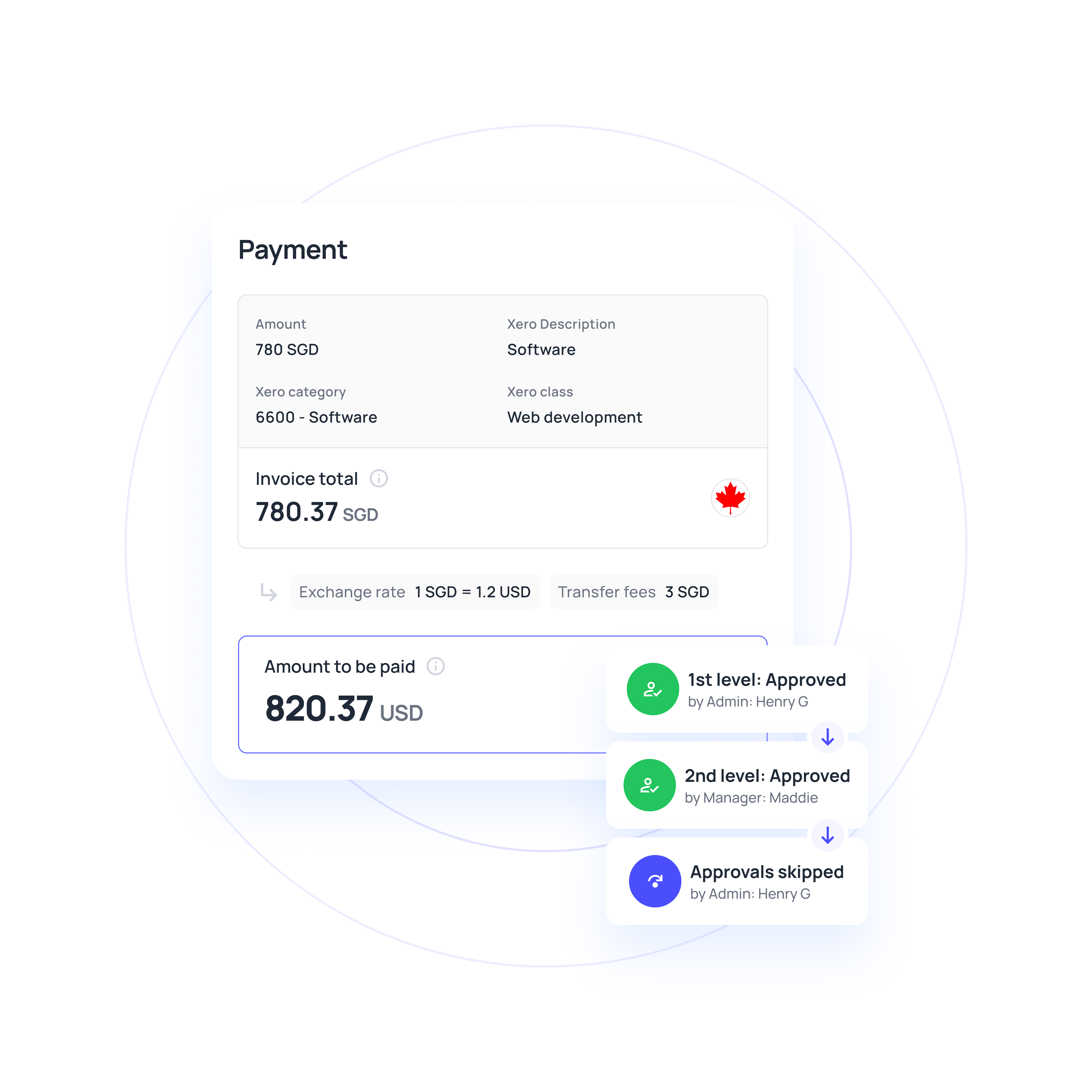
Know what the payment costs before you approve it
The Exchange Rate tool shows the exact amount your vendor receives, in their currency, before you send. Hold a balance in the currency you pay in, and there's no conversion in the picture at all.
Make vendor payments easier to manage
More than a faster way to move money
Every payment comes with a complete audit trail
Every payment sits in one of five states: pending approval, scheduled, processing, paid, or failed. Failed payments show the reason, so you fix the cause instead of calling the bank. Filter the whole list by status, vendor, date, transfer type, or owner, and export it to CSV when it is time to reconcile.
Your bookkeeper can close the books without being able to send money
Admins run the account. Members see only what belongs to them. Accountants get the ledgers and nothing else. Build custom roles when none of the three fit, so that access matches the job rather than the org chart.
Contractors and suppliers, same workflow
Set a vendor up as corporate for companies or individual for freelancers and contractors. Both follow identical approval and payment flows, so paying a contractor isn't a separate process to remember. Archive vendors one at a time or in bulk when a relationship ends.
Control department and project budgets
Set spending limits for departments and projects, and automatically track every vendor payment against the assigned budget. Configure minimum wallet balance alerts, so admins are notified before a payment fails due to insufficient funds.
One workflow for every kind of payout
Pay international suppliers in 60+ currencies using local transfer rails where available or SWIFT when needed. Teams can choose the payment route based on destination, currency, and timing.
Pay freelancers and contractors through the same approval workflow used for other vendors. You can also schedule recurring payments for retainers or other regular payouts.
Set up payments for software providers, agencies, consultants, and other recurring vendors. Payments can be scheduled in advance or repeated on a fixed frequency.
Why go the Volopay Way?
Manual/legacy approach | The Volopay approach |
|---|---|
Vendor emails new bank details, AP updates the record, hope it was really them | Vendor fills a secure form, you verify before it saves |
Print, sign, and mail a check, then wait for it to clear | Electronic only, from a few hours to three business days |
Approvals live in an email thread with nothing to show an auditor | Names, timestamps, and receipts attached to every payment |
Two people pay the same invoice because nobody knew it was settled | One record per bill with a visible status |
Bank portal first, then retype it all into accounting | One flow, synced to Xero, QuickBooks, NetSuite, and Zoho Books |
Wire fees appear on the statement after the money is gone | Transfer fee shown per rail before you send a payment |
Vendor receives less than the invoice, and nobody knows why | Choose who covers the correspondent charges, so the vendor gets the full amount |
Exchange rate shows up on the statement after the money is gone | Calculator shows what the vendor receives before you approve |
Convert every time you pay an overseas supplier | Hold the currency, pay from a matching balance, no conversion at all |
Vendor calls to ask where their payment is | Download proof of payment when a vendor needs it |
They loved Volopay, you will too




Real businesses, real results

A global hospitality group with 145+ hotels processing utility, telco, and property tax payments manually. Volopay automated invoice capture with OCR, routed every vendor payment through approvals, and cut payment time from 15 days to 2.
Results:
● Invoice cycle cut by 80%
● Vendor payments in 2 days, down from 15
● 20+ hours saved monthly on consolidation

A US consultancy paying a large network of freelancers, trainers, and consultants across borders. Volopay automated payouts across multi-currency wallets and provided the finance team with real-time visibility into project-level vendor spend.
Results:
● Vendor payment delays down 80%
● $20K to $40K saved annually on FX
● Margins up 10 to 15%

A US franchise network with 18 to 20 locations paying subcontractors and equipment rental vendors across sites. Volopay centralized all vendor and employee payments into one AP dashboard with multi-currency wallets.
Results:
● Subcontractors paid in days.
● $50K saved annually on FX
● Project overruns down 20 to 30%
Bring Volopay to your business
Get started now
FAQs
For US domestic payments, Volopay supports ACH, wire, and FedNow. For international vendors, you can pay through supported local, non-SWIFT, or SWIFT payment methods, depending on the destination and currency.
Payment timing depends on the payment method. Volopay supports same-day wire transfers, immediate FedNow payments, and ACH transfers that typically take 1–3 business days.
Volopay’s vendor payment software is included within its business finance platform. Pricing varies based on your plan, payment method, and transaction type, including domestic and international vendor payments.
No. Volopay is electronic only, so there is nothing to print, sign, or mail, and no check to go missing. If a vendor takes checks today, ACH is usually the direct swap.
The vendor enters bank details via a secure request, and you verify them before they are saved, so a spoofed "we changed banks" email cannot reroute a payment on its own. Every payment then passes through your approval levels, with names and timestamps recorded.
That depends on who covers the correspondent bank charges, and you choose. Send with the charges on you so your vendor receives the exact invoice amount. Send with shared charges, and the transfer costs less, but intermediary banks may deduct their fees along the way.
No. Vendors do not need a Volopay account to receive payment. Once a payment is completed, your team can download proof of payment from Volopay and share it with the vendor when needed.
Yours. Payments run through Airwallex and partner banks, but your vendor sees your company name, which means fewer calls asking what the payment was for.
Only when the currency changes. Paying a EUR invoice from a EUR balance means no conversion at all. FX applies when your balance currency and your vendor's account currency differ, and the calculator shows what they will receive before you approve.
Yes. One approver or several, applied company-wide or set separately by department and project. A payment reaches processing only after all levels have signed off.
Yes. Xero, QuickBooks, NetSuite, and Zoho Books Vendors and verified payments sync across, so the ledger stays current without manual entry.
Yes. Schedule a single payment for a future date, or set a frequency to repeat it. Both still run through your approval policy before money moves.