What are bank feeds? How to set up and reconcile in real-time
Bank feeds simplify accounting by automatically importing transactions from business bank accounts into accounting software. This continuous bank feed integration removes the need for manual updates and helps maintain accurate financial records.
Companies benefit from real-time reconciliation of bank feeds, where each transaction is matched against receipts and expense entries automatically. Such automation not only improves visibility but also supports effective cash flow management.
By understanding how to set up bank feeds and following a structured bank feed setup process, businesses can streamline reporting and reduce errors. Real-time bank feed reconciliation ensures accuracy, compliance, and speed in expense tracking, empowering finance teams to focus on analysis instead of manual data entry.
What are bank feeds?
Simply put, bank feeds are automated pipelines that connect your business bank accounts with financial software to import transaction data continuously. Instead of manually downloading and uploading bank statements, bank feeds ensure that all transactions flow seamlessly and securely into accounting or expense management systems.
This live data connection eliminates delays in financial record updates and allows for accurate, up-to-date books. Bank feeds play a critical role in modern bookkeeping by enabling real-time visibility into cash flow and supporting faster bank feed reconciliation.
Understanding what bank feeds are is the first step toward leveraging automated bank feed integration and simplifying your financial management processes.
How bank feeds work for businesses
1. Connecting business bank accounts securely
The bank feed setup process starts with securely connecting business bank accounts to accounting systems. This connection uses encrypted protocols and authentication methods to protect sensitive financial data.
Secure bank feed integration ensures that transaction information transfers safely, maintaining compliance with industry standards. This secure connection forms the foundation for smooth and trusted bank feed reconciliation and real-time financial updates.
2. Importing transactions automatically into accounting systems
Bank feeds enable automatic importing of transactions from business bank accounts directly into accounting software. This eliminates manual data entry errors and speeds up bookkeeping tasks.
Through automated bank feed integration, businesses receive transaction data continuously, enabling accurate and timely updates. This process is key to maintaining consistent reconciliation of bank feeds without disrupting daily financial workflows.
3. Categorizing and matching expenses in real time
With real-time bank feed reconciliation, transactions imported through bank feeds can be instantly categorized and matched against expense records. Automation helps classify expenses accurately according to pre-set rules, reducing the risk of errors.
This improves the speed and accuracy of reconciliation, giving finance teams timely insights into spending patterns and cash flow management.
4. Syncing reconciled data across finance tools
Bank feed integration supports syncing of reconciled data across multiple finance tools, such as ERP systems and budgeting platforms. This unified approach ensures all departments work from consistent financial data, enhancing collaboration.
Continuous synchronization reduces reconciliation mismatches and streamlines financial reporting, solidifying data accuracy across the organization.
5. Maintaining continuous updates through API Integrations
API-driven bank feed integration provides continuous updates by maintaining a live connection between bank accounts and accounting software. This real-time synchronization ensures that new transactions are immediately reflected in financial records.
Maintaining this seamless data flow is essential for effective bank feed reconciliation, enabling faster financial closes and improved audit readiness.
Benefits of real-time bank feeds
Up-to-date visibility on cash/spend
Real-time bank feed integration gives businesses instant access to cash flow and spending data directly within their accounting system. This up-to-date visibility allows for proactive financial decisions, streamlines the reconciliation of bank feeds, and supports more responsive budget management.
By leveraging a seamless bank feed setup process, businesses eliminate data lags and keep financial reports accurate at all times.
Fewer manual entries, fewer errors
Automated bank feeds drastically reduce manual data entry, which in turn minimizes the risk of human errors in financial records. By understanding how to set up bank feeds efficiently, companies benefit from accurate transaction imports and smoother bank feed reconciliation.
This automation helps accountants and finance teams focus on analysis rather than on repetitive bookkeeping tasks, improving overall productivity.
Faster close, faster financial insight
Real-time bank feed reconciliation accelerates the month-end and year-end close processes by automatically syncing and categorizing transactions. This fast and reliable bank feed integration shortens the timeline for generating reports and enables business leaders to access critical financial insights without delays.
A smooth bank feed setup process helps maintain a steady workflow and minimizes reconciliation bottlenecks.
Better detection of anomalies/fraud
A key benefit of real-time bank feed reconciliation is the ability to spot errors, anomalies, or signs of fraud as soon as they occur. Continuous transaction data through bank feed integration allows for instant comparison, improving fraud prevention and expense monitoring.
With live visibility, finance teams can take immediate action if suspicious activity is detected, safeguarding business funds.
Risks of delayed bank feeds
Outdated or inaccurate books
Delayed bank feeds cause financial data to become outdated, leading to inaccurate books and questionable reports. This disrupts the process of reconciliation of bank feeds, as transactions do not reflect the current state of accounts.
Businesses may make misguided decisions based on stale data, impacting cash flow management and overall financial health until feeds are updated properly.
Reconciliation backlog
When bank feed integration suffers delays, transactions pile up unprocessed, causing reconciliation backlogs. This accumulation complicates matching transactions during bank feed reconciliation, slowing down accounting workflows and increasing the risk of errors.
A well-planned bank feed setup process prevents these backlogs by ensuring continuous and timely transaction imports.
Missed insights, weaker control
Delayed bank feeds result in missed real-time insights into spending and cash positions, weakening financial control. Without up-to-date information, businesses struggle to detect fraud or anomalies promptly, reducing their ability to enforce compliance.
Efficient bank feed reconciliation depends on timely data flow to maintain robust financial oversight and decision-making accuracy.
How bank feeds improve expense reconciliation accuracy
Eliminates manual data entry and human errors
Bank feed integration automates the import of transactions, significantly reducing manual data entry during reconciliation of bank feeds. This automation minimizes human errors, ensuring more accurate expense reconciliation.
By understanding how to set up bank feeds properly, businesses can streamline their reconciliation process, leading to dependable financial data and saving valuable time for finance teams.
Real-time visibility into cash flow and balances
With real-time bank feed reconciliation, businesses gain instant access to current cash flow and account balances. This continuous data flow provides up-to-date insights for accurate expense reconciliation, helping companies respond quickly to financial changes.
Maintaining a proper bank feed setup process ensures ongoing synchronization, which is essential for precise reconciliation and effective cash management.
Faster month-end closing and audit readiness
Bank feeds facilitate faster month-end closing by automatically matching and reconciling transactions as they occur. This real-time process reduces the time spent on manual reconciliation and prepares accurate reports swiftly.
Proper bank feed integration enhances audit readiness, providing a clear trail of reconciled transactions, thereby ensuring compliance and ease during audits.
Common bank feed & reconciliation challenges & how to avoid them
Building a scalable bank feed strategy
A scalable bank feed strategy is vital for businesses seeking smooth financial operations as they grow. Establish clear goals for bank feed integration and bank feed reconciliation to avoid common setup challenges.
Robust governance ensures compliance and transparency, while automation streamlines the bank feed setup process and ongoing reconciliation of bank feeds. Investing in scalable systems supports future transaction growth, multi-entity management, and security.
When planned correctly, these steps prevent bottlenecks and enable seamless transitions from strategy to full implementation, safeguarding accuracy, compliance, and efficiency even as financial operations expand.
Transitioning from bank feed strategy to implementation
1. Assessing readiness for real-time integration
Assessing readiness for real-time bank feed integration begins with reviewing current systems, workflows, and data security standards. Understanding how to set up bank feeds relies on establishing a baseline for technical compatibility, transaction volume, and staff expertise.
By preparing infrastructure and governance, businesses ensure that the bank feed setup process delivers seamless, scalable reconciliation of bank feeds as operations expand.
2. Defining integration goals and success criteria
Clearly outline what your business aims to achieve through bank feed integration. Set measurable goals for automation, bank feed reconciliation accuracy, and faster financial insights.
Success criteria should include standards for error reduction, streamlined bank feed setup processes, and process efficiency. Transparent objectives guide implementation and make reconciliation of bank feeds more consistent across all applications.
3. Selecting integration partners or platforms
Choose technology partners or platforms that specialize in reliable bank feed integration and compliance. Evaluate vendors based on support for real-time reconciliation of bank feeds and scalable connectivity.
The platform should offer smooth bank feed setup processes, secure data management, and compatibility with your existing accounting software. Strong partner selection ensures long-term, high-performing expense automation.
4. Preparing internal teams for workflow change
Preparing teams for the transition to automated bank feed reconciliation is essential for success. Train staff on how to set up bank feeds and educate them in the bank feed setup process and integration tools.
Outline new workflows, governance, and support resources. Effective communication helps overcome resistance, aligns goals, and ensures proper reconciliation of bank feeds throughout implementation.
How to set up bank feeds for real-time expense reconciliation
Prepare your system for bank feed integration
Start by evaluating your current accounting, expense management, and banking systems for compatibility with bank feed integration. Ensure secure access permissions and up-to-date software versions.
Preparing infrastructure in advance reduces technical errors, streamlines the bank feed setup process, and speeds up reconciliation of bank feeds. A strong foundation is essential for seamless, real-time expense reconciliation and data security.
Choose the right type of bank feed connection
Decide between direct bank feed, API integration, or third-party aggregator based on your organization’s needs. The bank feed setup process should focus on reliability, scalability, and security.
Matching the connection type to your volume and accounting platforms allows for fast, automated reconciliation of bank feeds and ensures durable bank feed integration across all business accounts.
Map accounts and categories for seamless sync
Map bank accounts and expense categories in your accounting system with those available through your bank feed integration. This step of the bank feed setup process is crucial to avoid misclassification.
Accurate mapping supports flawless reconciliation of bank feeds by ensuring every transaction is imported, categorized, and matched correctly in real time—essential for expense visibility.
Set up automation rules for expense reconciliation
Configure automation rules for expense classification, transaction matching, and reconciliation frequency within your accounting software. This stage in bank feed integration eliminates repetitive tasks and enforces consistency.
By clearly defining automation rules during the bank feed setup process, businesses achieve faster reconciliation of bank feeds and reduce manual intervention in expense processing.
Verify successful bank feed setup
After configuration, confirm transactions automatically import and reconcile without errors. Check for missing, duplicate, or mismatched entries. Testing the bank feed setup process verifies data accuracy and full bank feed integration.
Only a verified system ensures seamless reconciliation of bank feeds and supports reliable expense management workflows in real time.
Troubleshoot common setup issues
Address bank feed setup process challenges, such as connection errors, data mismatches, or incomplete imports, by reviewing integration settings and vendor resources.
Proactive troubleshooting stabilizes bank feed integration and supports rapid reconciliation of bank feeds. Maintaining consistent issue resolution safeguards ongoing expense reconciliation and supports a reliable finance workflow.
Test and monitor continuously
Regularly test bank feed integration for performance, sync speed, and data accuracy. Monitor transaction imports and reconciliation of bank feeds with automated alerts.
Continuous testing protects against errors, optimizes the bank feed setup process, and ensures the reliability of real-time expense reconciliation for scalable business operations.
Integrate with your accounting software
Connect your bank feed system seamlessly with your chosen accounting software, ensuring full compatibility for real-time import and reconciliation of bank feeds.
Integration should be managed through secure APIs or direct connectors as defined in the bank feed setup process. Proper integration maximizes speed, control, and data accuracy for ongoing expense reconciliation and reporting.
How to ensure your bank feeds sync properly every time
Maintain stable authentication and permissions
Ensure bank feed integration uses consistent authentication protocols like OAuth to maintain secure, stable access. Proper permissions prevent unexpected disconnections that interrupt data flow and reconciliation of bank feeds.
Regularly review and update user permissions as roles shift. Stable authentication supports a continuous bank feed setup process and smooth real-time expense reconciliation with minimal errors.
Monitor sync frequency and connection health
Regularly track sync intervals and connection status for your bank feeds. Frequent syncing reduces data latency, enabling accurate bank feed reconciliation and faster financial insights. Monitoring connection health helps identify disruptions early, preventing backlogs.
Establish automated alerts for failures to maintain the bank feed setup process and ensure seamless, real-time transaction imports.
Keep banking credentials and APIs updated
Update banking credentials promptly and maintain API integrations as banks enhance security. Expired credentials cause feed disconnections and data loss. Staying current with API versions and authentication methods ensures compatibility and continuous bank feed integration.
This vigilance is crucial to sustain accurate and automated bank feed reconciliation without interruptions.
Avoid duplicate or conflicting connections
Ensure each bank account has a single, unique connection to avoid duplicate transactions and reconciliation errors. Duplicate bank feeds cause confusion and inflate data volume unnecessarily.
Implement clear protocols during the bank feed setup process to identify and disable redundant connections, fostering precise and efficient reconciliation of bank feeds.
Manage data volume and feed limits
Understand and comply with transaction volume limits imposed by banks or aggregators on feeds. Large data volumes may cause incomplete imports or sync delays, disrupting bank feed reconciliation.
Optimize transaction batch sizes and frequency during the bank feed setup process to maintain synchronization performance and avoid bottlenecks.
Implement security and compliance best practices
Adopt strict data privacy policies, encrypt transmissions, and use read-only permissions for feeds to protect sensitive bank information. Align bank feed integration with compliance regulations such as GDPR or PCI-DSS. Regularly audit feed activities.
These measures secure the bank feed setup process and maintain trustworthy, compliant real-time reconciliation of bank feeds.
Troubleshooting common bank feed issues
Best practices for secure and compliant bank feed management
1. Data privacy and access control
Protecting sensitive financial data is essential in bank feed management. Businesses must ensure bank feed integration uses secure, encrypted channels and strict access controls, limiting exposure only to authorized personnel.
Applying privacy frameworks strengthens data security and supports robust bank feed reconciliation. Regular security audits and risk assessments during the bank feed setup process help identify vulnerabilities and mitigate potential threats.
2. Using read-only permissions
Set bank feeds to use read-only permissions for all integrations. This limits the scope of changes, reduces the risk of data tampering, and supports compliance requirements.
By adopting read-only access in the bank feed setup process, companies safeguard transactional integrity, enhance security, and protect the reconciliation of bank feeds from unauthorized edits or transactions within accounting platforms.
3. Periodic review and feed audit logs
Regularly review audit logs of all bank feed connections and reconciliations. Track access, changes, and sync errors to maintain transparency and accountability.
Periodic feed audits—an important step in the bank feed setup process—improve detection of anomalies or security breaches and support compliance for reconciliation of bank feeds. Automated alerts on irregularities further bolster oversight.
4. Meeting compliance and audit requirements
Align bank feed integration and management practices with leading compliance standards, such as GDPR, PCI DSS, and ISO 27001. Ensure your bank feed setup process documents all controls and reconciliation workflows for auditability.
Staying current with federal, state, and industry-specific regulations secures data, ensures lawful operation, and upholds trust for clients, auditors, and financial stakeholders.
Experience error-free financial reporting and real-time expense visibility
How to choose the right type of bank feed connection
1. Understand the different types of bank feeds
Businesses must recognize that bank feed integration options include direct bank feeds, third-party aggregator feeds, and open banking APIs. Each type offers unique security, connectivity, and scalability features.
The bank feed setup process should begin by identifying available protocols and platforms that match your organization’s accounting systems, ensuring a future-ready, reliable reconciliation of bank feeds.
2. Evaluate your business needs and scale
Analyze transaction volumes, account types, regional reach, and long-term operational goals before choosing a connection. This step ensures your selected bank feed integration method can handle current needs and planned growth.
Scalable bank feed setup processes deliver ongoing support for reconciliation of bank feeds, maintaining efficiency as your business expands across markets or product lines.
3. Check compatibility with your accounting software
Test whether the bank feed connection seamlessly integrates with your chosen accounting or ERP platform. Compatibility reduces manual mapping, errors, and sync failures.
Successful bank feed setup processes prioritize platforms with built-in connectors, open APIs, or documented integration pathways for straightforward reconciliation of bank feeds and uninterrupted expense automation.
4. Assess data security and compliance standards
Evaluate bank feed integration providers for robust data encryption, secure authentication, and regulatory compliance (such as PCI DSS and GDPR).
A secure bank feed setup process protects transactions from unauthorized access, maintains privacy, and supports reliable reconciliation of bank feeds. Ensure vendors update protocols regularly to comply with evolving legal and industry standards.
5. Compare reliability and data accuracy
Research bank feed integration vendors for proven reliability, uptime guarantees, and data accuracy performance. Prioritize connections with comprehensive support services and transparent status monitoring.
The bank feed setup process should include reviews of reconciliation error rates and transaction import speeds for dependable reporting and reconciliation of bank feeds in real time.
6. Consider cost and long-term ROI
Estimate implementation and renewal costs for each bank feed connection type, including integration, support, and potential upgrade fees. Weigh these against projected efficiency gains in bank feed reconciliation and expense automation.
Smart financial modeling during the bank feed setup process maximizes long-term ROI, future-proofs reconciliation of bank feeds, and controls operating costs.
Key metrics to track for bank feed performance
Sync frequency and uptime percentage
Tracking how often bank feeds sync and their uptime percentage is crucial to performance evaluation. Frequent, reliable syncs ensure timely data entry and current bank feed reconciliation.
High uptime guarantees minimal disruptions, preventing data loss or outdated transactions. Monitoring these metrics helps detect connection issues early and maintain seamless bank feed integration for consistent, real-time expense tracking.
Number of transactions imported per cycle
Measuring transactions imported per sync cycle indicates the bank feed’s capacity and efficiency. High volumes processed without errors demonstrate robust integration and support business growth.
This metric aids in capacity planning and identifies bottlenecks affecting reconciliation of bank feeds. Regularly tracking import volumes ensures the bank feed setup process handles your organization’s transaction load effectively.
Rate of reconciliation success/failure
This metric shows the percentage of transactions accurately matched during bank feed reconciliation versus those needing manual intervention. High success rates reflect smooth automation and precise bank feed integration.
Monitoring failures helps pinpoint data mismatches or mapping errors, guiding process improvements to optimize real-time reconciliation and reduce manual corrections during month-end close.
Average time to detect and fix connection issues
Measuring how quickly connection problems are identified and resolved impacts overall feed performance. Faster detection minimizes data gaps and synchronization delays, ensuring robust bank feed reconciliation.
Streamlining issue resolution processes within the bank feed setup process improves system reliability and maintains continuous real-time data flow critical for accurate financial management.
Streamline real-time bank feed reconciliation with Volopay
Volopay streamlines real-time bank feed reconciliation by automating expense tracking, categorization, and reconciliation processes. Our advanced features support compliance and risk management, making financial workflows efficient and transparent.
Designed for modern businesses, Volopay's accounting automation system integrates seamlessly with accounting systems, providing unified visibility and control over spending while reducing manual errors.
Real-time dashboards for expense visibility
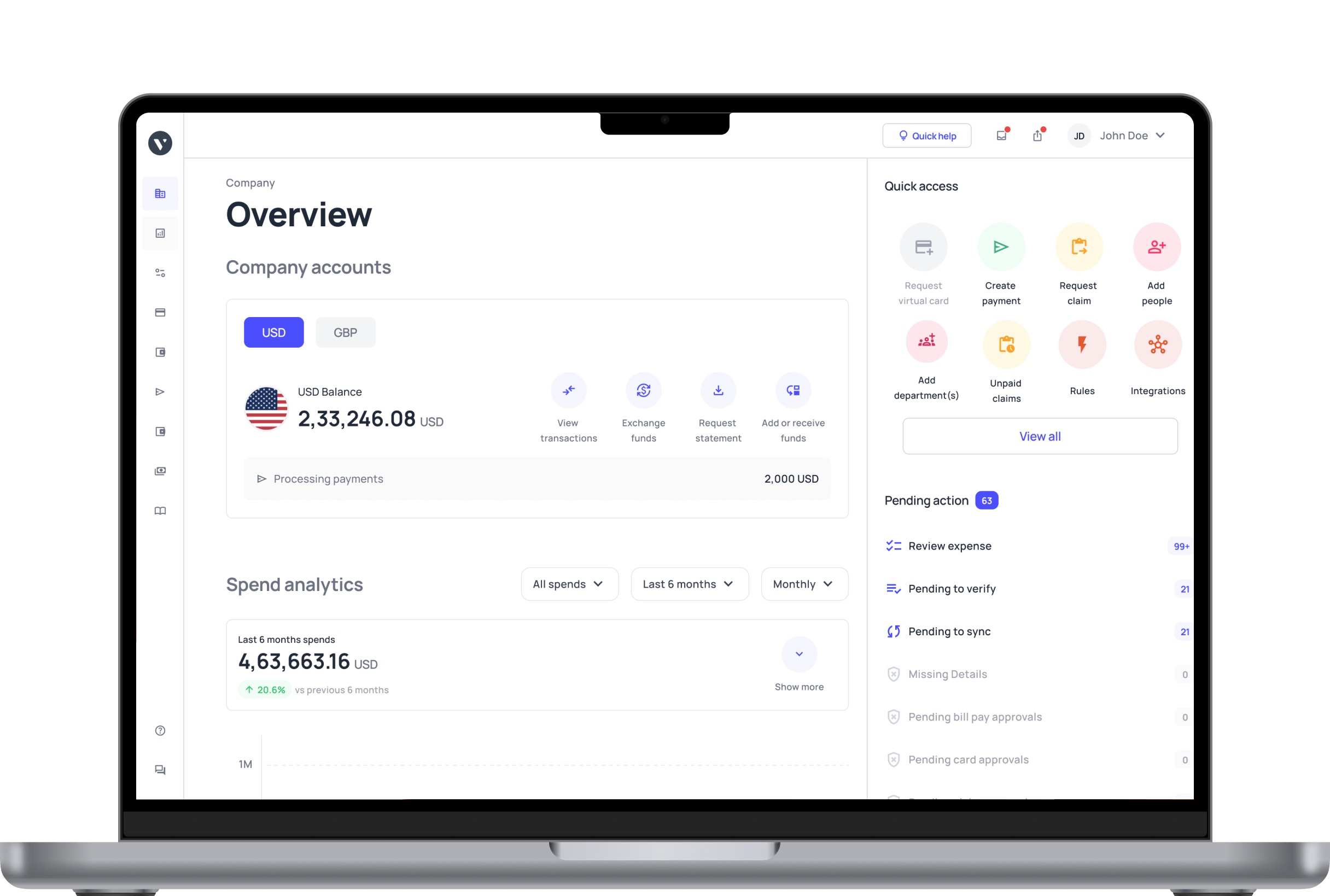
Volopay provides complete real-time visibility through a dashboard that displays all business expenses as they occur. This instant visibility helps finance teams monitor spend, identify discrepancies, and track reconciliation of bank feeds efficiently.
The platform visually organizes transactions by category and department, enhancing financial control and decision-making based on up-to-date data.
Integration with accounting and ERP tools
With native integrations to QuickBooks, Xero, NetSuite, and others, Volopay syncs bank feed transactions effortlessly into accounting software. This tight integration accelerates bank feed setup processes, automates reconciliation of bank feeds, and consolidates financial data into a single source of truth.
Businesses benefit from reduced manual reconciliation workloads and faster month-end closes.
Expense categorization and ledger mapping
Volopay automatically categorizes expenses and maps them to appropriate ledger accounts based on predefined rules. This automation ensures accurate reconciliation of bank feeds and reduces errors stemming from manual coding.
Customizable ledger mapping lets teams align expense tracking with organizational policies and reporting requirements.
Automated alerts & reconciliation reporting
The platform generates automated alerts for missing receipts, unusual transactions, or reconciliation mismatches, empowering proactive issue resolution.
Volopay’s detailed reconciliation reports provide transparency into the bank feed reconciliation process, helping finance teams maintain accuracy and compliance. These insights enable timely corrective actions, improving overall financial health.
Compliance & risk management
Volopay incorporates security features like bank-level encryption, multi-factor authentication, and role-based access control. We comply with SOC 2, PCI-DSS, and other regulations, ensuring secure handling of financial data and reconciliation workflows.
Built-in audit trails and policy enforcement protect businesses from fraud while supporting regulatory compliance requirements.
Bring Volopay to your business
Get started now
FAQs
Yes, bank feed integration supports multiple currencies and accounts, enabling businesses to track international transactions and multi-currency balances seamlessly. This flexibility ensures accurate bank feed reconciliation across diverse financial environments.
Verifying bank feed connections monthly or after major system updates ensures accurate reconciliation of bank feeds. Regular checks prevent errors, disconnections and maintain seamless real-time bank feed integration for reliable financial data.
Bank feeds use advanced encryption, secure APIs, and role-based access controls, making them highly secure. Enterprises relying on bank feed reconciliation can trust these integrations to protect sensitive transaction data.
Yes, businesses can create automation rules during the bank feed setup process. Automatic categorisation and reconciliation of bank feeds reduces manual work and improves financial accuracy and consistency.
Volopay uses real-time monitoring and notifications to quickly detect feed delays. The platform automates error resolution workflows, minimizing disruption for continuous bank feed reconciliation and improving expense management.
Volopay centralizes bank feed management with intuitive dashboards, automated alerts, and seamless integration. This streamlines reconciliation of bank feeds and reduces manual oversight, improving financial workflow efficiency.
Volopay supports multi-currency wallets and international bank feeds, enabling users to hold, send, and reconcile transactions in multiple currencies. This strengthens global finance operations and bank feed reconciliation accuracy.