7 Revolut alternatives for global spending & money transfers
Revolut is a very popular tool among individuals and smaller teams, one that people use for international payments and multi-currency spending. But over time, certain limitations could start to show up.
The goal is to find a platform that better fits how you actually operate. That could mean lower fees, stronger spend controls, better automation, or simply more predictable performance when moving money internationally.
To put this together, we looked at user feedback across review platforms, common complaints, and how each product performs in real-world use. The Revolut alternatives below are selected based on specific strengths, so you can decide which one aligns best with your requirements.
Quick summary of the Revolut alternatives
Here is a quick overview before we go deeper into each option:
- ● Volopay: Best for business spend management and structured financial control
- ● Airwallex: Best for global business accounts and foreign exchange
- ● Wise: Best for cost-effective international transfers
- ● Skrill: Best for digital wallet-based transactions
- ● Chime: Best for simple domestic banking in the US
- ● PayPal: Best for widely accepted global payments
- ● Skydo: Best for freelancers receiving international payments
| Tool | Best for | Key feature | Pricing model |
|---|---|---|---|
Volopay | Business spend management | Expense control and cards | Subscription-based |
Airwallex | Global business accounts | Multi-currency accounts | Tiered pricing |
Wise | International transfers | Real exchange rates | Pay-per-transfer |
Skrill | Digital wallet | Fast online transfers | Transaction-based |
Chime | Personal banking (US) | No-fee banking | Free |
PayPal | Global payments | Wide merchant acceptance | Transaction fees |
Skydo | Freelancer payments | Cross-border collections | Flat fee per txn |
7 Revolut alternatives for global spending & money transfers
Choosing the right alternative depends on what is not working for you today. For some, it is pricing. For others, it is control or integration with existing systems. In some cases, the difference comes down to how much visibility and control you need.
In order to make the most optimal choice out of all available Revolut alternatives, it is best to conduct a comparative review of a group of tools that offer varying facilities.
The following spend management systems approach global payments and spending in different ways, and hence can be considered to be strong alternative choices to Revolut.
1. Volopay
Best for: Business organizations that need structured control over spending across teams.
Solutions: Startups, agencies, SaaS companies, and businesses managing distributed teams or international vendors.
Pros:
● Strong control over employee spending, allowing businesses to define how and where money is used instead of reacting after transactions happen
● Corporate cards with configurable limits that can be assigned to employees, teams, or specific use cases
● Real-time expense visibility, which reduces the need for manual tracking and follow-ups
● Multi-currency support that helps businesses manage international payments more efficiently
● Direct accounting integrations that simplify reconciliation and reduce manual errors
Cons:
● Designed primarily for business use rather than individuals, so it may not suit personal finance needs
● Some features require initial setup to fully utilize, especially for teams implementing structured workflows
Key features:
● Virtual and physical corporate cards
● Automated expense tracking
● Budget controls by user or department
● Multi-currency accounts
Integrations:
● QuickBooks
● Xero
● NetSuite
● Other accounting and ERP systems
Additional features:
● Vendor payments and bill management
● Employee reimbursements
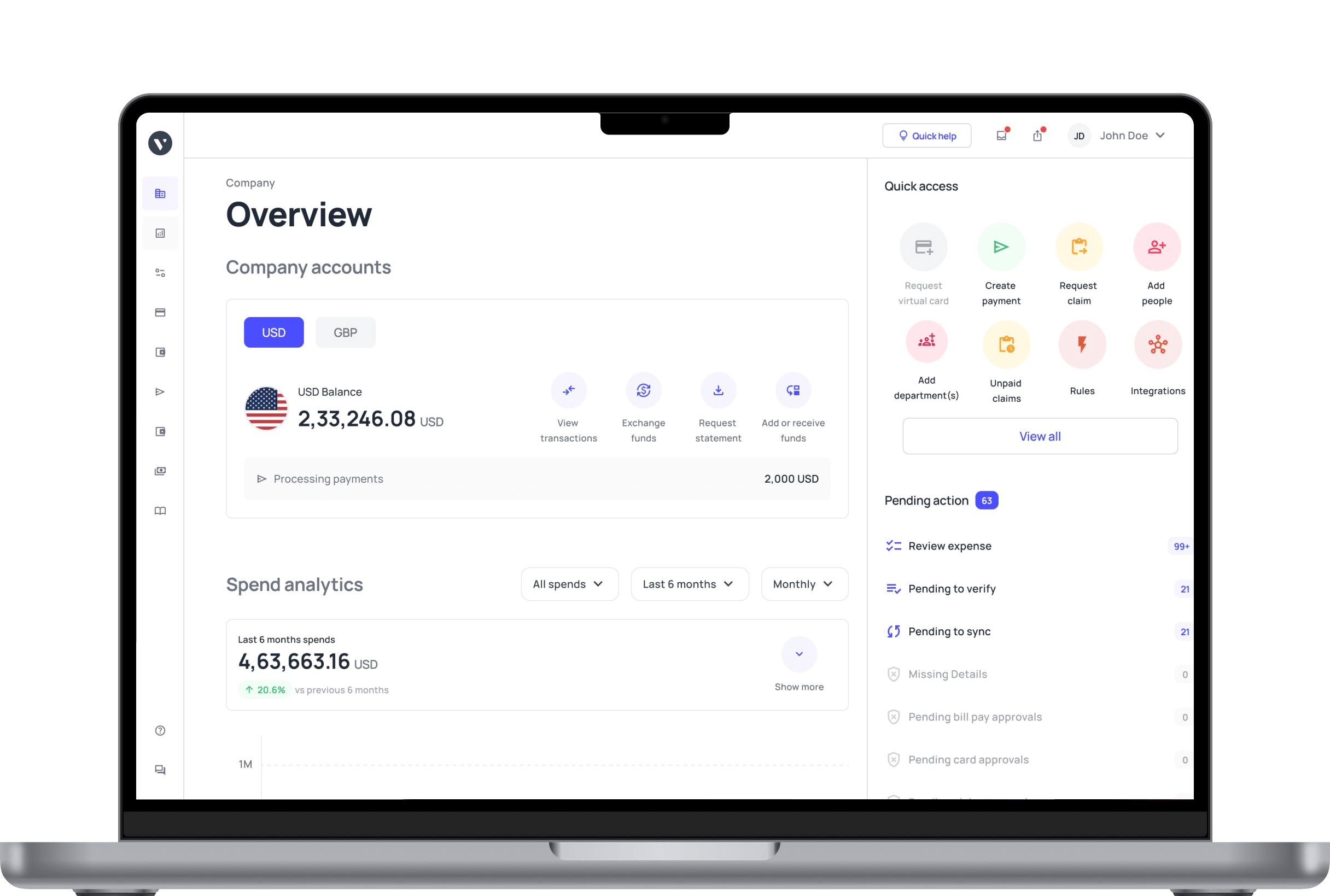
● Centralized financial dashboard
Why is it a better alternative?
A common issue is a lack of visibility. It becomes difficult to track who is spending, what the expense is for, and whether it aligns with internal budgets. This often leads to manual follow-ups, delayed approvals, and gaps in reporting.
Volopay approaches this by building structure into the way spending is handled. Instead of reacting to transactions after they happen, businesses can define how money should be used before it is spent.
Cards can be issued with fixed limits, tied to specific use cases, or restricted to certain merchants. Approval workflows ensure that larger or unusual expenses are reviewed in advance.
Another area where users look for improvement is operational efficiency. Volopay reduces this by linking transactions directly to expense records in real time. Receipts, categories, and approvals are all captured within the same system.
For finance teams, this has a direct impact on day-to-day work. Less manual tracking. Fewer errors. Better visibility across the organization.
This makes it particularly useful for companies managing multiple employees, recurring expenses, and cross-border payments where control and clarity are important.
2. Airwallex
Best for: Businesses that operate across multiple countries and need global accounts with FX capabilities
Solutions: E-commerce companies, SaaS businesses, marketplaces, and companies managing cross-border payments
Pros:
● Multi-currency accounts that allow businesses to hold and manage funds in different currencies without constantly converting
● Competitive foreign exchange rates, which can help reduce costs for businesses handling frequent cross-border transactions
● Local collection accounts in multiple regions, making it easier to receive payments like a local business in different markets
● Strong API capabilities that support automation and custom financial workflows for scaling companies
Cons:
● The platform can feel complex for smaller teams that do not need advanced international infrastructure
● Some features may require technical understanding or setup, especially when using APIs or integrations
Key features:
● Global business accounts
● Foreign exchange and international transfers
● Payment acceptance across regions
● API-driven financial infrastructure
Integrations:
● Shopify
● Xero
● NetSuite
● Custom API integrations
Pricing:
● Usage-based pricing depending on transfers and FX
Why it’s a better alternative?
Airwallex tends to stand out when businesses start dealing with multiple currencies and regions at the same time. One of the common limitations some users face with Revolut is how quickly things become harder to manage as cross-border activity increases.
With Airwallex, the structure is built around global operations from the start. You can open local accounts in different regions, receive payments like a local entity, and manage currency conversions more efficiently. This reduces friction when working with international clients or suppliers.
Another advantage is flexibility at scale. Businesses that are expanding into new markets often need more than just transfers; they need infrastructure.
Airwallex is designed to support that level of complexity, which makes it a better fit for companies with ongoing international activity rather than occasional transfers.
3. Wise
Best for: Businesses and individuals looking for transparent and cost-effective international transfers
Solutions: Freelancers, small businesses, and individuals sending or receiving cross-border payments
Pros:
● Real exchange rates with no hidden markup, which helps users understand exactly how much they are paying
● Transparent fee structure that clearly shows costs before confirming a transaction
● Strong global coverage, making it suitable for sending and receiving payments across multiple countries
● Simple and intuitive interface that makes it easy for new users to get started
Cons:
● Limited expense management capabilities, especially for businesses that need structured spending control
● Not designed for managing team-based expenses or approval workflows, which may require additional tools
Key features:
● Multi-currency account
● Local bank details in multiple countries
● International transfers at mid-market rates
● Debit cards for spending
Integrations:
● Xero
● QuickBooks
● API access for business users
Pricing:
● Pay-per-transfer with clearly displayed fees
Why it’s a better alternative?
Wise is often chosen by users who are frustrated with unclear fees or inconsistent exchange rates. One of the most common reasons some people look for alternatives to Revolut is pricing transparency, especially when dealing with international transfers.
Wise addresses this directly. You see the exact fee upfront, along with the real exchange rate. There is no guessing and no need to calculate hidden markups. This makes it easier to plan payments, especially if you are sending money regularly.
It is also straightforward to use. There is very little setup required, and the process is easy to follow. For individuals, freelancers, or small businesses that prioritize cost and simplicity over advanced features, this can be a more predictable option.
4. Skrill
Best for: Users who prefer wallet-based payments and quick online transfers
Solutions: Individuals, freelancers, and businesses handling online payments and digital transfers
Pros:
● Fast transfers within the Skrill network, which can be useful for users already on the platform
● Supports multiple currencies, allowing users to manage and send funds internationally
● Widely used for online payments, particularly in certain industries and digital services
● Quick account setup, making it accessible for users who want to get started without delays
Cons:
● Fees can be higher depending on the type of transaction or withdrawal method used
● Limited business-focused features, especially when compared to platforms designed for expense management
Key features:
● Digital wallet functionality
● International money transfers
● Prepaid card options
● Cryptocurrency support in some regions
Integrations:
● Limited direct integrations compared to business-focused platforms
Pricing:
● Transaction-based fees depending on transfer type and region
Why it’s a better alternative?
Skrill appeals to users who prefer a wallet-based system rather than a traditional banking setup. Some users move away from Revolut when they want faster, more flexible transfers within a closed network.
Within the Skrill ecosystem, transfers can be quicker, especially when both parties are using the platform. This can be useful in specific use cases such as online services or digital transactions where speed matters.
It is also easier to get started. The onboarding process is relatively simple, and users can begin sending or receiving funds without needing extensive setup.
While it may not offer the same level of business control as other platforms, it works well for users who prioritize speed and convenience.
5. Chime
Best for: Individuals looking for a simple and fee-friendly banking experience in the US
Solutions: Personal banking, everyday spending, and basic financial management
Pros:
● No monthly maintenance fees, making it an accessible option for personal banking
● Early direct deposit features that allow users to access funds sooner in some cases
● Simple and user-friendly interface that is easy to navigate for everyday banking needs
● No overdraft fees in many situations, which can help users avoid additional charges
Cons:
● Limited to users in the US, which restricts its usefulness for international operations
● Not designed for business payments or global transfers, making it unsuitable for companies with cross-border needs
Key features:
● Checking and savings accounts
● Debit card for everyday spending
● Automatic savings features
● Mobile-first banking experience
Integrations:
● Limited integrations, as it focuses on personal banking
Pricing:
● No monthly fees, with optional service-based charges
Why it’s a better alternative?
Chime is a different kind of alternative. It is not designed for international payments or business use, but it addresses a separate set of frustrations that some Revolut users may experience.
For users based in the US who are looking for a simpler banking experience, Chime offers fewer fees and a more straightforward setup. There are no monthly maintenance fees, and features like early direct deposit can make day-to-day banking more predictable.
This makes it a better option for individuals who do not need multi-currency support but want a clean, low-cost banking experience. It removes complexity rather than adding new features, which can be useful depending on the use case.
6. PayPal
Best for: Businesses and individuals who need widely accepted global payment solutions
Solutions: Online businesses, freelancers, marketplaces, and international sellers
Pros:
● Widely accepted by merchants around the world, making it easy to send and receive payments globally
● Familiar interface that many users already trust, which can simplify onboarding and usage
● Supports multiple currencies, allowing businesses to operate across different markets
● Includes additional tools such as invoicing and recurring payments for business use
Cons:
● Transaction fees can be relatively high, especially for businesses processing large volumes
● Currency conversion rates may include markup, which can increase the overall cost of international payments
Key features:
● Global payment processing
● Invoicing tools
● Buyer and seller protection
● Multi-currency support
Integrations:
● Shopify
● WooCommerce
● Various e-commerce platforms
Pricing:
● Transaction-based fees depending on region and payment type
Why it’s a better alternative?
PayPal becomes relevant when acceptance and familiarity matter more than cost optimization. One of the challenges with Revolut is that not every merchant or customer prefers to use it, especially in certain regions.
With PayPal, that problem largely disappears. It is widely recognized, and most users already trust it. This makes it easier to send and receive payments without needing to explain or onboard the other party.
It also fits well into existing workflows, especially for online businesses. From checkout integrations to invoicing, PayPal covers a broad range of payment scenarios.
While fees may be higher, the convenience and acceptance often make up for it in specific situations.
7. Skydo
Best for: Freelancers and small businesses receiving international payments
Solutions: Service providers, consultants, and remote professionals working with global clients
Pros:
● Simplified cross-border payment collection, making it easier for freelancers to receive international payments
● Flat fee structure that provides predictable pricing without percentage-based charges
● Designed specifically for freelancers and small businesses, focusing on common payment use cases
● Straightforward onboarding process that allows users to start receiving payments quickly
Cons:
● Limited broader financial features beyond payment collection
● Not suitable for businesses that need advanced spend management or internal financial controls
Key features:
● International payment collection
● Local receiving accounts
● Transparent pricing
● Simple onboarding
Integrations:
● Limited integrations compared to larger platforms
Pricing:
● Flat fee per transaction
Why it’s a better alternative?
Skydo is built specifically for freelancers and small businesses receiving international payments, which is where it differentiates itself.
One of the concerns that some users raise with Revolut is unpredictability in fees or processing times. Skydo simplifies this by offering a flat fee structure, making it easier to understand how much you will receive from each transaction.
It also focuses on inbound payments rather than trying to cover every financial use case. For freelancers working with international clients, this simplicity can be a strong advantage.
There is less to manage and fewer features to navigate, which keeps the experience focused and efficient.
How to choose the right Revolut alternative for your business
Choosing the right alternative to Revolut depends on how your business operates today and what challenges you are trying to solve.
1. Company size and growth stage
A smaller team may prioritize simplicity and quick setup because of limited requirements and team numbers. Larger businesses usually need structured controls, reporting, and scalability as operations expand.
Explore options that not only work with your current setup, but also won’t be a hassle when you inevitably grow in the future.
2. Budget and pricing structure
Some platforms charge per transaction, while others use subscription models. It is important to understand how costs scale with usage, especially if you process a high volume of payments.
Some features are also only available for higher tiers and subscription models, and can create a massive dent in the budget. Outline how much you’re willing to pay for your tools for the next couple of years, not just right now, before making a decision.
3. Feature requirements
Not every business needs the same level of functionality. Some only need international transfers, while others require expense management, approval workflows, and budgeting tools. Some might specifically require payroll management while others require end-to-end procurement modules.
Speak with all your teams and departments to understand what their needs are and how feature-rich you want your spend management platform to be before deciding on one.
4. Integrations with existing systems
If you rely on accounting software or ERP systems, integration becomes important. Manual reconciliation can quickly become a bottleneck without proper connectivity. It leads to double the entries, and double the work.
Consider all the accounting and ERP systems you intend to carry forward, and which spend management tool requires the least amount of effort to connect to them.
5. Customer support and reliability
Support quality becomes critical when dealing with financial operations. Delays in resolving issues can directly affect cash flow and vendor relationships. They can also cause disruptions in business operations.
Check for tools that have excellent customer support based on user feedback. Also consider which channels of support your team could most benefit from (such as email and text versus chat and phone).
6. Compliance and transfer experience
Frequent compliance checks or unclear delays can disrupt operations. Choosing a platform with predictable processes can reduce uncertainty. You want one that makes it easy to not only enforce company policy, but also regulatory policies.
A tool that minimizes the effort without compromising on requirements related to paperwork and records (such as automated GL entries, tax code sorting, and tax calculations).
7. Level of automation
Automation can significantly reduce manual effort. Features like auto-categorization, approval workflows, and real-time tracking improve efficiency over time.
Consider which forms of automation your team can most benefit from, which ones eat the most preventable amount of time, money, or even productivity. Then select a tool that addresses those pain points. The right choice depends on which of these factors matters most for your specific use case.
FAQs
Users often start looking for alternatives when they experience issues such as delayed transfers, compliance checks, or limited control over spending. Businesses may also need better integrations and automation as they scale.
Wise is often preferred for international transfers because of its transparent pricing and real exchange rates. However, the best option depends on whether you prioritize cost, speed, or additional features.
Volopay offers competitive custom quotes based on your organization’s needs, while Wise could be considered an extremely affordable option as well.
Some options include established customer-first platforms like PayPal and Skydo, or platforms with dedicated CS managers for all customers, such as Volopay. Customer support experiences can vary, but platforms focused on business users often provide more structured support. The best choice depends on your specific requirements and service expectations.
You should consider pricing, ease of use, integrations, security features, and how well the platform fits your specific use case. The right choice depends on your operational needs.
Airwallex is great for startups that require robust and reliable international payment structures, while Volopay works well for startups that need an all-in-one dashboard with a clean UI. Skrill is also great for companies looking for quick setups and digital wallets.
Startups often benefit from tools that combine payments, expense tracking, and financial control. Platforms that offer scalability and integrations tend to be more suitable as the business grows.