5 Karbon alternatives for business cards in 2026
If you have been using Karbon and you’re wondering if it’s time for a switch, you might not be alone. While Karbon is an excellent choice for many users (especially accounting firms and those looking for improved task management), there are some who might find that an alternative better suits their specific needs.
Users have flagged some frustrations with the platform: a steeper learning curve, some difficulties with email navigation, missing search features, and support that can take longer to respond.
We have gone through verified feedback to put together five tools that solve what Karbon leaves unaddressed. Whether you need better business card controls, stronger automation, or cleaner integrations, this guide helps you make a confident call.
Quick summary of Karbon alternatives
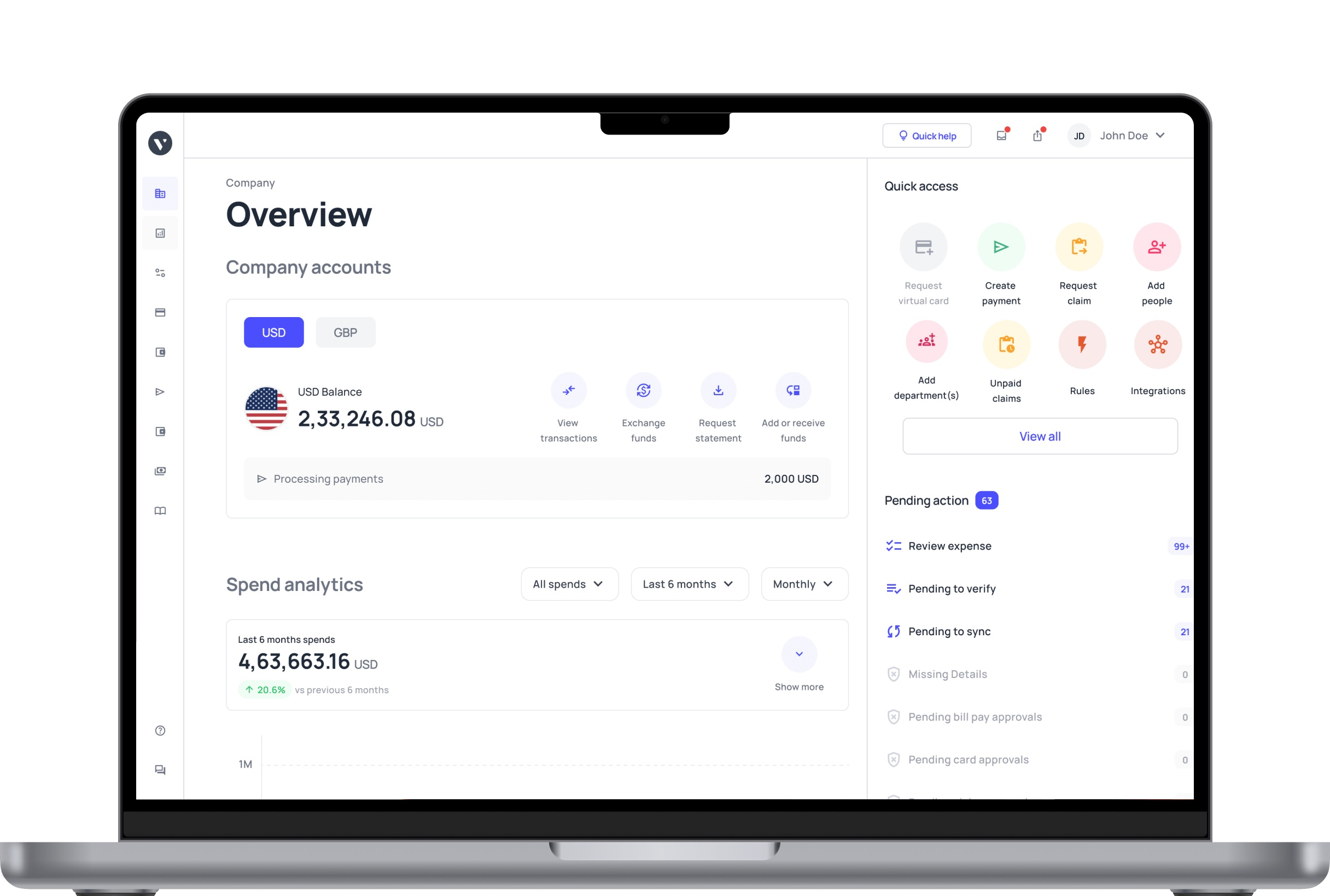
● Volopay -- Best for SMBs wanting physical and virtual business cards, multi-currency payments, and automated accounting in one place.
● Stampli -- Best for mid-market AP teams needing collaborative invoice workflows with deep ERP integrations.
● BILL -- Best for small businesses wanting a simple AP and AR platform with predictable pricing.
● Happay -- Best for enterprises managing travel, expense, and payment workflows with integrated corporate cards.
● Tipalti -- Best for companies handling high-volume global payments, tax compliance, and multi-entity AP.
| Tool | Best for | Feature set & capabilities | Ease of use | Integrations | Customer support | Pricing & value |
|---|---|---|---|---|---|---|
Volopay | Startups & SMEs | |||||
Stampli | AP-focused finance teams | |||||
BILL | SMBs & accounting firms | |||||
Happay | Enterprises & expense control | |||||
Tipalti | Global payments & enterprise AP |
5 Karbon alternatives for business cards in 2026
If business cards, managing multi-currency spending, or automating vendor payment flows are the gaps you need to close, here are the Karbon alternatives built for exactly that.
1. Volopay
Best for: SMBs and fast-growing startups needing corporate cards, expense management, bill payments, and accounting automation without juggling multiple tools.
Solutions: SaaS companies, technology firms, e-commerce businesses, and teams managing cross-border spending regularly.
Pros:
● Unlimited virtual cards in addition to physical cards with real-time spend controls
● Multi-currency wallets across 50+ currencies
● OCR-powered Magic Scan for automatic receipt capture
● Multi-level approval workflows with up to five approver layers
● Native two-way accounting sync
● Responsive customer support.
Cons:
● Full pricing and onboarding could require a demo call
● Billing statement reporting could be more detailed.
Key features:
● Volopay lets you issue physical cards with built-in spending rules and create unlimited virtual cards for subscriptions and vendor payments.
● The Magic Scan feature uses OCR to pull merchant names, amounts, dates, and vendor details from receipt images automatically.
● Approval workflows route expenses based on amount, department, or category rules you configure yourself.
Integrations: Xero, QuickBooks, NetSuite, Deskera, MYOB, and Tally with two-way sync.
Pricing: Volopay offers custom pricing based on your business size and requirements.
Why it's a better alternative?
Volopay closes gaps in native card issuance, multi-currency spend management, and direct vendor payment automation by bringing corporate cards, expense management, bill payments, and accounting automation into one platform so your team stops stitching together separate tools.
Users consistently highlight two things: how easy the platform is to navigate and how much time the accounting integrations save at month-end. Teams on Xero and NetSuite specifically note that two-way sync removes hours of manual reconciliation every month.
For businesses making international payments, Volopay's multi-currency wallet covers 50+ currencies with competitive SWIFT and local transfer rates, a meaningful saving over traditional banking setups. It is especially strong for companies operating across Southeast Asia, India, and the broader APAC region.
2. Stampli
Best for: Mid-market companies with 50 to 500 employees needing collaborative AP automation and strong ERP integration without overhauling existing processes.
Solutions: Manufacturing, construction, healthcare, and technology businesses where invoices move through multiple stakeholders before approval.
Pros:
● All invoice communication, approvals, and documents live on the invoice itself
● Native ERP connections set up in days
● AI-driven GL coding suggestions
● Stampli Card included free for customers with virtual and physical options
● G2 rating of 4.6 out of 5 for ease of use and support.
Cons:
● AP-only platform with no AR automation, cash forecasting, or treasury features
● International payments require third-party processors
● Interface can feel a little dated compared to newer platforms.
Key features:
● Every comment, document, and approval decision is attached to the invoice rather than buried in email threads.
● The vendor portal lets suppliers submit invoices and check payment status independently.
● Workflows are fully configurable and maintain a complete audit trail for compliance purposes.
Integrations: SAP, Oracle, Microsoft Dynamics, NetSuite, QuickBooks, and Sage Intacct.
Pricing: Quote-based only. Monthly platform fee covers a set number of user licenses and invoice volume. You can contact their sales team for specifics.
Why it's a better alternative?
Stampli helps AP teams by keeping every conversation, document, and decision directly on the invoice itself. Nothing gets lost in email threads or separate project management tools.
Where commonly used practice management tools require teams to manually track what stage a task is in, Stampli's AI learns your GL coding patterns over time and gets faster and more accurate the longer you use it.
Users consistently rate it highly for how quickly it integrates with existing ERPs, often going live within days rather than the weeks-long implementations common with enterprise AP tools.
The Stampli Card, included at no extra cost for customers, also gives finance teams a straightforward way to manage employee spending alongside invoice approvals in one dashboard.
3. BILL
Best for: Small businesses and growing SMBs wanting a straightforward platform for both accounts payable and accounts receivable without enterprise complexity.
Solutions: Professional services firms, nonprofits, and SMBs already running on QuickBooks or Xero.
Pros:
● Combined AP and AR at this price point is rare
● Simple onboarding for teams without a dedicated accountant
● ACH, check, and virtual card payment options
● Strong accounting integrations
● Reliable tiered pricing.
Cons:
● International payments are limited to wire transfers and require a US-based initiation
● The Procurement module launched in early 2025 and is still maturing
● Customer support quality is sometimes reported as inconsistent on lower-tier plans.
Key features:
● BILL captures invoices via a dedicated email inbox using OCR scanning, routes them through configured approval workflows, and lets you schedule vendor payments in advance.
● The AR side tracks customer invoices and outstanding receivables alongside payables for a combined cash flow view.
Integrations: QuickBooks, Xero, Sage Intacct, NetSuite, and FreshBooks.
Pricing: Essentials at $45 per user per month, Team at $55, Corporate at $79. Enterprise pricing on request.
Why it's a better alternative?
BILL is one of the few platforms that combines AP and AR in a single dashboard without pushing you into enterprise pricing. For small businesses that need to track what they owe and what they are owed in one place, that alone makes it worth evaluating.
Users who switch to BILL from practice management tools often highlight how much simpler the onboarding is. There is no steep learning curve, no complex configuration required, and teams without a dedicated accountant can get up and running quickly.
Users, when speaking of QuickBooks and Xero integrations in particular, note that data stays in sync without manual exports, which removes a significant source of month-end errors.
4. Happay
Best for: Medium to large enterprises needing integrated travel management, expense reporting, and corporate card issuance with compliance automation built in.
Solutions: Insurance, food and beverage, consulting, logistics, and large enterprises where employee travel volumes make manual expense processing unworkable.
Pros:
● Travel booking, expense reporting, and payments work together natively
● SmartAudit flags duplicate invoices, overclaimed expenses, and data mismatches automatically
● Xpendite pulls expense data from SMS, email receipts, credit card statements, and scanned bills
● GST management is fully automated
● Mobile app supports real-time approvals
● 91% user satisfaction across 1,273+ verified reviews.
Cons:
● Support response times can sometimes be slow
● Pricing is entirely custom and not publicly listed
● Occasional bugs reported around reimbursement processing
● Some compatibility issues with less common third-party systems.
Key features:
● Xpendite captures expenses at the source automatically, so employees never log anything manually.
● SmartAudit runs policy checks before expenses reach a human approver.
● ApprovNow pushes real-time notifications to managers so approvals move quickly.
● Happay also issues prepaid corporate cards in physical and virtual formats with merchant-level restrictions and live spend tracking.
Integrations: SAP, Oracle, and leading ERPs; HRMS platforms; travel management companies; cab and car rental services; corporate credit card networks.
Pricing: Fully custom. Contact Happay directly for a quote based on your organization's size.
Why it's a better alternative?
For large organizations where hundreds of employees are submitting travel claims, booking trips, and seeking reimbursements on a rolling basis, Happay works perfectly.
The combination of Xpendite and SmartAudit is what sets it apart in this space. Xpendite captures expense data automatically at the point of transaction, so employees are not manually logging anything after the fact. SmartAudit then runs every expense through policy checks before it ever reaches a human approver, catching duplicates and violations automatically.
Users highlight how much this reduces the back-and-forth between finance teams and employees during reimbursement cycles.
5. Tipalti
Best for: Mid-market to enterprise companies processing high volumes of vendor payments across multiple countries with tax compliance and multi-entity AP requirements.
Solutions: Technology, SaaS, media, and online marketplaces making mass payments to suppliers, freelancers, or affiliate partners across multiple currencies.
Pros:
● Payments to 200+ countries in 120+ currencies
● Automated W-9, W-8, VAT collection, and year-end 1099 and 1042 filing
● Customers report up to 80% reduction in AP workload
● Licensed money services business in every US state and Electronic Money Institution in the UK and EU
● 70+ native ERP integrations.
Cons:
● Implementation typically takes two to three months
● Higher cost than simpler alternatives
● Reporting customization is limited for some users
● Customer support responsiveness receives mixed reviews
● Ease of use scores below Stampli on independent review platforms.
Key features:
● Tipalti uses AI to process invoices, match them to purchase orders, and route them through approval chains without manual handoffs. Suppliers onboard themselves, submit invoices, and track payments through a self-service portal.
● Tax forms are collected automatically at onboarding. Mass payment runs execute across multiple countries and currencies in a single batch.
Integrations: NetSuite, SAP, Oracle, Microsoft Dynamics, QuickBooks, Xero, Sage Intacct, and 70+ additional ERP platforms.
Pricing: Starter plan at $129 per month. Premium and Elite plans on custom quotes.
Why it's a better alternative?
Tipalti holds money transfer licenses in every US state and operates as a licensed Electronic Money Institution in both the UK and EU. For finance teams that deal with cross-border payment compliance regularly, that is not a small thing. It means your payment operations sit on a regulated foundation rather than relying on third-party processors for the heavy lifting.
Users who have used Tipalti at scale consistently point to two benefits: the supplier self-onboarding portal that removes manual vendor setup work, and the automated tax form collection that saves significant time at year-end.
The 80% AP workload reduction that customers commonly report is not marketing language; it reflects what happens when invoice processing, PO matching, approval routing, and payment execution all run without manual handoffs between steps.
How to choose the right Karbon alternative for your business
1. Company size and growth stage
Your current headcount and transaction volume shape every feature you actually need. A platform built for 10-person startups will crack under the weight of a 200-person finance team, and an enterprise-grade tool will overwhelm a small business with complexity it does not need yet.
Map where your business realistically sits in 12 months, not today. If you are scaling fast, prioritize platforms built for mid-market growth. If you are early-stage, look for fast setup and flexible pricing. Avoid locking into a contract that punishes you for growing out of it.
2. Business card requirements
Card management gaps create real operational risk. Without real-time controls, spend visibility breaks down, policy violations slip through, and reconciliation becomes a manual nightmare.
Check whether the platform offers unlimited virtual and physical cards with instant spend controls. Ask specifically about prepaid card support if you manage field teams or distributed contractors. Do not settle for basic card issuance. You want freeze, limit, and assignment controls that work in real time.
3. Automation depth
Every manual approval your team handles is time pulled away from higher-value work. In a growing business, that cost compounds fast. Ask vendors to walk you through how their platform handles your actual payables scenarios, not a polished demo script.
Look for auto-routing based on amount, category, department, or cost center. If a vendor cannot show you multi-step automation in a live environment, assume it is more limited than advertised.
4. Integration with your existing tech stack
A new platform that does not talk cleanly to your ERP, HRMS, or travel tools creates data silos, and finance teams end up doing the reconciliation manually anyway.
List every tool your finance team touches before you evaluate a single platform. Ask specifically about two-way sync, not just one-directional data push. If your stack includes less common or legacy systems, test the integration before signing anything.
5. Global payment needs
Cross-border payables carry hidden costs when a platform is not purpose-built for them. Poor FX rates, slow settlement times, and limited country coverage can quietly erode margins on every international transaction.
Be specific about which countries and currencies you actually need. Ask about local payment rails, FX pricing, and compliance handling in those markets.
6. Customer support quality
When a payment stalls or an integration breaks, slow support turns a small problem into a finance team crisis. Support quality is one of the sharpest real-world differentiators between platforms that look similar on paper.
Read G2 and other reviews specifically for support responsiveness, not just overall ratings. During your demo, ask about SLA commitments, escalation paths, and whether you get a dedicated account manager. How confidently a vendor answers those questions tells you more than their marketing page ever will.
FAQs
It depends on your primary need. If you want corporate cards and expense automation bundled together, Volopay fits well. If you need straightforward AP and invoicing without the card layer, BILL is easier to set up and more accessible for smaller teams.
Some users have reported a steep learning curve, poor email navigation, and missing features. Some might also need card issuance and spend management that Karbon was not built to offer. While Karbon works excellently for many users, some might explore alternatives to better suit other needs.
Depends on what your firm needs beyond practice management. If you handle high-volume client payables, Tipalti gives you the AP depth and vendor management workflows to match. If your priority is internal expense tracking and reimbursements, Happay handles that layer cleanly.
None offer a fully free plan. Some might offer a trial period or exploratory period after a demo.
Prioritize corporate card issuance, automated expense capture, multi-level approval workflows, accounting integrations, multi-currency support, and vendor payment automation that cuts manual work for your finance team.
BILL handles AP and AR automation well for SMBs that need clean invoice workflows without heavy configuration. Tipalti is the stronger pick for high-volume global AP automation and complex vendor payment cycles.