11 Divvy alternatives for spend management
Divvy works well when you need foolproof and uncomplicated features for budget controls, expense tracking, and corporate card management. However, as your company grows, managing expenses can become more complex.
You may start facing issues like slow employee reimbursements, limited reporting flexibility, or integrations that do not fully support your existing finance systems. These challenges can become more noticeable as workflows scale and financial operations expand. To help you navigate these challenges, we have carefully evaluated top Divvy alternatives based on real-world use cases.













REVIEWED BY

Akanksh Muniyappa
Head of Product
WRITTEN BY

Alifiya Rathod
Content Writer
Quick summary of the best Divvy alternatives
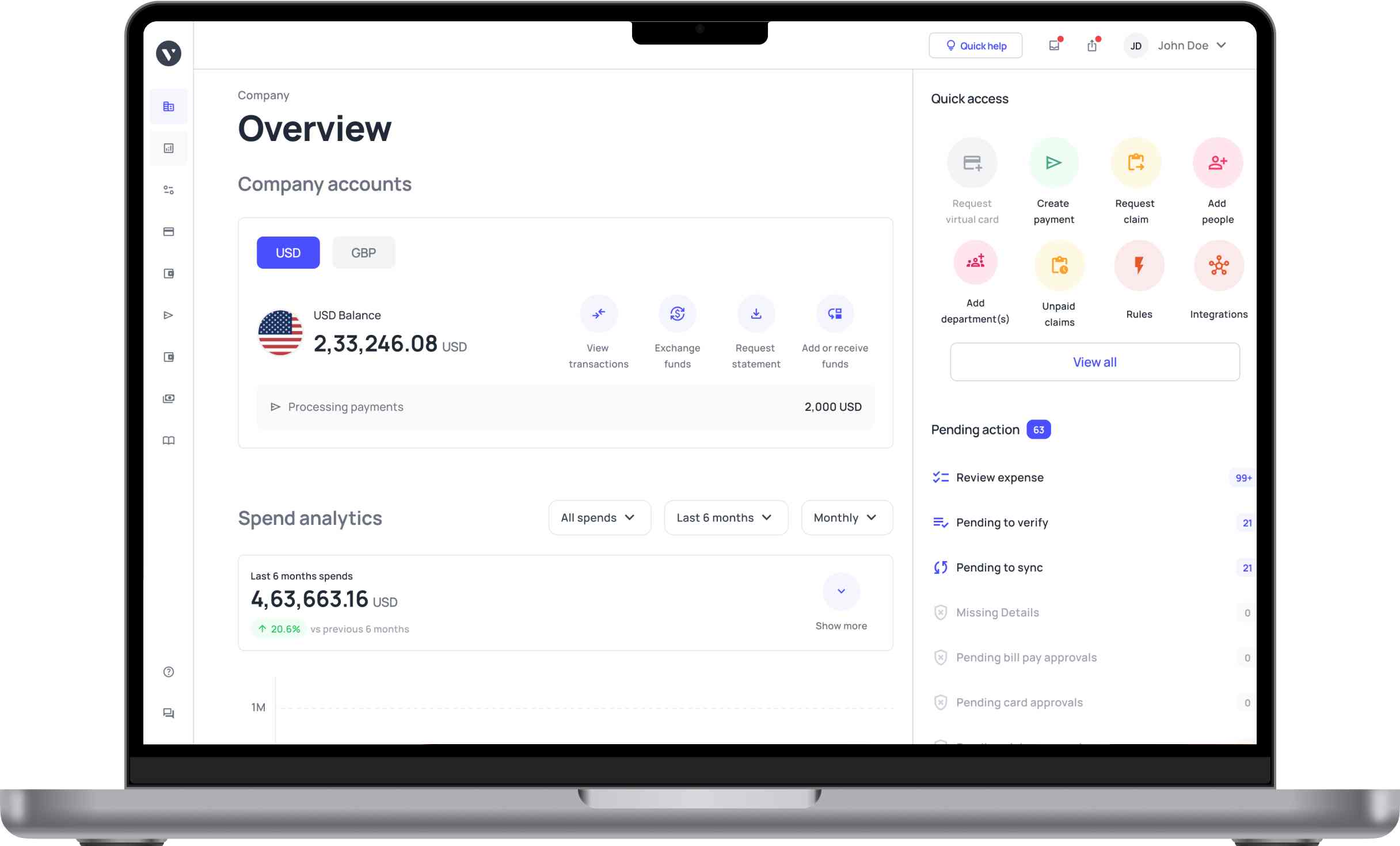
● Volopay: Best for managing corporate cards, expenses, and travel in one easy-to-use platform
● Ramp: Best for reducing costs with automation and gaining better control over company spending
● Brex: Best for startups needing modern corporate cards with built-in expense tracking and controls
● Spendesk: Best for handling team spending with approval workflows and better visibility
● Payhawk: Best for global businesses needing multi-currency expense management and strong compliance
● Airbase: Best for complete spend management including cards, bill payments, and approvals
● Expensify: Best for quick receipt capture and simple employee expense reimbursements
● Stampli: Best for automating accounts payable with easy invoice processing and team collaboration
● Pleo: Best for flexible company cards and simple expense tracking for everyday spending
● Rho: Best for combining banking, corporate cards, and cash management in one place
● Navan: Best for managing business travel and expenses together with policy controls
| Tool | Best for | Flexible controls | Employee reimbursements | Customization | Integration flexibility | Transparent credit limits | AP automation | Multi-currency support |
|---|---|---|---|---|---|---|---|---|
Volopay | Global teams & scaling businesses | Yes | Yes | Yes | Yes | Yes | Yes | Yes |
Ramp | Cost control & automation | Yes | Yes | Yes | Yes | Yes | Yes | Limited |
Brex | Startups & tech companies | Yes | Yes | Yes | Yes | Limited | Yes | Yes |
Spendesk | Mid-sized spend control | Yes | Yes | Yes | Yes | Yes | Yes | Yes |
Payhawk | Global enterprises & compliance | Yes | Yes | Yes | Yes | Yes | Yes | Yes |
Airbase | Mid-market AP automation | Yes | Limited | Yes | Yes | Yes | Yes | Limited |
Expensify | SMB expense tracking | Limited | Yes | Limited | Yes | Limited | Limited | Limited |
Stampli | Invoice & AP workflows | Limited | Limited | Yes | Yes | No | Yes | Limited |
Pleo | SMBs needing simplicity | Yes | Yes | Limited | Yes | Limited | Limited | Limited |
Rho | Banking & spend management | Yes | Yes | Yes | Yes | Yes | Limited | Limited |
Navan | Travel & expense management | Limited | Yes | Yes | Yes | Limited | Limited | Limited |
Get your team working with Volopay
Best overall
1. Volopay
Best for: You choose Volopay if you run a growing business, manage global teams, and need unified control over expenses, cards, and payments workflows.
Solutions: You can use it across industries like SaaS, eCommerce, logistics, and professional services that require efficient spend management and global payment capabilities.
Integrations: You can connect Volopay with accounting systems like QuickBooks, Xero, and ERP tools, ensuring smooth data syncing and reducing manual financial reconciliation efforts.
Best for startups and high-growth companies
2. Ramp
Best for: Best if you are a startup or high-growth company needing strong cost control, automation, and real-time financial visibility.
Solutions: You can use it across SaaS, fintech, eCommerce, and tech-driven industries that prioritize automation, cost savings, and efficient financial operations at scale.
Integrations: You can connect with tools like QuickBooks, NetSuite, Slack, and other business systems, ensuring smooth workflows and reducing manual financial data entry efforts.
Pricing: You can typically use it for free without any subscription fees, while certain advanced services or enterprise-level features may come with additional custom pricing.
3. Brex
Best for: You choose this if you run a startup or scaling company needing flexible credit, modern cards, and integrated expense management tools.
Solutions: You can use it across SaaS, fintech, eCommerce, and startups that require fast onboarding, flexible credit access, and streamlined spend management processes.
Integrations: You can connect with QuickBooks, NetSuite, Slack, and other business tools, ensuring smooth financial workflows and reducing manual data entry across systems.
Pricing: You can choose a free Essentials plan at $0 per user per month, a Premium plan at $12 per user per month, or a custom-priced Enterprise plan, with higher plans offering more advanced controls, automation, and global payment features.
Best for SMBs
4. Expensify
Best for: You choose this if you run a small or medium business needing simple expense tracking, quick reimbursements, and minimal administrative overhead daily.
Solutions: You can use it across consulting, marketing, startups, and service-based industries that require easy receipt tracking, expense reporting, and reimbursement workflows without complexity.
Integrations: You can connect with QuickBooks, Xero, NetSuite, and other accounting tools, allowing smooth syncing and reducing manual work across your financial systems.
Pricing: It offers different pricing plans based on features and usage. Costs may increase if you add more users or need premium features and advanced tools for growing operations.
5. Pleo
Best for: If you run a small or medium-sized business, especially in Europe, it can be a good fit if you need flexible company cards and simple expense tracking. Pleo is also useful if you want better compliance and an independent spending culture for employees.
Solutions: You can use it across startups, agencies, consulting, and service industries that require easy expense tracking, employee spending control, and simplified financial processes.
Integrations: You can connect with accounting tools like QuickBooks, Xero, and other systems, ensuring smooth data syncing and reducing manual financial reconciliation work.
Pricing: You can choose from tiered plans based on features, with entry-level options for basic needs and higher plans offering advanced controls and scalability.
6. Spendesk
Best for: You choose this if you run a small or mid-sized business needing better visibility, controlled spending, and simple approval workflows.
Solutions: You can use it across agencies, SaaS, startups, and service businesses that need expense tracking, employee cards, and structured approval processes.
Integrations: You can connect with tools like QuickBooks, Xero, and NetSuite. This helps sync financial data and reduces manual work.
Pricing: You get tiered pricing based on features and team size. Higher plans offer more controls, automation, and better scalability.
Best for enterprises
7. Payhawk
Best for: You choose this if you run an enterprise business managing multiple entities, global teams, and requiring strong financial controls across departments and regions.
Solutions: You can use it across manufacturing, logistics, SaaS, and large enterprises needing centralized expense, card, and accounts payable management across multiple global entities.
Integrations: You can connect with ERP systems like NetSuite, Microsoft Dynamics, and other tools, ensuring seamless data syncing and faster financial closing processes.
Pricing: You typically access custom pricing based on business size, with enterprise plans offering advanced controls, automation, and dedicated support for large-scale financial operations.
Best for international & multi-currency teams
8. Rho
Best for: You choose Rho if you run a global business needing integrated banking, corporate cards, and seamless multi-currency support across distributed teams worldwide.
Solutions: You can use it across startups, fintech, eCommerce, and global businesses that require unified banking, expense management, and international payment capabilities in one platform.
Integrations: You can connect with accounting tools like QuickBooks, NetSuite, and other systems, ensuring smooth financial data syncing and reducing manual reconciliation efforts.
Pricing: You typically access competitive pricing with transparent structures, offering core banking and spend management features, with additional services available based on business needs.
Best for companies with complex financial needs
9. Airbase
Best for: You choose this if you manage a mid-sized or enterprise business needing advanced approval workflows, strong controls, and unified spend management systems.
Solutions: You can use it across SaaS, finance, healthcare, and large businesses. It is useful for companies that need detailed approvals, audit trails, and central control.
Integrations: You can connect with ERP systems like NetSuite, QuickBooks, and other tools. This helps sync data smoothly and reduces manual work across financial processes.
Pricing: You typically access custom pricing based on business size and needs, with advanced features and automation available in higher-tier plans for scalability.
10. Stampli
Best for: You choose this if you manage a business with high invoice volumes. You need strong accounts payable automation and simple approval workflows.
Solutions: You can use it in manufacturing, retail, healthcare, and enterprises. It helps with invoice processing, vendor communication, and centralized accounts payable management.
Integrations: You can connect with ERP systems like NetSuite and Sage. It also integrates with accounting tools for smooth data syncing and less manual work.
Pricing: You get custom pricing based on invoice volume and business size. Plans scale as your accounts payable needs grow.
Best for travel expense management
What is the best Divvy alternative in 2026?
When choosing a Divvy alternative, businesses should consider factors such as expense management, corporate cards, spending controls, automation, integrations, reimbursements, and multi-currency support.
The right platform will depend on your company size, financial workflows, global requirements, and the level of flexibility and scalability your finance team needs.
How to choose the right Divvy alternative for your business
Company size
Your business size directly affects the level of control, automation, and scalability you need. Small businesses usually benefit from simple tools that are easy to manage, while larger companies often require advanced approvals, compliance controls, and multi-team workflows. Choose a platform that can support your current operations while also scaling as your business grows.
Budget
The right software should deliver value beyond its subscription cost. A lower-priced tool may still create extra manual work, while a more advanced platform could save time and reduce costly errors. Compare pricing with the potential efficiency gains, automation benefits, and long-term operational savings before making a decision.
Features
Features determine how effectively the software can manage your financial operations. Capabilities like automation, real-time expense tracking, approval workflows, and detailed reporting improve visibility and reduce manual tasks. Focus on the features your team will use regularly instead of paying for tools that do not match your needs.
Requirements
Every business has different financial processes, approval structures, and compliance needs. Choosing software that fits your existing workflows helps avoid disruptions and reduces the need for major process changes. Evaluate how well the platform aligns with your internal operations before committing to it.
User experience
A platform that is difficult to use can slow adoption and create frustration for employees. Simple navigation, clear workflows, and an intuitive interface help teams use the system correctly and consistently. Prioritize software that makes everyday expense management easier for both employees and finance teams.
Customer support
Reliable support is important because setup issues, technical problems, or delayed responses can disrupt financial operations. Strong onboarding and responsive assistance help your team adopt the platform faster and resolve issues with minimal downtime. Before choosing a provider, review customer feedback, support channels, response times, and the quality of onboarding assistance offered.
Scalability
Your software should continue supporting your business as operations grow more complex. A platform that works for a small team today may struggle with higher transaction volumes, multiple departments, or global expansion later. Choose a solution that can handle additional users, workflows, and advanced features without forcing you to switch systems in the future.
Integrations
Connected systems improve accuracy and reduce repetitive manual work. When your expense platform integrates with accounting, ERP, payroll, and banking tools, financial data flows more smoothly across departments. Check whether the software supports the tools your business already uses and whether the integrations are native or require third-party connectors.
Pricing
Pricing should be evaluated based on overall value, not just the lowest monthly cost. Some platforms may charge more but provide automation, controls, and scalability that save time and reduce operational effort. Compare pricing tiers carefully and assess whether the added features justify the long-term investment for your business.
Location
Geographic requirements can affect compliance, taxes, currencies, and payment processes. Businesses operating across multiple countries may need support for local regulations, multi-currency transactions, and regional payment methods. Select software that can handle the countries and financial requirements relevant to your operations.
Automation
Automation helps reduce manual tasks, improve accuracy, and speed up finance processes. Features like receipt capture, approval routing, and automated reporting can save significant time for finance teams and employees. Focus on tools that automate the tasks your team handles most frequently to improve efficiency and reduce errors.
FAQs
You look for alternatives if you find that Divvy limits flexibility with budgets, or if you face issues with reimbursements, or if you find it has limited integrations. Businesses also seek scalable automation, reporting, and multi-currency support for growing operations.
Volopay, Brex, and Ramp are strong Divvy alternatives for startups, but each suits different needs. Volopay is a strong choice for all-in-one spend management and automation, while Brex suits startups needing flexible credit. Ramp also works well for teams focused on reducing costs through automation.
Volopay, Spendesk, and Ramp offer features similar to Divvy, including corporate cards, expense controls, approvals, and budgeting tools. Volopay stands out as a close alternative because it combines spend management and automation in one platform. Spendesk and Ramp also provide comparable spend controls, approval workflows, and visibility into company expenses.
Yes, most alternatives provide corporate cards with spend controls, real-time tracking, and limits. These cards help you manage expenses efficiently while improving visibility and reducing manual processes.
Volopay, Expensify, and Pleo provide similar expense tracking capabilities with automation and reporting features. Volopay is suited for businesses wanting cards, approvals, and expense management in one system. Expensify simplifies receipt capture and reimbursements. While Pleo focuses on flexible company cards and easy day-to-day expense tracking.
Yes, some providers offer free plans with basic features. For example, you can choose the free Brex Essentials plan at $0 per user per month. Most tools also have tiered pricing, where advanced controls and extra features require a paid subscription.